I solved it.
It was a problem with a code from
https://docs.myeventon.com/documentations/customize-eventtop-date-format/
Replies for tickets on suppota
I solved it.
It was a problem with a code from
https://docs.myeventon.com/documentations/customize-eventtop-date-format/
there is a 30 day money back option
with regards to a pop up from the menu- you could put the form in the pop up and have that triggered from a button- not sure how to do that on divi- but I can do it on xtheme pro which is what I use for my sites- its located in the header builder so I suspect its something similar in divi
the pop up could also be good as most spiders don’t access a pop up
one thing you might wish to consider is the text box
2: its OK you can have it create events as draft for you to check over and they don’t have to be logged in- thats no issue
some websites have an untrustworth community and others have a safe community so if your community is good then not having them log in should be OK
Hello,
i have try it. it fails.
wp -admin access:
user: tester
password: tester-password
yikes – just realised the previous login link was sent as public so i killed it and here is another one:
Hello! Here’s the link you requested from WordPress.com.
For extra security, the link can only be used one time and expires in one hour.
If you have a moment, we would greatly appreciate if you could kindly leave us a review at codecanyon! from your account > downloads. Cheers!
We are glad your issue is resolved, if you have any further questions or concerns please create a new ticket.
Thanks SOOO much, David!
This was extremely helpful – I’ve implemented all your suggestions!
You should ask your boss for a raise. This is THE BEST experience I’ve ever had with a development ticket.
Awesome job!
Thanks for the info.
1: I use Divi theme and I can add shortcode anywhere I want.
But…Can I have this in a menu, or are you suggesting I link to a page that then uses the popup?
(I’m assuming the popup would be mobile friendly?)
I wish I knew how to do that recapture trick you were talking about. Tried to research and find a plugin but don’t see anything.
Still wish there was just Recaptcha support for the plugin.
2: I don’t want people logging in or creating roles – there are just admins and users. We just want a form that creates a draft, alerts an admin and then they can approve or edit. I don’t want anybody uploading images, our site is much simpler than that. Images just complicate things, so that is not an issue.
3: Knowing that I need to have anyone submit events, do you think I should use this plugin? (You got me a bit worried since I need to allow anyone to submit) I would like to because I have a placeholder contact form and don’t like it as much as I would if it just was submitted directly.
4: There is a refund in 30 days if it doesn’t work, right? (I won’t need 30 days to know if it works, but really need to install and see how it works.) If this is right, I’ll just buy it. I don’t want to keep wasting your time if I’m not going to buy it.
Thanks so much for the help!
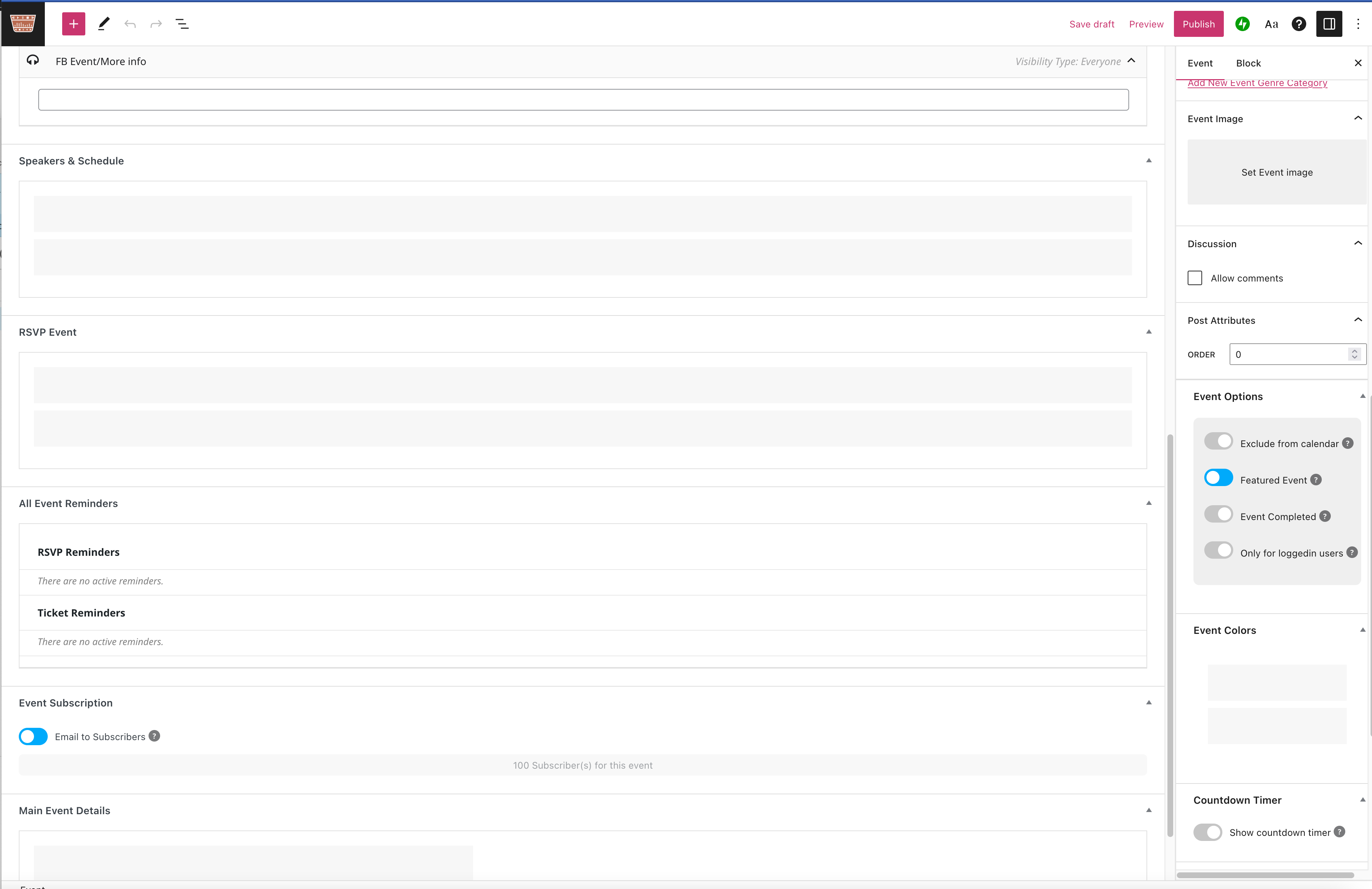
2nd page of edit screen with rsvp and speakers (and event colours in right menu) just showing as grey boxes
or try:
virtualfeast2020.wordpress.com/wp-login.php
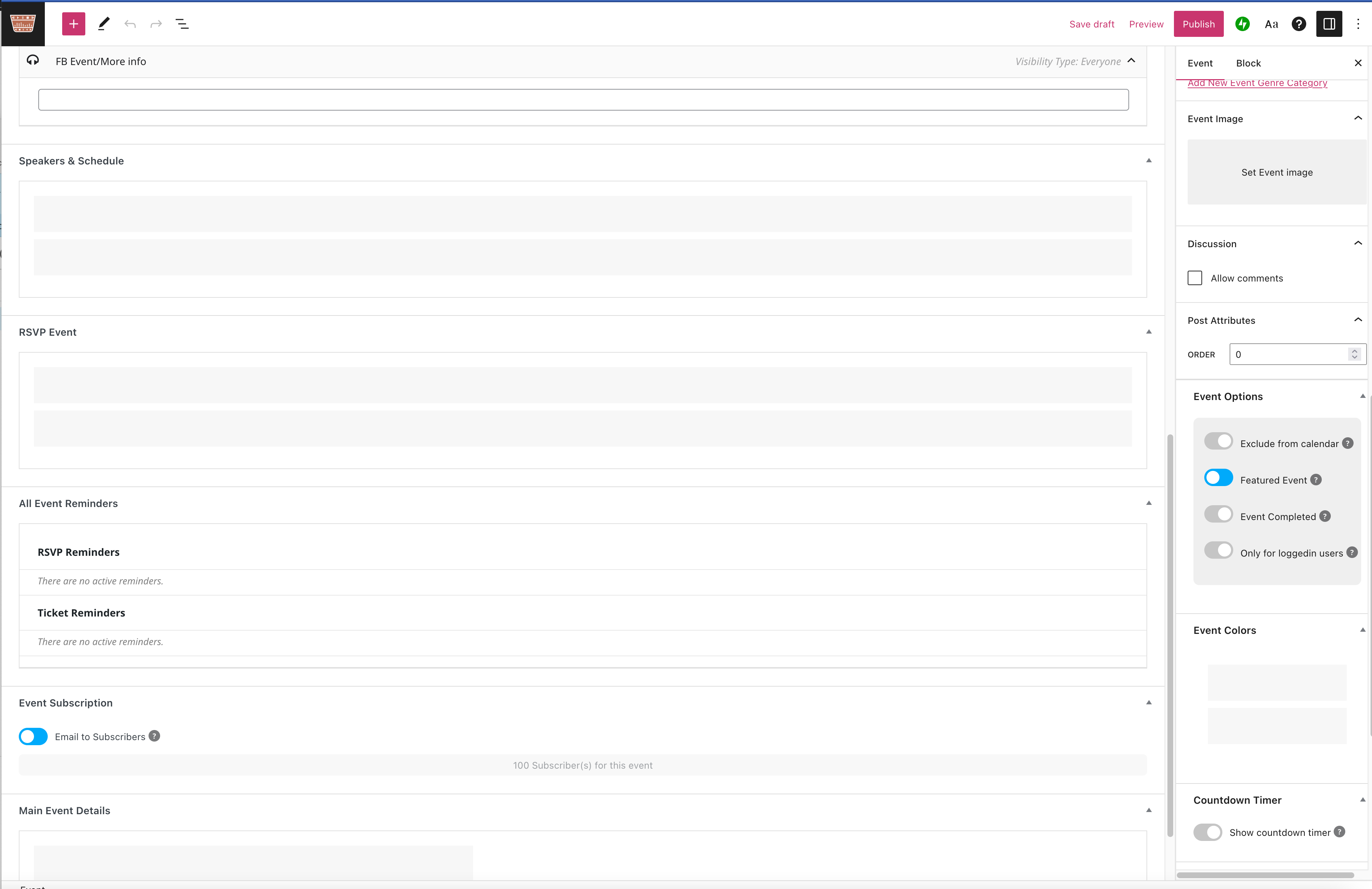
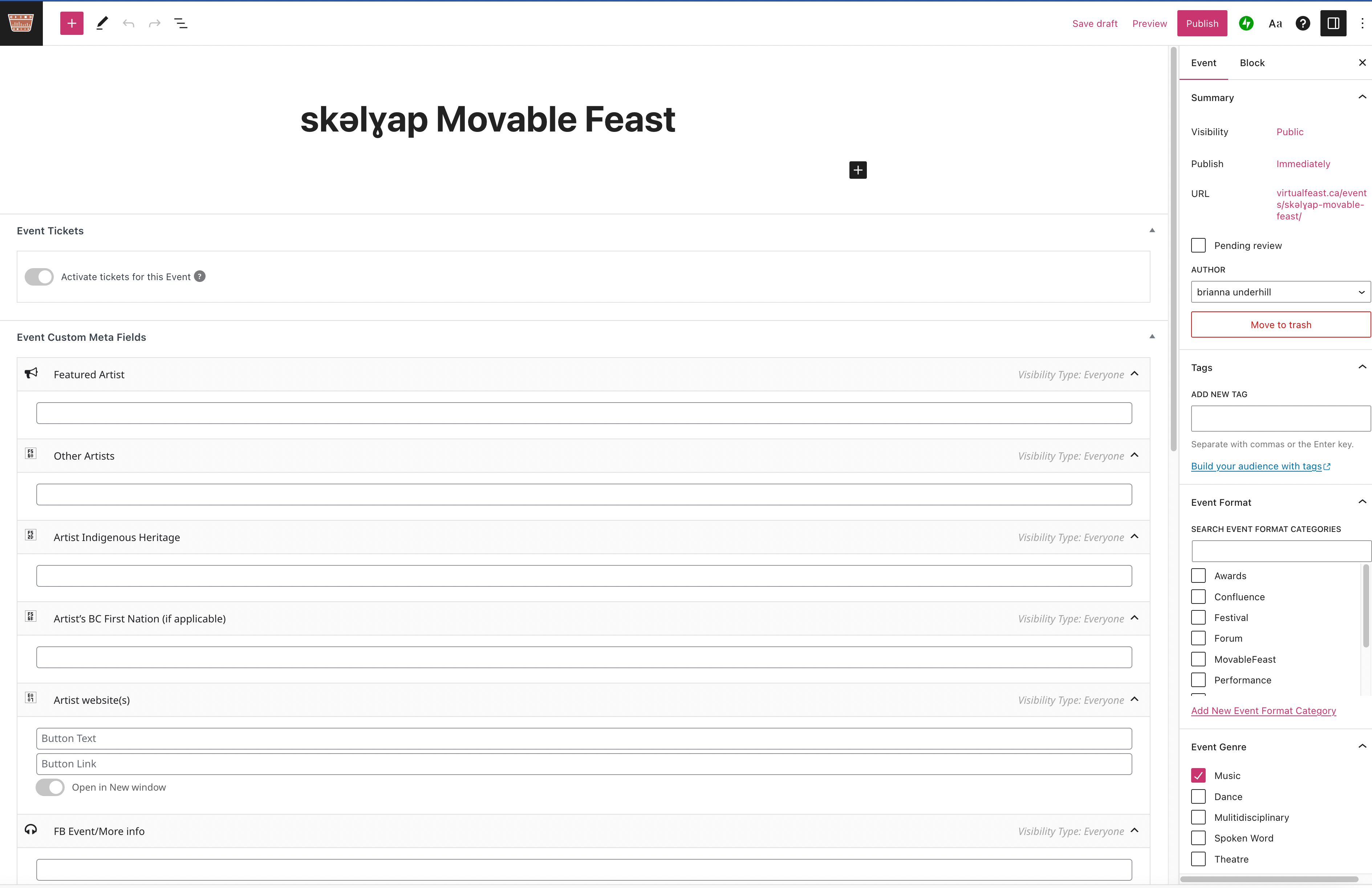
the wordpress.com site uses jetpack but i am not logged into it otherwise and i tried this from a fresh browser. FYI i am on a mac but have tried editing the events in the latest versions of safari/firefox/chrome with the same result of getting no fields to edit except for the main title/text block, some of my custom fields, and some of the settings that appear in the right hand site menu.
attached two screen shots of what editing an event looks like from firefox
i requested a link for auto login to vqhelp – does this work.