i get an error when viewing your site
Sorry, but due to the high number of potentially malisious activity from visitors from your country, you are not permitted to browse this site.
Replies for tickets on suppota
i get an error when viewing your site
Sorry, but due to the high number of potentially malisious activity from visitors from your country, you are not permitted to browse this site.
seems that theres was an issue with the update
we had issue with the Visual/text editor not working right
upon updating and fixing that issue one of the side effects was this error
unfottunatly you will have to go in and delete the content (or if you are not using them- simply go to myeventon>>>>>settings>>>>event card design and hide those additionl fields)
see vid
that makes sense “only show if theres something to load”
Thank you for your great suggestion, at the moment it is not supported. However please create a new ticket and select Feature Request as category so others can vote on your idea and get it moved into development faster.
Hello,
Avada adds it’s own options to any page it can find. EventON cannot use their options anyway, like a lot of other plugins.
They should give you the option to be able to checkout plugins or taxonomies, you don’t want their options enabled. Similar to https://kb.wpbakery.com/docs/learning-more/wpbakery-page-builder-settings/ > Role Manager.
First of please try EventON > Scripts & Styling > turn off Write dynamic styles to header > save settings > turn on Write dynamic styles to header.
Stars are gold. I still have the green background colour and I have no idea where this colour is coming from as I tried changing all items to white which did not change.
Use this link if the coming soon page is still on. https//.www.soulfulsorrows.com/an1pag
Added this, so it works now: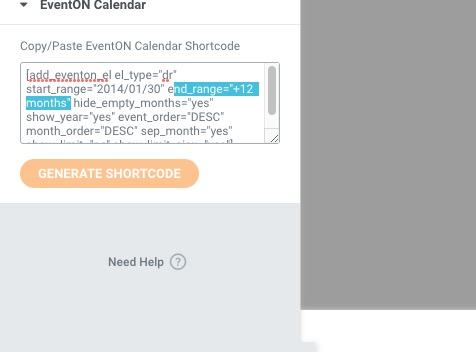 Please check and let me know.
I cannot find the order associated with your account email. Could you send us the email as well?
Great! Please keep us updated.
Hello,
Please go to EventON > Time Settings > enable Allow universal event time format on eventCard > now use the table from https://www.php.net/manual/en/datetime.format.php to create the date format you want.
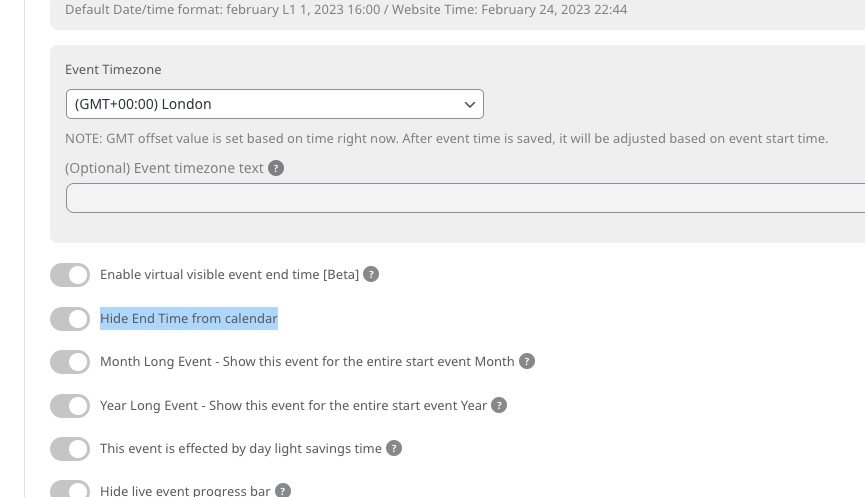
Finally, is there a way to hide the time on multiple day events?
The only available option is wp-admin > Events > Edit Event >
Hello,
Please add this CSS code to EventON > Styles (If you don’t see any change, EventON > Scripts & Styling > turn off Write dynamic styles to header > save settings > turn on Write dynamic styles to header):
.evcal_cblock .evo_end { font-size: 30px; margin-top: 0; }
I would like to make the month below the date a little closer to the same size.
Which size you are referring to?