Any recommendations on how I free up more resources for EventOn?
Replies for tickets on suppota
Any recommendations on how I free up more resources for EventOn?
Thanks that was a help. I found that it was easier for me to make the changes and then copy the script/css to the template as it was suggested in the settings. I just didn’t understand what all that meant.
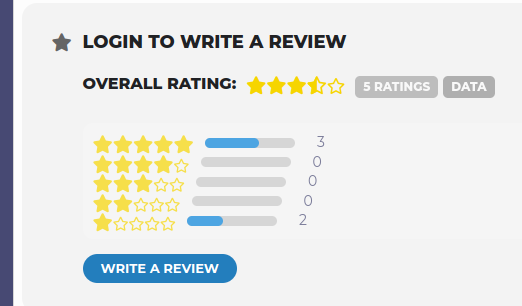
I had tested the reviews and then deleted them as I’m getting ready to launch the site. I noticed when I created additional events using a previous test event as a template (6 repeating events) there was reference to event ratings which no longer exist. How can I zero out the ratings?
Ashan,
Their cache plugin is referring to this line:
https://dev2.myeventon.com/Events-Directory/test-6/
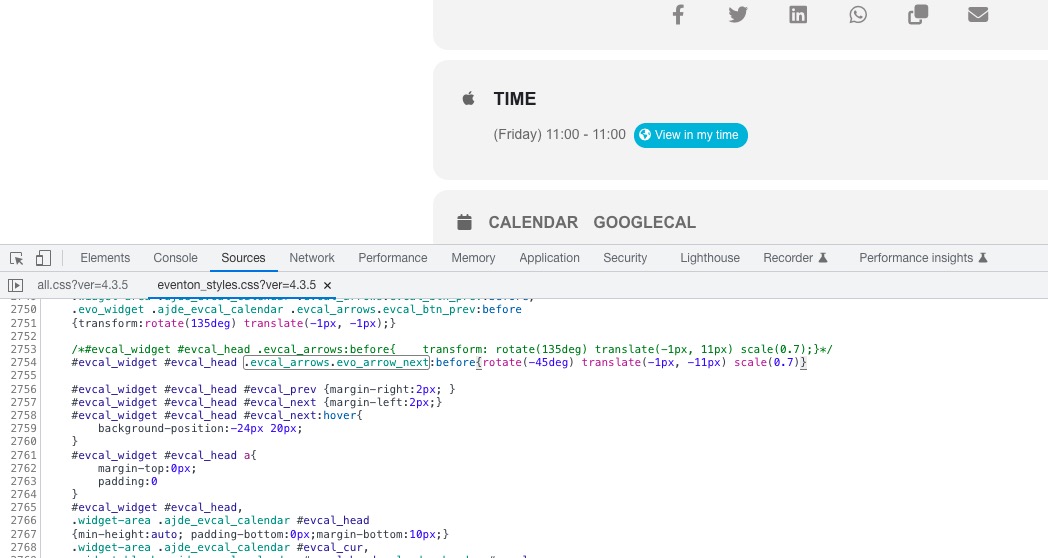 I am not sure if you can use rotate without transform. Could you check?
I think I found the issue. I am going to assign this ticket to Ashan and he will be able to take it from here and find you a solution. Please allow some time for him to get back to you, we greatly appreciate your patience and thank you for being a eventon customer! Also please disable any IP blocking on your site if there are any.
Hello,
Please use Event Lists shortcode:
[add_eventon_list number_of_months=”12″ hide_empty_months=”yes” tiles=”yes” tile_bg=”1″ tile_style=”1″]
Thank you for your messages, I am going to assign this ticket to Ashan and he will be able to take it from here and find you a solution. Please allow some time for him to get back to you, we greatly appreciate your patience and thank you for being a eventon customer! Also please disable any IP blocking on your site if there are any.
1. Perfect!
2. When you enable “Allow universal event time format on eventCard” (EventON > Time Settings), it overrides All Day option in Edit Event. So, unfortunately, you can either have no time or custom date + time.
Thanks. I have updated to 4.3.4 with no change to the RSS feed. After that, I started looking into the rss.php file within the eventOn RSS plugin. I noticed the following arguments.
// data arguments
$data_args[‘hide_past’] = ‘no’;
$data_args[‘sort_by’] = ‘sort_date’;
$data_args[‘event_order’] = ‘ASC’;
$data_args[‘number_of_months’] = ‘5’;
I changed the value from 5 to 18 for the number of months argument, overwrote the file, cleared my browser and cdn cache, and noticed that the events are now showing in the rss feed. After realizing this, I checked the plugin settings within the dashboard/cms and noticed there is no way to change the number of months argument via cms (unles I am missing it?). Is this supposed to be like this?
Also, how can I make sure my changes don’t get overwritten with a future plugin update?
Thanks, -FB
Hello,
“Show all events of the month below calendar” loads events for the current month. There is no way of showing events for the whole year with FullCal. Please take a look at Event Lists:
[add_eventon_list number_of_months=”12″ hide_empty_months=”yes”]