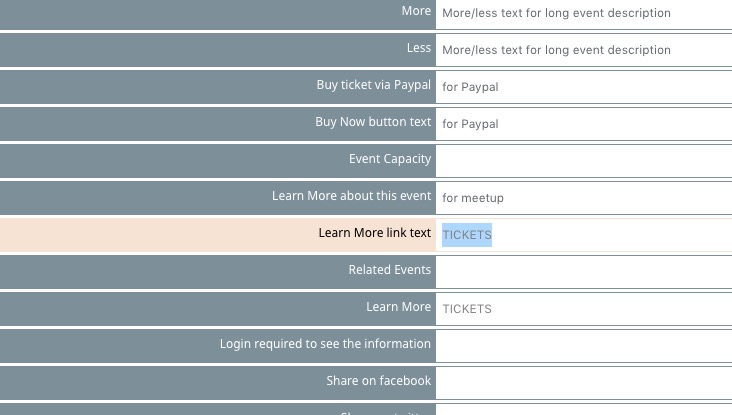
…in the ticket appearance section…
If you want to change colors for Review, please open https://helpdeskx.s3.amazonaws.com/wp-content/uploads/2023/02/22035228/Screenshot-2023-02-22-at-11.52.13.jpg.
About login. When you go to https//.www.soulfulsorrows.com/an1pag and try Username and Pass from Login Information, can you login?
Hello,
I went to https://www.dymytry.cz/wp-admin/?page=eventon&tab=evcal_2&lang=L2 and added the translated text to:

Please check now.
Ashan,
“Show empty terms in the list” is disabled, but it still shows empty speakers:
https://dev2.myeventon.com/test-8/
Hello,
Thank you for your messages, I am going to assign this ticket to Ashan and he will be able to take it from here and find you a solution. Please allow some time for him to get back to you, we greatly appreciate your patience and thank you for being a eventon customer! Also please disable any IP blocking on your site if there are any.
We are glad your issue is resolved, if you have any further questions or concerns please create a new ticket. If you have a moment, we would greatly appreciate if you could kindly leave us a review at codecanyon! from your account > downloads. Cheers!
I may add that eventon was installed, while the wordpress installation was on a subdomain. Then the whole wordpress installation was copied to the main domain.
Deinstalling eventon_bookings did delete the respective folder. So it ist newly created when installing it again. Yet the error is appearing again
We unable to refund the main plugin. Please contact CodeCanyon.
Hello,
Please update EventON to 4.3.4, since your version doesn’t support ux_val.
To update eventon to latest version: If you are unable to do autoupdate, you can go to codecanyon your account > download and get the latest eventon version as zip file. Then you can go to your website > make sure “Delete eventon settings & data when EventON is uninstalled” is Deslected from eventon settings, delete old eventon, install new one and activate. This link will further explain the process it. Also you can follow us on twitter to get real-time announcements on updates!

Can only attach one image so here is the padding example to show all the space.

Hi,
A few things:
1: This code only targets the SECOND number in the date. (The end date)
How can I target the first number (Start Date) so I can make then both smaller?
2: When you make the month bigger, it pushes the second number and hyphen over. (Screenshot attached)
Not sure why these are tied together since they are on different lines.
3: How can I make the top and bottom margins/padding smaller? It takes up a ton of space. Once I make the text smaller, I want to decrease the padding area on top and bottom. (I’ll attach screenshot so you can see the padding)
4: The CSS stopped working in the plugin. (it worked yesterday) Been having to put CSS in my own spot to get it to work.
I did try turning on that dynamic option in the scripts and styling area, but that totally whacks out the color of the text, so I had to turn it back off. It’s weird because it is just stuck with the code that was there unless I change in my own place. Not sure what happened.
Not a huge deal because I’ll just not use that, but still I would like it to work.
Thanks for the help!