Hello,
You need to use Event Lists: Ext add-on
https://www.myeventon.com/addons/event-lists-extended/
Try this shortcode on https://dev.myeventon.com/wp-admin/:
[add_eventon_el number_of_months=”12″ event_count=”8″ event_count_list=”yes” show_limit=”yes” show_limit_ajax=”yes” hide_empty_months=”yes”]
Or how it looks like on our test site:
https://dev2.myeventon.com/33015-2/
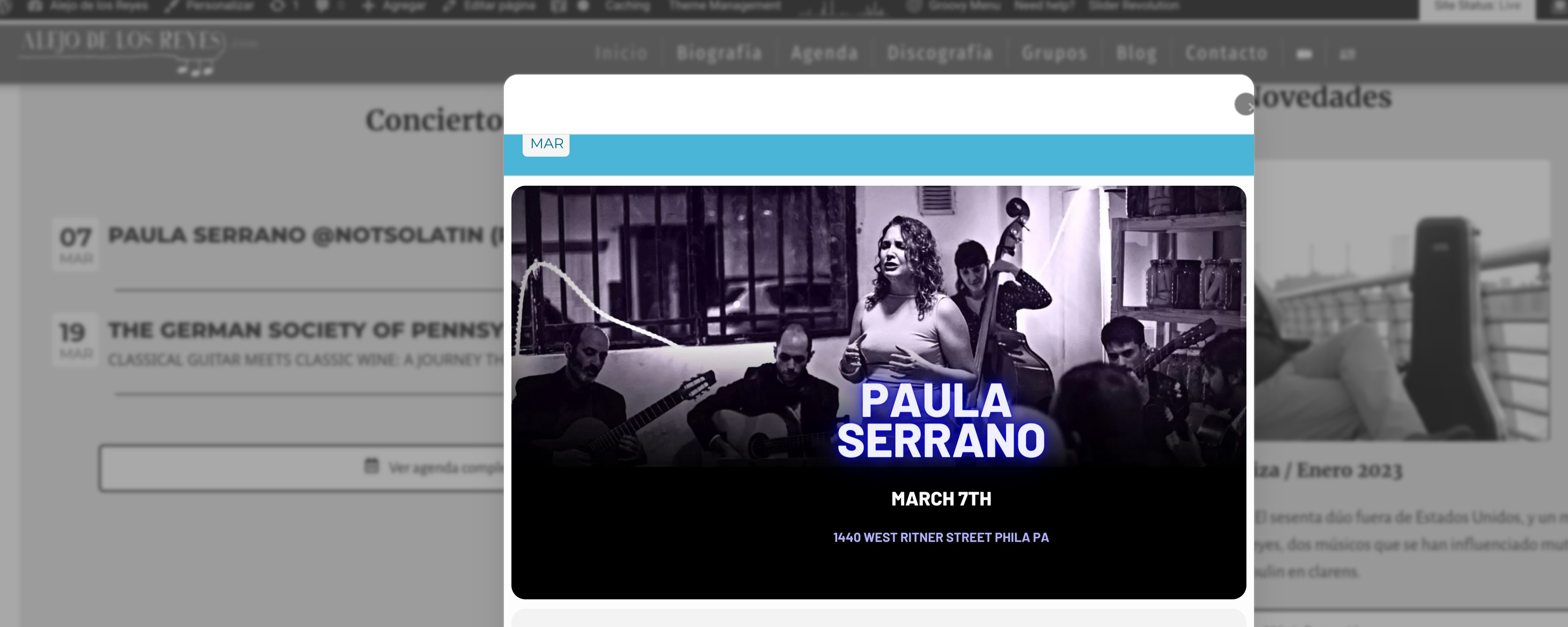
That’s really strange. The header should be light blue, not white. Is not doing it consistently. Would you please check the spanish version? for some reason is it doing it more often there
The screenshot is using Firefox 110.0 on PopOS Linux. On other chrome based browsers I don’t find the issue for now
Great! Please keep us updated.
Thank you for your great suggestion, at the moment it is not supported. However please create a new ticket and select Feature Request as category so others can vote on your idea and get it moved into development faster.
Please add this CSS code to EventON > Styles (If you don’t see any change, EventON > Scripts & Styling > turn off Write dynamic styles to header > save settings > turn on Write dynamic styles to header):
span.evo-filter-btn.show { display: none !important; }
Hello Gerald Galliano,
Could you create a new ticket with included login info?
No issues on our test site:
https://dev2.myeventon.com/33010-2/
Click on “Barak Obama”.
Ashan,
2. The same on dev2:
https://dev2.myeventon.com/test-3/
Hello,
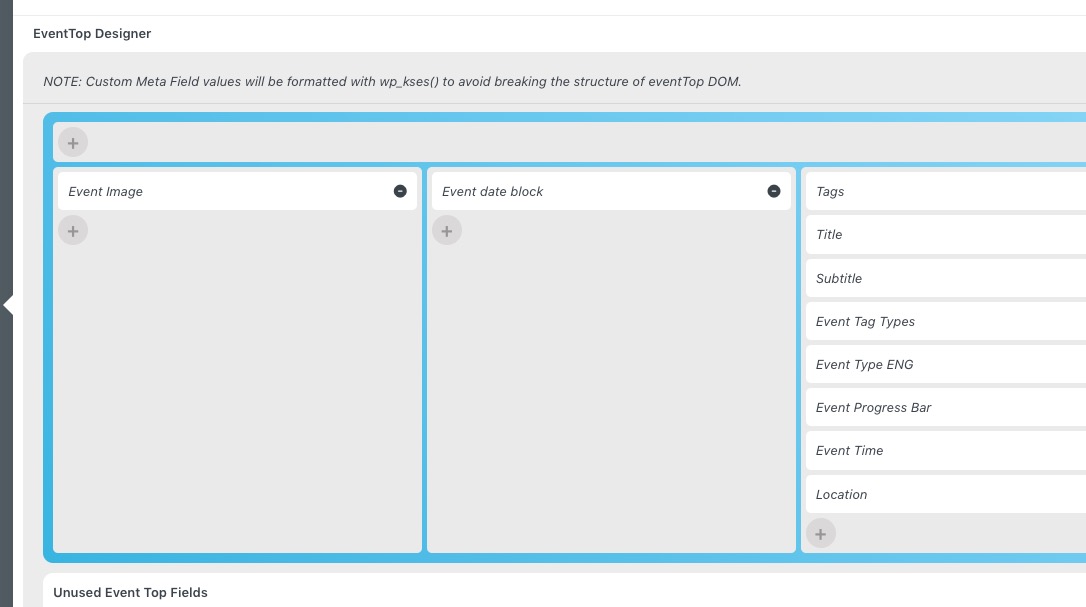
1. Please try arranging EventTop this way:
 2. Thank you for your messages, I am going to assign this ticket to Ashan and he will be able to take it from here and find you a solution. Please allow some time for him to get back to you, we greatly appreciate your patience and thank you for being a eventon customer! Also please disable any IP blocking on your site if there are any.
Hello,
You can delete RSVPs by going to wp-admin > Events > All Events RSVPs. You can change them there as well.
You must include your card number when registering for Google Map API. Unfortunately, this is the only option at the moment.