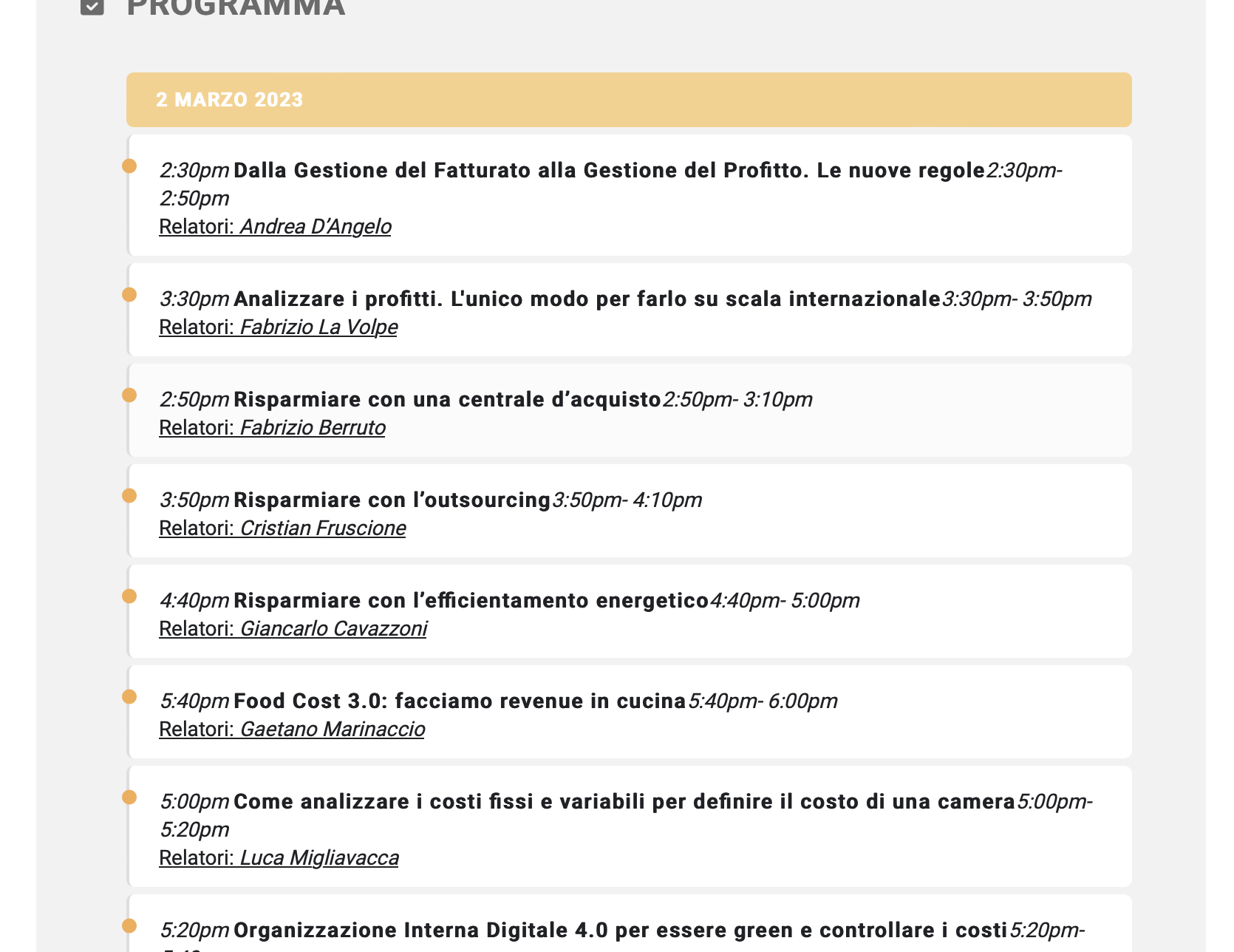
Hi There, I have a problem with speaker and schedule addon. The schedule is not displaying in the way it has to be. Please see attached.
Replies for tickets on suppota
Hi There, I have a problem with speaker and schedule addon. The schedule is not displaying in the way it has to be. Please see attached.
Hi:
first of all, thanks for your help.
But your solution it is not exactly what I need.
[add_eventon_list number_of_months=”2″ hide_empty_months=”yes” hide_month_headers=”yes” event_count=”4″]
With this short code, we can publish the events of two months. But 4 in one month and four in other month.
But I need to publish, for example, 6 future events, 4 in this month (febrery) and 2 in the next month, March (depends on the event that are programated). And always want to publish in this area of the web, 6 future events, regardless of the month in which it occurs
You can see my test page here: https://kulturagernika-lumo.eus/portada_pruebas/
Regards.
Pedro.
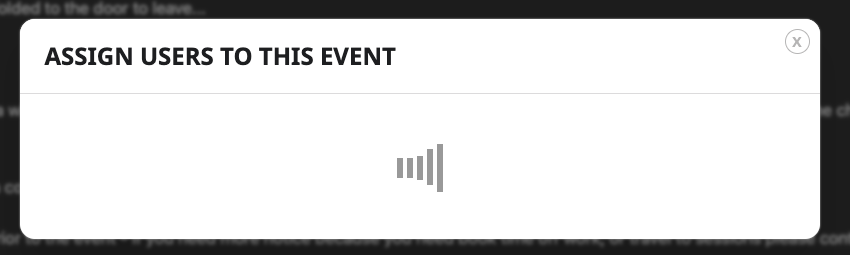
Yes that’s amazing! I’ve purchased it, added activation key but my manage assigned list isn’t loading…
Thanks
Dan
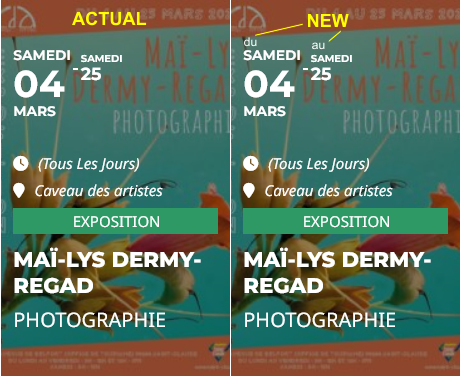
Example on image
1/ ADD NEW TICKET VARIATIONS & OPTIONS :
Ticket Variation Name : Price
Ticket Variation Options (separated by comma) Do not use – or , as part of a option value : Adult, Kid.
2/ ADD NEW TICKET VARIATIONS & OPTIONS :
First time
Price : I select first Adult
Ticket Variation Price : 20
Second time :
Price : I select first Kid
Ticket Variation Price : 15
If I put
Here it’s an simple example, but on the end, I’ll have ticket for adults, kids, member adults, member kids…
How can I do what I need to d with your plugin ? I spend 250$ for it and it’s kind of hard to work with 😭
Thanks.
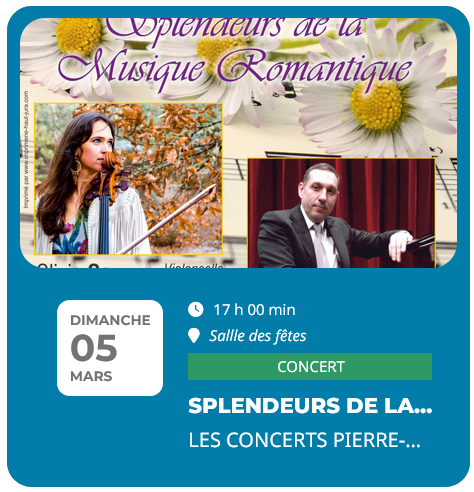
Hello Artem,
Thanks, it’s working but I have now “…”, can I have cesure on next line to see all the title ?
Hello there,
I checked the changes and unfortunately it didn’t solve the problem: When I use the filter for “Veranstaltungsart” it shows the same results no matter what filter option I use.
You can check this if you change any filter – the results are always the same events.
thx !
Test 2 – https://eineweltstadt.berlin/veranstaltungen/test-2/
is published now
In WP Backend Post -> Edit … the editor is: classic.
I can not save changes in Fields “Kontakt E-Mail”, “Kontaktname”, “Kontakt Telefonnummer”
“Kontakt E-Mail” like -> test@test.com
If in WP-Backend the Editor is changed from Classic to Blocks this Fields could be edit and save with changes.
Submited by user: new post https://eineweltstadt.berlin/veranstaltungen/test-3/
This post is (until now) not -> Edit in WP Backend.
To submit as Member:
neutest
5234#dhaHH49
https://wp.cjp.ch/cj-anmeldung/
myeventon
u5eWaxXdYo6!V&kgaqAKEwPu