Hello Vincent Bonmariage,
We are sorry for the delay. When you have any questions, please create a new ticket instead of replying to old ones.
Please check for latest version of this software from here Your issue might be related to an older version you are running and we might have resolved this already in the newer version update. If you are on latest version of our software and the issue still persist please let us know.
We are sorry for the delay. EventON 4.3.4 should fix the issue. Please update and let us know.
To update eventon to latest version: If you are unable to do autoupdate, you can go to codecanyon your account > download and get the latest eventon version as zip file. Then you can go to your website > make sure “Delete eventon settings & data when EventON is uninstalled” is Deslected from eventon settings, delete old eventon, install new one and activate. This link will further explain the process it. Also you can follow us on twitter to get real-time announcements on updates!
We are sorry for the delay. Ashan will check this ASAP.
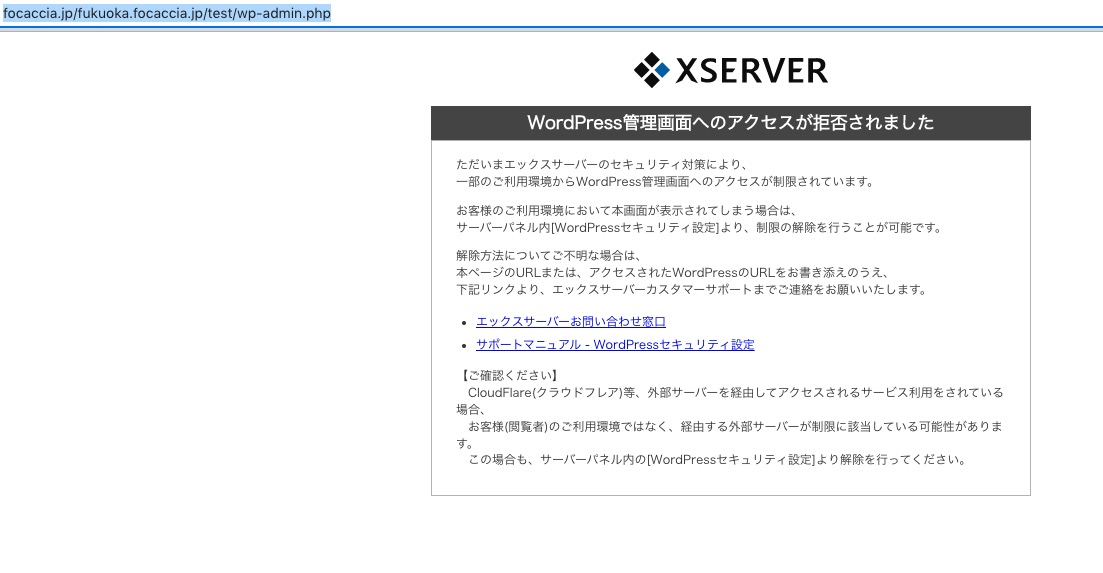
http://focaccia.jp/fukuoka.focaccia.jp/test/wp-admin.php shows
 When I update EventON, the WordPress theme I am using now breaks.
Did you customize any of EventON’s templates: Single Event Page or Archive template?
We are sorry for the delay. Ashan will check this ASAP.
We are sorry for the delay. Ashan will check this ASAP.
As a temporary solution, please add this CSS code to EventON > Styles (If you don’t see any change, EventON > Scripts & Styling > turn off Write dynamic styles to header > save settings > turn on Write dynamic styles to header):
.evo_lightbox .evcal_evdata_row p.evotx_success_msg { padding: 190px 0 50px 0px; font-size: 24px; font-style: normal; text-transform: uppercase; position: relative; color: #fff; border-radius: 10px; } .evo_lightbox .evcal_evdata_row .tx_wc_notic .evotx_success_msg { color: #ffffff !important; }
We are sorry for the delay.
When selected, EventON changes all colors in Appearance dynamically (when you select dark, just take a look at “EventCard Styles”) to be more dark. So if you want change something just change the color, EventON > Scripts & Styling > turn off Write dynamic styles to header > save settings > turn on Write dynamic styles to header.
And any similar way where the image is displayed, with the latest version?
Please make sure that your shortcode has these options:
tiles=”yes” tile_style=”2″ tile_bg=”1″
Could you please tell us about your current issue? It seems that 4.3.4 has fixed some of previous ones.
For SEO, shouldn’t it be more important to have different varieties of content. Repeating events is basically a single piece of content, while if you create a separate event for each time block, even with small differences in the title/time/details, it’ll become a new data for Google and other search engines.
Thanks, but it doesn’t work. Here’s the code : [add_eventon_list number_of_months=”2″ event_count=”6″ ux_val=”4″ hide_past_by=”ss” hide_so=”yes” exp_so=”no” show_et_ft_img=”yes” tiles=”yes” tile_count=”2″ tile_bg=”1″ hide_month_headers=”yes” accord=”yes” ]
Hello,
Tags can be found by going to wp-admin > Events > Tags. You can edit them by pressing “Edit”.