Regarding to the time zone, EventON a function that can affect it. Please go to EventON > Time Settings > try disabling/enabling Use UTC offset time globally on calendars, so see if there are any changes.
Archives: Replies
Replies for tickets on suppota
Reply to: tickets(306129)
Hello,
The correct URL is
https://star991.com/evofeed?event_type=1063
But please make sure to update EventON and RSS add-on first.
To update eventon to latest version: If you are unable to do autoupdate, you can go to codecanyon your account > download and get the latest eventon version as zip file. Then you can go to your website > make sure “Delete eventon settings & data when EventON is uninstalled” is Deslected from eventon settings, delete old eventon, install new one and activate. This link will further explain the process it. Also you can follow us on twitter to get real-time announcements on updates!
To update eventon addons: You can download latest eventon addons from myeventon > my account. Then you can go to your website, deactivate old addon and install new one and activate then delete the old addon. This link will further explain the process. Also you can follow us on twitter to get real-time announcements on updates!
Reply to: tickets(307895)
Tags. Please go to EventON > EventTop > move “Tags” field before “Title”.
Reply to: tickets(307896)
The issue:
[20-Feb-2023 20:05:29 UTC] PHP Fatal error: Allowed memory size of 268435456 bytes exhausted (tried to allocate 20480 bytes) in /var/www/vhosts/valenciablog.com/httpdocs/wp-includes/meta.php on line 1189
Reply to: tickets(307896)
Please follow this guide:
https://docs.myeventon.com/documentations/increasing-wordpress-memory-limit/
Reply to: tickets(307962)
Please check now:
https://engelwurz.at/506-2/
I changed tile_bg to “2”.
Reply to: tickets(308117)
Hello,
Your main page shows no errors:
https://validator.schema.org/#url=http%3A%2F%2Fengelwurz.at%2F
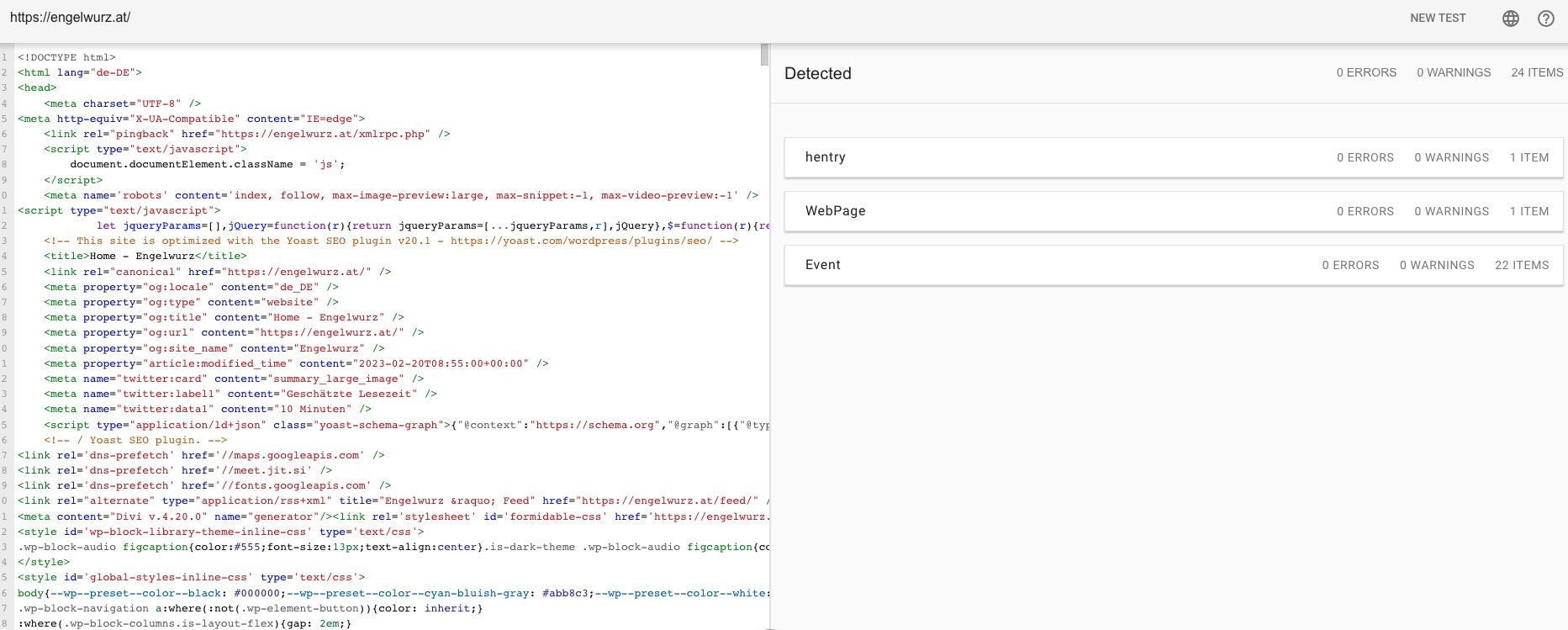
Could you send us a screenshot?
Reply to: tickets(308105)
Hello,
Even without activating everything should work anyway. If you need Shortcode Generator, go to https://dev.myeventon.com/wp-admin/admin.php?page=eventon#evcal_012 > create a new shortcode > copy to your website.
Reply to: tickets(308114)
Hello,
Please take a look at this event:
https://engelwurz.at/events/badges/
In order to show more badges, change Event Status and enable Virtual Event.
Reply to: tickets(307965)
We are glad your issue is resolved, if you have any further questions or concerns please create a new ticket.
If you have a moment, we would greatly appreciate if you could kindly leave us a review at codecanyon! from your account > downloads. Cheers!