So this happens because of VPN?
Archives: Replies
Replies for tickets on suppota
Reply to: tickets(306200)
Yes, I redirected my product pages to homepage, in case someone clicked on a product name link. Because it looks strange with all of the tickets as products and doesn’t function well if someone lands there by mistake.
You can use this for a test product page: https://candlelightguitar.com/test/
To test the payment gateway, you need to have a registered account with Easy Pay and get a test merchant ID from them. There is a long application process for that and need to have a registered business in Korea.
The developer of the Easy Pay plugin is called Jonathan Greys, his email is: jonathan.grzes@me.com and j.grzes@greys.co
I wrote to him as well about this conflict but I haven’t heard back from him. He installed the plugin on my website
Thanks
Reply to: tickets(306095)
Hi,
I fixed removing ux_val=”1″ from the shortcut.
Reply to: tickets(306472)
Hello,
Please update Single Event Page template:
https://www.shakefm.de/wp-admin/theme-editor.php?file=eventon%2Fsingle-ajde_events.php&theme=shakefm
New version can be found here:
https://www.shakefm.de/wp-admin/plugin-editor.php?file=eventON%2Ftemplates%2Fsingle-ajde_events.php&plugin=eventON%2Feventon.php
Reply to: tickets(305991)
Ashan,
Staging site (no plugin + default theme):
https://canardsbastogne.be/stg_a7a5f/
Use login from Login Information.
https://canardsbastogne.be/stg_a7a5f/?ajde_events=test-2
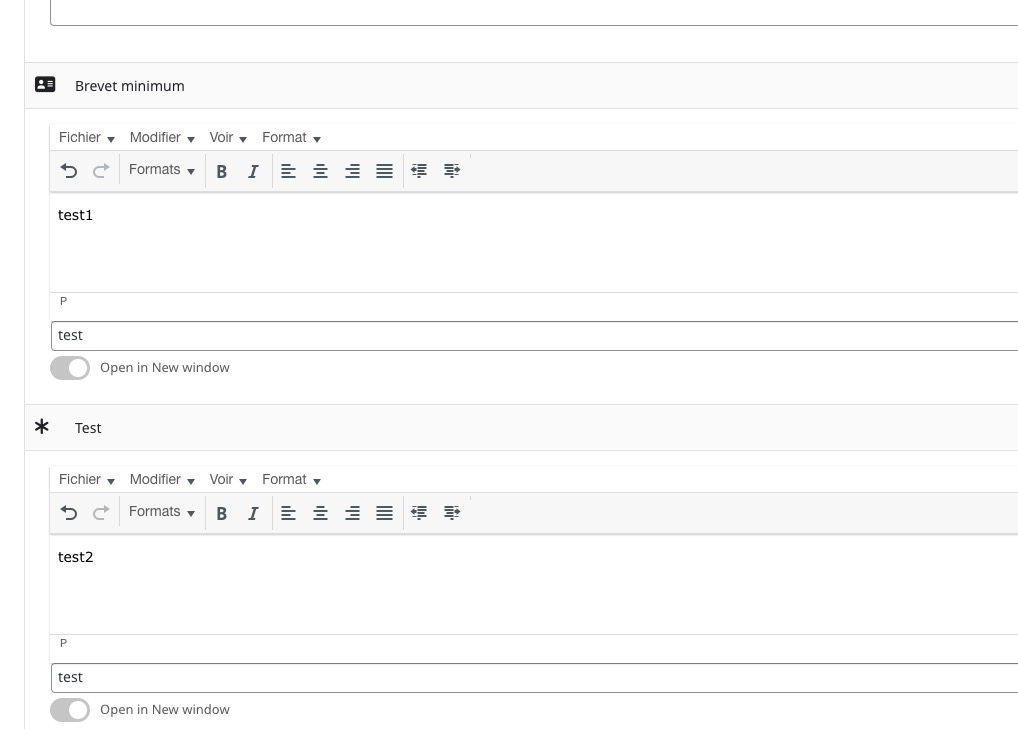
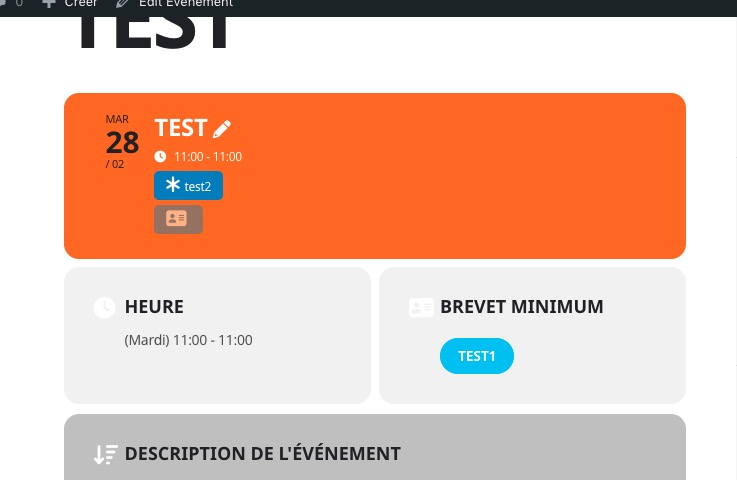 It just doesn’t show the text, only icon.
Could you check?
Works completely fine on dev2.
Reply to: tickets(305991)
Thank you for your messages, I am going to assign this ticket to Ashan and he will be able to take it from here and find you a solution. Please allow some time for him to get back to you, we greatly appreciate your patience and thank you for being a eventon customer! Also please disable any IP blocking on your site if there are any.
Reply to: tickets(306447)
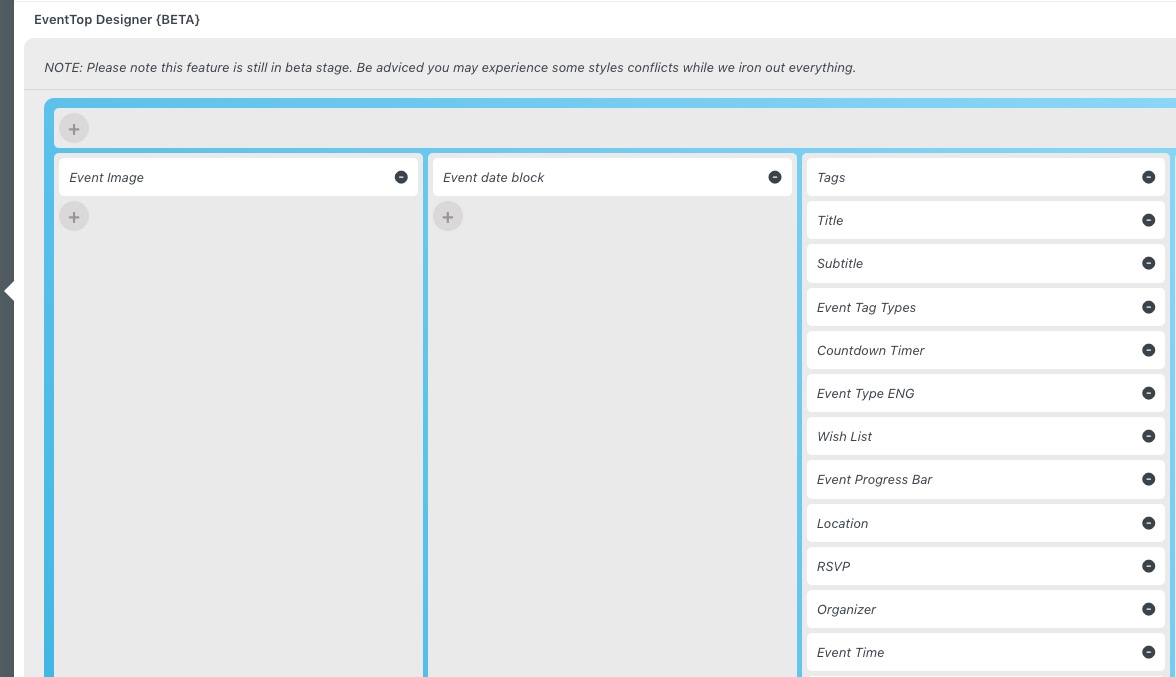
I cannot find event_tag in your shortcode.
Please go to EventON > EventTop > arrange everything like this:
Reply to: tickets(306600)
Hello,
Could you update EventON to 4.2.2 and DailyView to 2.0.5?
!!! Before updating make sure to backup your server.
To update eventon to latest version: go to codecanyon your account > download and get the latest eventon version as zip file. Then you can go to your website > make sure “Do not delete eventon settings when I delete EventON plugin” is Selected from eventon settings, delete old eventon, install new one and activate. This link will further explain the process it (please note that the link is for 4+ version). Also you can follow us on twitter to get real-time announcements on updates!
To update eventon addons: You can download latest eventon addons from myeventon > my account. Then you can go to your website, deactivate old addon and install new one and activate then delete the old addon. This link will further explain the process. Also you can follow us on twitter to get real-time announcements on updates!
Reply to: tickets(306437)
We are glad your issue is resolved, if you have any further questions or concerns please create a new ticket.
Reply to: tickets(306275)
We are glad your issue is resolved, if you have any further questions or concerns please create a new ticket. If you have a moment, we would greatly appreciate if you could kindly leave us a review at codecanyon! from your account > downloads. Cheers!