this css will open up the options
div#evors_rsvp_section {
display: block !important;
}
span#evors_rsvp {
display: none;
}
however the code needs to be turned on in order to make the RSVP toggle on by deafult which should be easy enough
Replies for tickets on suppota
this css will open up the options
div#evors_rsvp_section {
display: block !important;
}
span#evors_rsvp {
display: none;
}
however the code needs to be turned on in order to make the RSVP toggle on by deafult which should be easy enough
Thank you for your great suggestion, at the moment it is not supported. However please create a new ticket and select Feature Request as category so others can vote on your idea and get it moved into development faster.
add this to the shortcode
event_type=”NOT-all”
see video on some additional options you might come across
have a read over
https://docs.myeventon.com/documentations/how-to-add-new-social-share-icons/
try
[add_eventon_list number_of_months=”12″ fixed_month=”01″ fixed_year=”2023″ ux_val=”3a” show_et_ft_img=”yes” event_past_future=”past”]
or
[add_eventon_el el_title=”Past events 2023″ el_type=”pe” number_of_months=”12″ pec=”ft” fixed_date=”01″ fixed_month=”01″ fixed_year=”2023″ sep_month=”yes” hide_empty_months=”yes” show_et_ft_img=”yes”]
see video below
so there are conflicts on the edit page
Could you please try the instructions mentioned in this documentation to make sure your issue is indeed coming from eventon.
once you have done that (or we can do it for you with your permission)
then we can know why its happening and how to fix
if you can create a staging site that would be perfect for us
I thought I had it working but now I noticed the locations for the organizers didn’t make it so I was updating those and changed the user interaction to open in a new window and now I get a critical error again!!
So I deleted all the events, locations, categories, etc and uninstalled the plugin completely and downloaded a fresh copy. I tried to put in ONE event and get a critical error. So I am unsure as to what actually is causing the error.
Can you tell???
I don’t know what else to do??
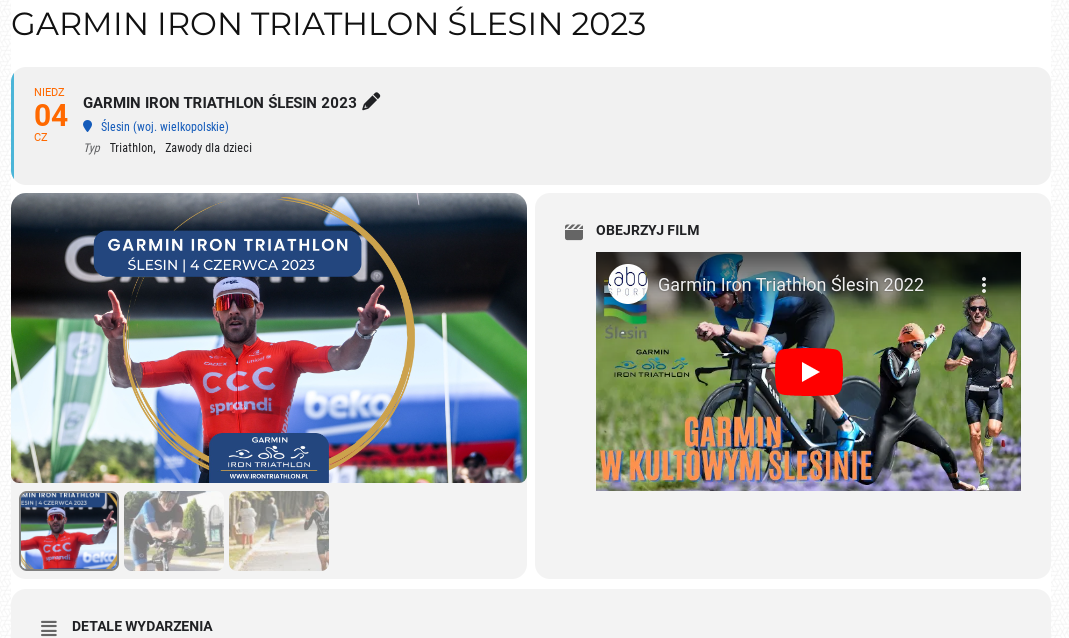
Not at all, this is just one of many issues, however to keep it simple I will answer your question.
Let’s say I want to keep those 2 fields as they are on the attached picture.
Now please go here and click on a small thumbnails below Featured Image. Also try to shrink the window to simulate smaller device.
Ideally both left (Featured Image) and right (Video or anything else, like map, socials, whatever is chosen to display there) would stay the same size and ratio.
I need to keep it simple for our editors. They simply should just add content to the event, pictures (various size and orientation), video, etc without worrying how it will display and every eventcard should be standardised and look the same regardless if they filled the fields of omitted them. To clarify, if video i picture is not added by editor the card should still looked as it was added (default placeholder or whatever that says ‘no picture/video’)
For now as a workaround they would have to add all pictures exactly the same size and ratio but this is not what they should worry about. They will be adding hundreds of events and they need to do it in a timely manner.
Hi, doesn’t seem to make a difference, even after importing again… any other hints?
ok, I played around with the export/import and got it to finally work. I still don’t know which field it was that caused the error but it seems to be working now so I should be all set. Thanks.