Thank you. So far so good, but I can only seem to get to EvenON lite. can you easily tell me how to install the full version?
Replies for tickets on suppota
Thank you. So far so good, but I can only seem to get to EvenON lite. can you easily tell me how to install the full version?
Hello,
Ticket Price is still required. Please go to https://yeshinnorbu.se/wp-admin/post.php?post=281786&action=edit&lang=sv > add one to Ticket price (kr) (Required*).
Since you wanted to see only future events, December is empty on load. But if you click on this, it will show all events: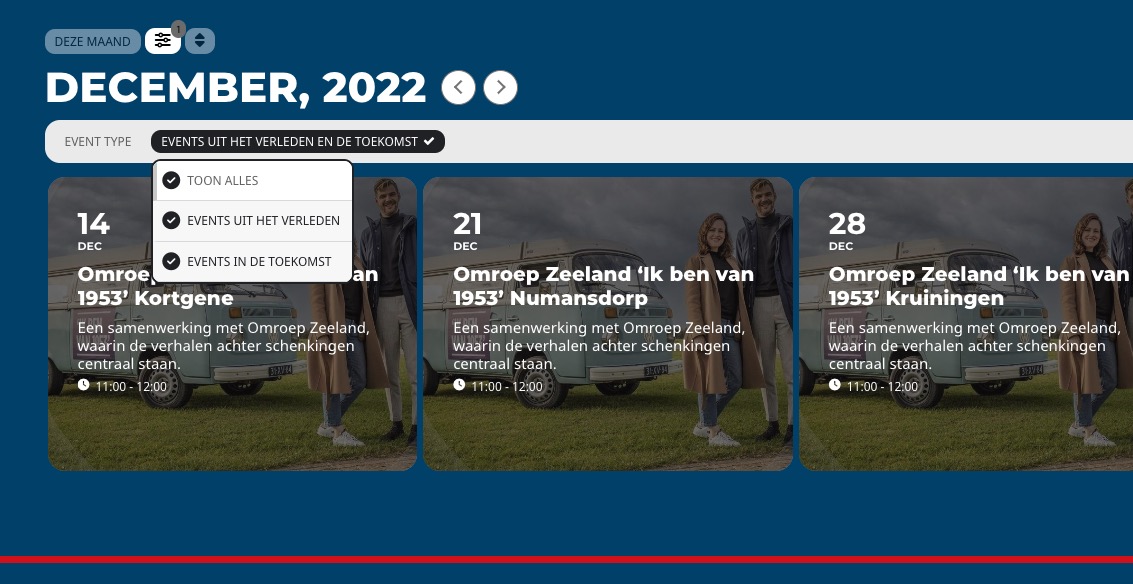
When I load your website it looks like this: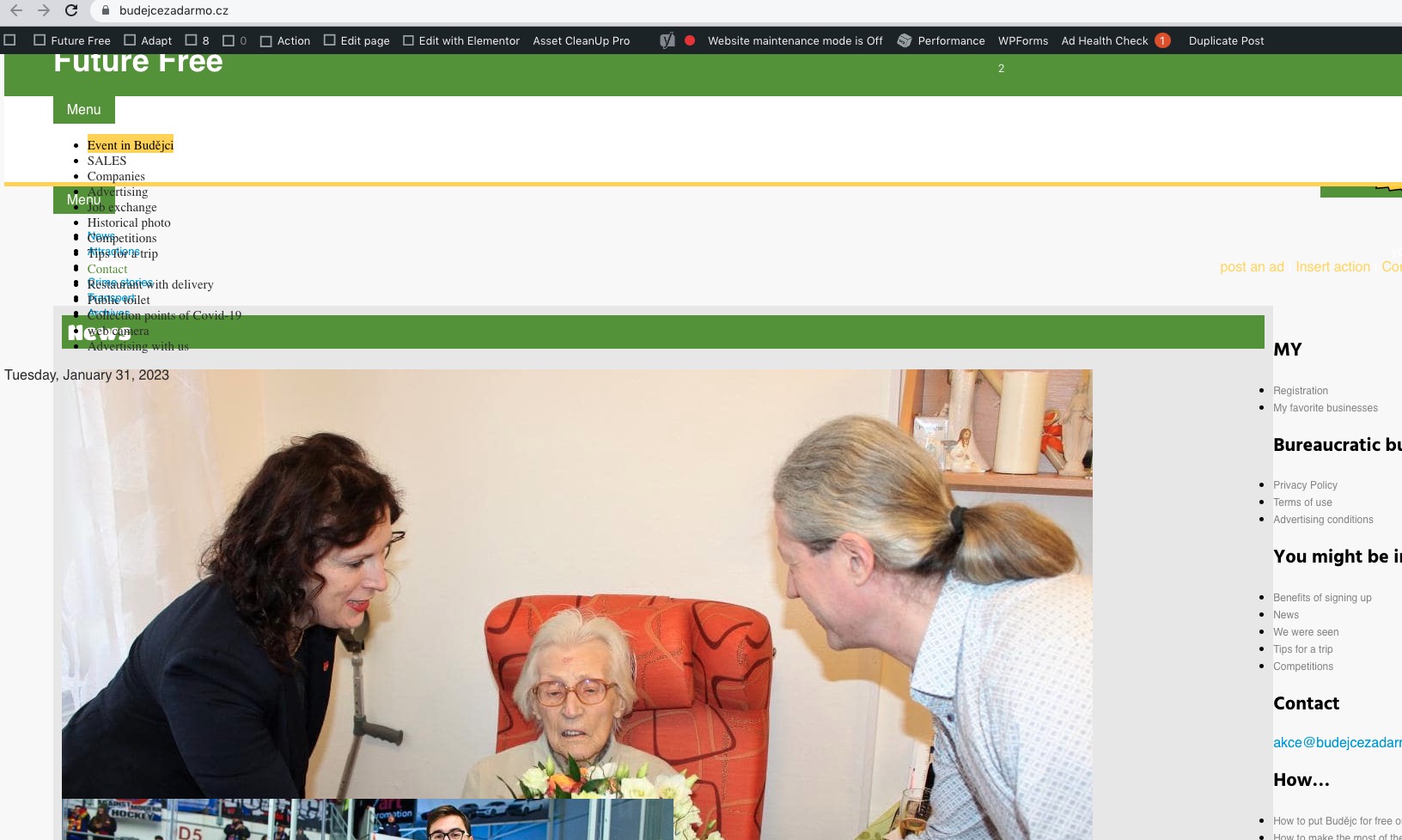 Could you fix it, so we can take a look at the issue?
Go to EventON > make sure that “Delete eventon settings & data when EventON is uninstalled” is DISABLED.
Ashan,
The same issue
https://helpdesk.ashanjay.com/ticket/ics-import-events-showed-incorrectly-front-end/
Hello,
Does it work when you go to EventON > ICS Import > set Event processing timezone method to WordPress timezone?
As a temporary solution download the .ics file and replace X-WR-TIMEZONE:UTC with X-WR-TIMEZONE:Asia/Bangkok. Now import it manually while we are working on fixing this.
How am I to ” make sure “Delete eventon settings & data when EventON is uninstalled” when I can’t have EventOn enabled on my website in order to go to settings because then second I activate it my whole site goes down?
Ashan,
ICS Import doesn’t recognize Event processing timezone method: WordPress timezone. Simply uses the timezone from the file.
We are sorry for the delay. Please try this as a temporary solution. Download and open the file, replace X-WR-TIMEZONE:UTC with this one: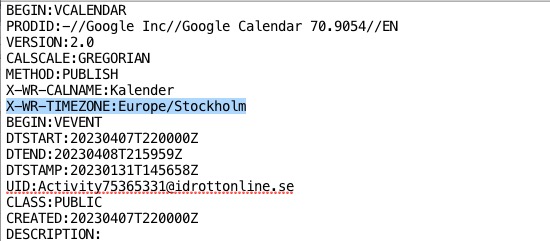
Import the file manually while we are working on fixing this.