Please send us wp-admin access to your site from “Access Info” box on right side menu, to further assist your situation.
Archives: Replies
Replies for tickets on suppota
Reply to: tickets(396927)
Thank you for the reply.
I did all of the above steps but still colors are not changed.
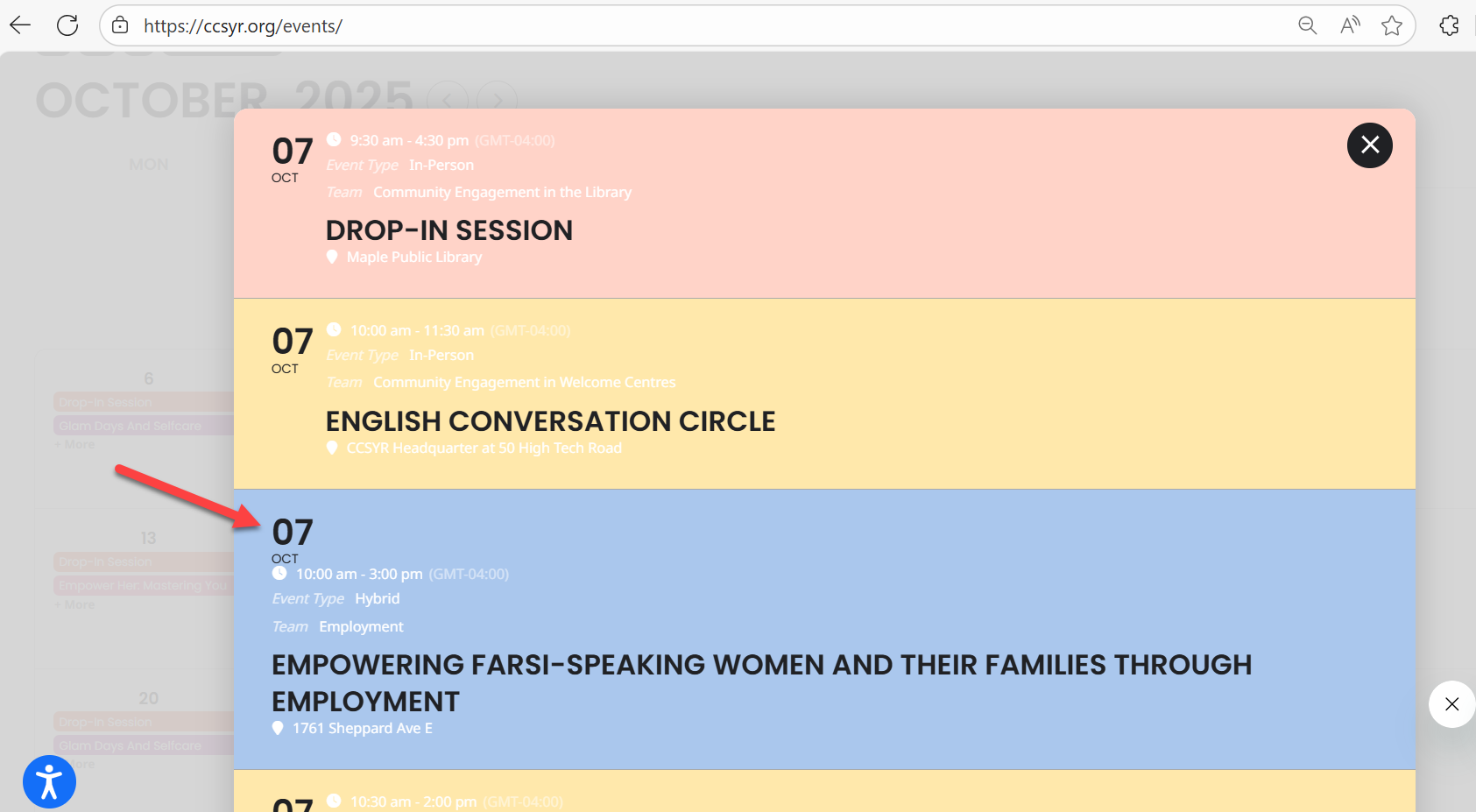
And the EventTop design, as you see in the image, some events are still showing the date block at the top and some at the left side.
Reply to: tickets(396866)
so I installed this and it workd.
https://wordpress.org/plugins/enable-jquery-migrate-helper/
Reply to: tickets(396866)
There is an error on the console when I use Inspect using Chrome.
Uncaught TypeError: table.find(…).size is not a function
at HTMLAnchorElement.<anonymous> (script.js?ver=1:47:60)
at HTMLAnchorElement.dispatch (load-scripts.php?c=0&load%5Bchunk_0%5D=wp-hooks,jquery-core,utils,moxiejs,plupload,wp-polyfill&ver=6.8.3:4:40035)
at v.handle (load-scripts.php?c=0&load%5Bchunk_0%5D=wp-hooks,jquery-core,utils,moxiejs,plupload,wp-polyfill&ver=6.8.3:4:38006)
Explanation
Understanding the problem
The error Uncaught TypeError: table.find(…).size is not a function means that you are trying to call a function named size on an object that does not have a size method.
In jQuery, the .size() method was deprecated in version 1.8 and removed in 3.0.
Suggested fix
Replace .size() with .length. The .length property returns the number of elements in the jQuery object and is the recommended way to get the count.
Reply to: tickets(359116)
Thanks for the “creating new account” tip. That worked.
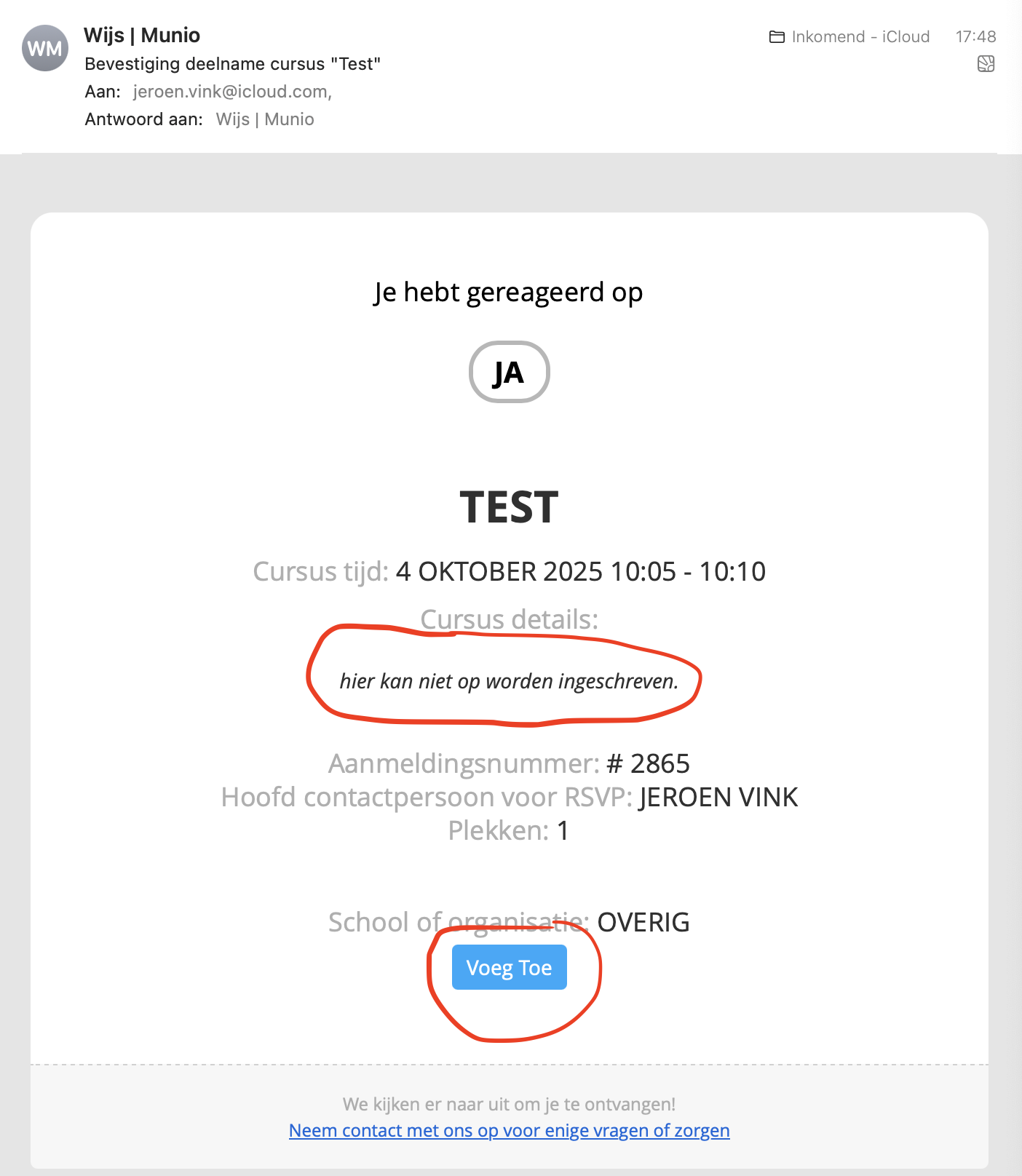
We have updated the rsvp add-on already to 3.0.12. That is the latest version. Still have a button in the email.
Also we see a message “not possible to react anymore”
Reply to: tickets(396369)
Do you show the email I sent shortly after the charge (requesting a refund). I have no longer use the software and have ot for the last two years. This is a lot of money that I did not budget for. I could really use the refund. Please advise.
Reply to: tickets(396866)
https://we.tl/t-73TaucSGuz
Reply to: tickets(396866)
to what email address?
Reply to: tickets(395236)
Hello Support Team,
Unfortunately, the issue has recurred: the calendar keeps loading and doesn’t display events.
I’m going to clear the WP Rocket cache so the website can resume working immediately, but I wanted to let you know that the issue persists despite the exclusions and snippet applied.
I’m waiting for your guidance to see what else we can review.
Thank you very much for your support.
Best regards,
Reply to: tickets(396927)
Hello,
Please try going to EventON > EventTop > rearrange it this way:
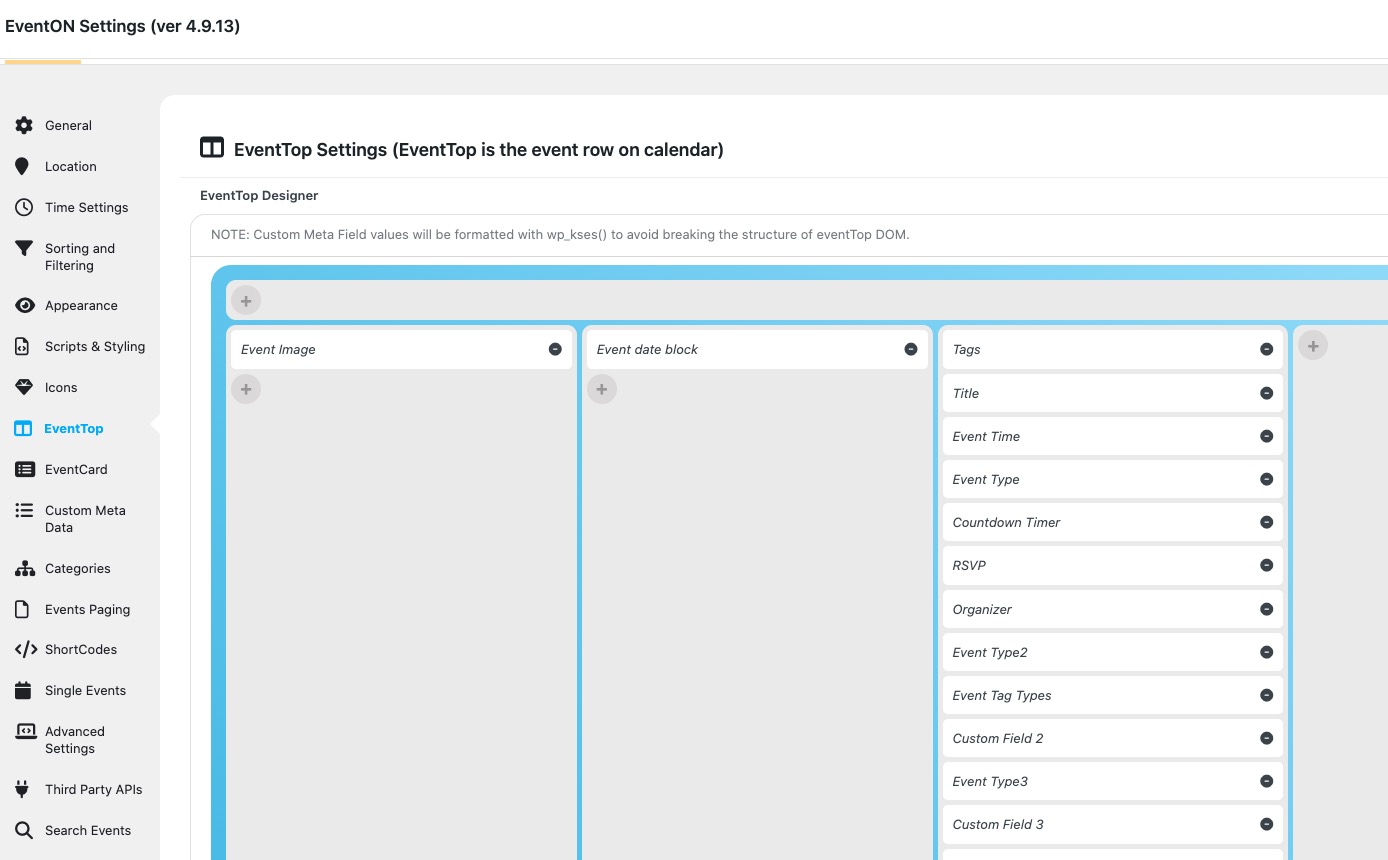
Check if the issue is fixed.
If it is not, please go to EventON > Appearance > EventTop Styles > select Configure text color for colorful & Image eventtops: Auto detect white or black text color for eventtop text based on background. Or try selecting the other two and then change “Other text ( Eg. Time, location etc.)”. If you don’t see any change, EventON > Scripts & Styling > turn off Write dynamic styles to header > save settings > turn on Write dynamic styles to header.
Please try the above and let me know.