Reply to: tickets(303983)

Thank you. How do I do that? There is no MyEventOn where there used to be so I can’t find the settings to make sure data is not also deleted.

If I activate, open in recovery mode, and press delete it only asks are you sure you want to delete EventOn and all its data?

When I activate I get this email

Howdy!

Since WordPress 5.2 there is a built-in feature that detects when a plugin or theme causes a fatal error on your site, and notifies you with this automated email.

In this case, WordPress caught an error with one of your plugins, EventON.

First, visit your website (https://lejazzetal.com/) and check for any visible issues. Next, visit the page where the error was caught (https://lejazzetal.com/wp-admin/plugins.php?activate=true&plugin_status=all&paged=1&s=) and check for any visible issues.

Please contact your host for assistance with investigating this issue further.

If your site appears broken and you can’t access your dashboard normally, WordPress now has a special “recovery mode”. This lets you safely login to your dashboard and investigate further.

https://lejazzetal.com/wp-login.php?action=enter_recovery_mode&rm_token=7SJtutaec9Pmehh5Xf79yZ&rm_key=VQatcEyb58aD2XrQ7tThdp

To keep your site safe, this link will expire in 1 day. Don’t worry about that, though: a new link will be emailed to you if the error occurs again after it expires.

When seeking help with this issue, you may be asked for some of the following information:
WordPress version 6.1.1
Active theme: The Retailer Child (version 1.0)
Current plugin: EventON (version 4.3.1)
PHP version 7.4.33

Error Details
=============
An error of type E_ERROR was caused in line 117 of the file /home/lejazz/public_html/wp-content/plugins/eventON/includes/calendar/class-calendar_generator.php. Error message: Uncaught Exception: DateTimeZone::__construct(): Unknown or bad timezone (UTC+0) in /home/lejazz/public_html/wp-content/plugins/eventON/includes/calendar/class-calendar_generator.php:117
Stack trace:
#0 /home/lejazz/public_html/wp-content/plugins/eventON/includes/calendar/class-calendar_generator.php(117): DateTimeZone->__construct(‘UTC+0’)
#1 /home/lejazz/public_html/wp-content/plugins/eventON/includes/class-eventon.php(203): EVO_generator->__construct()
#2 /home/lejazz/public_html/wp-includes/class-wp-hook.php(308): EventON->init(”)
#3 /home/lejazz/public_html/wp-includes/class-wp-hook.php(332): WP_Hook->apply_filters(NULL, Array)
#4 /home/lejazz/public_html/wp-includes/plugin.php(517): WP_Hook->do_action(Array)
#5 /home/lejazz/public_html/wp-settings.php(617): do_action(‘init’)
#6 /home/lejazz/public_html/wp-config.php(105): require_once(‘/home/lejazz/pu…’)
#7 /home/lejazz/public_html/wp-load.php(50): require_once(‘/home/lejazz/pu…’)
#8 /home/lejazz/public_html/wp-admin/admin.php(34): require_once(‘/h
Reply to: tickets(304629)

OK I have added a widget (the eventon shortcode excecuter) to that page (it is under your current  widget you are having issues with)

and I have added some features- such as when they click the load more events it takes them to the events page (easy to delete if you hate it )

but see video below on the logic behind the changes

if you don’t like the changes I can change things back very quickly, or change it to your liking

the page with all the shortcodes in the video is here: https://thejourneytributeband.com/eventon-test/

if you would like- we can provide the link to download the old 4.2.2 eventon which was the previous version you were using (and then wait for the laterst eventon to be more stable)

Reply to: tickets(304634)

see video

yes you could simply use the subscriber plugin as is and use that (with an smtp plugin) to send the new events to your list of subscribers) (you don’t need to use mailchimp to send) 

but if you wanted to use one of the many other email/autoresponder/newsletter systems out there it would require you to download the csv and upload it

Reply to: tickets(304113)

Hello,

I am afraid that downgrading destroys even more of my work…


As far as I can see, all styles and formatting is removed from all events I try and work on.

I hope they will “return” after your fix … or after downgrading…


This looks like a terrible lot of work…

Reply to: tickets(304633)

when you go to the permalinks page- you need to simply re-save that page which refreshes the permalink structure

so try that. if that fails please provide admin access so we can diagnose from within

Reply to: tickets(304639)

Thank you for your messages, I am going to assign this ticket to Ashan and he will be able to take it from here and find you a solution. Please allow some time for him to get back to you, we greatly appreciate your patience and thank you for being a eventon customer! Also please disable any IP blocking on your site if there are any.

Reply to: tickets(304629)

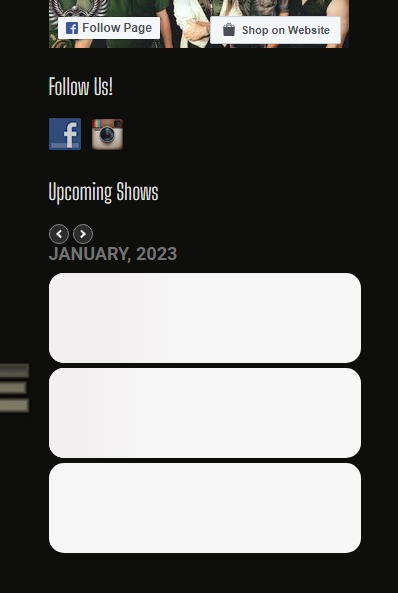
No…none of the baseline widget settings are making a difference. What appears to be happening is that it’s loading 3 washed out blank events even though I have set the limiter to only show 3 events. If you cycle the month on the widget, you’ll see that it loads 3 blanks, and then 3 events…..Not sure what is going on here….the last update wasn’t good to our site..Please help!! Thanks!! 🙂

Reply to: tickets(304629)

I think I see what’s going on….It’s listing empty events causing the white slider blocks. Maybe a setting has jumped out for the widget…..Going to look there first….