Hello,
We are glad your issue is resolved, if you have any further questions or concerns please create a new ticket.
Replies for tickets on suppota
Hello,
We are glad your issue is resolved, if you have any further questions or concerns please create a new ticket.
Hello,
Please disable EventON Lite first before enabling the full version.
To update eventon to latest version: If you are unable to do autoupdate, you can go to codecanyon your account > download and get the latest eventon version as zip file. Then you can go to your website > make sure “Delete eventon settings & data when EventON is uninstalled” is Deslected from eventon settings, delete old eventon, install new one and activate. This link will further explain the process it. Also you can follow us on twitter to get real-time announcements on updates!
Hello,
Did you download it again from CodeCanyon? Even so it still says 4.3.1, CodeCanyon has an updated version.
thanks for the quick reply and action - i'm more than ok with that - have a good one - que tengas un buen dia
Hi Blanka,
This seems like a bit of a mess 🙂
Let me see, the license upgrade order you made on jan 10th was on a cancelled license. Let me refund that one. I refunded both license upgrades.
Both 157116 and 157111 have failed because the credit card was declined.
Please try placing a new order. https://www.myeventon.com/addons/rsvp-events/
Thank you – I understand where to edit the plugin but I’m not certain what the changes are looking at this screenshot. I’m trying to match it up but I feel like I’m deleting a line ($_schema_eventstatus = ‘,”eventStatus”:”‘. $_ES .'”‘;) and not replacing it somewhere else.
Here is what I see on my end:
// event status
$_schema_eventstatus = ‘,”eventStatus”:”‘. $_ES .'”‘;
Then further down:
$__scheme_data .=
‘{“@context”: “http://schema.org”,”@type”: “Event”,
“@id”: “event_’. $EVENT->get_event_uniqid().'”,
“eventAttendanceMode”:”‘. $_AM .'”,
“name”: ‘.(isset($EVENT->post_title)? ‘”‘.htmlspecialchars( $EVENT->post_title, ENT_QUOTES ) .'”‘ :”).’,
“url”: “‘. $EVENT->get_permalink() .'”,
“startDate”: “‘.$_schema_starttime.'”,
“endDate”: “‘.$_schema_endtime.'”,
“image”:’.(!empty($img_src) &&!empty($img_src)? ‘”‘.$img_src.'”‘:'””‘).’,
“description”:”‘.$__schema_desc.'”‘.
$_schema_location.
$_schema_organizer.
$_schema_performer.
$_schema_offers.
$_schema_eventstatus.
apply_filters(‘eventon_event_json_schema_adds’, ”, $EVENT, $EVENT->ID).
‘}’;
$__scheme_data .= “</script>”;
}
$__scheme_data .= “</div>”;
return $__scheme_data;
}
I reinstall the 4.3.1 and install the plugin one time more new, but the same issue.
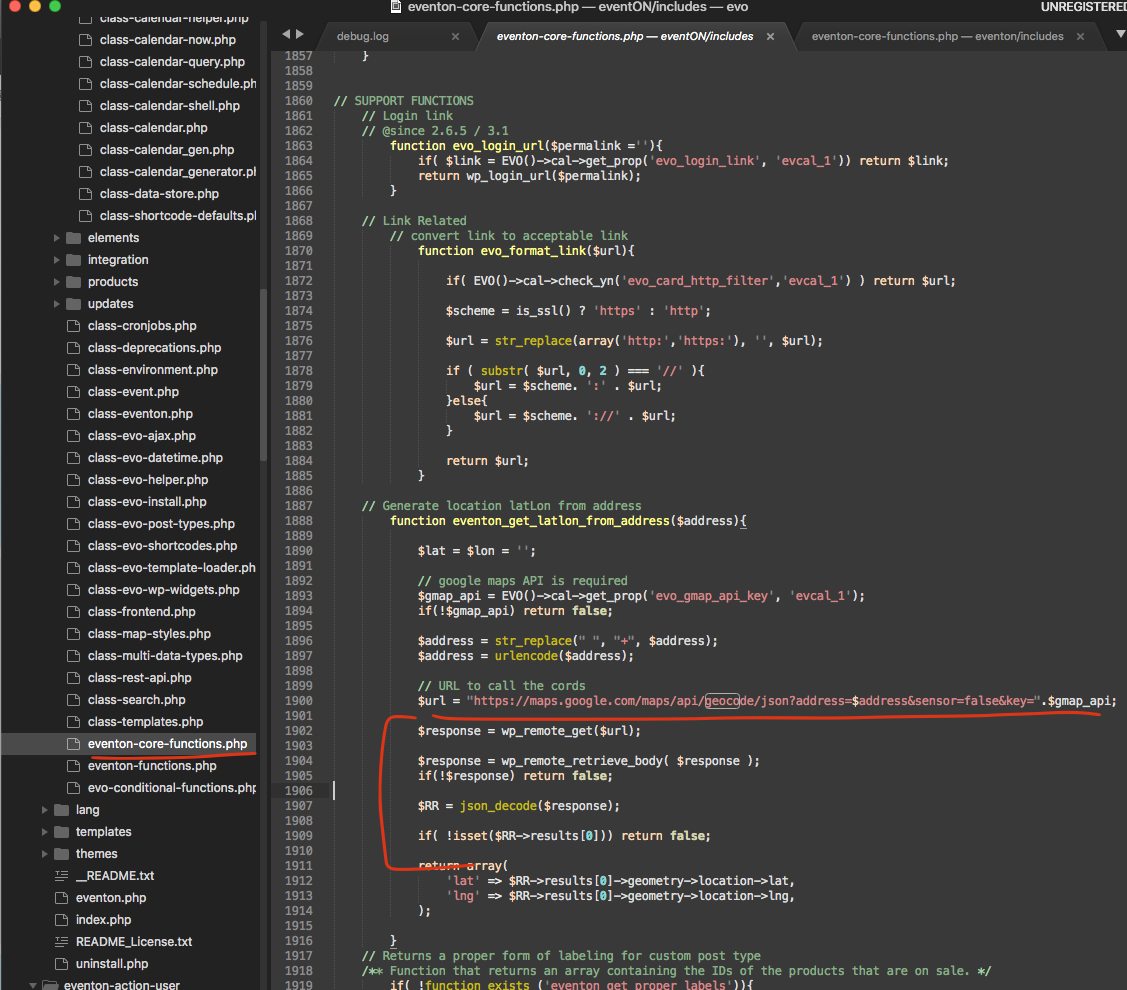
It might be your website is not allowing the code to access google geocoder to receive Latlon? Because on our end we can not replicate this issue and it works correctly.
I know using the link artem gave would be of inconvenience hope you can use this for the moment.
This is the code we use to access the info. I would say perhaps check to make sure your website /web host allow wp_remote_get feature?