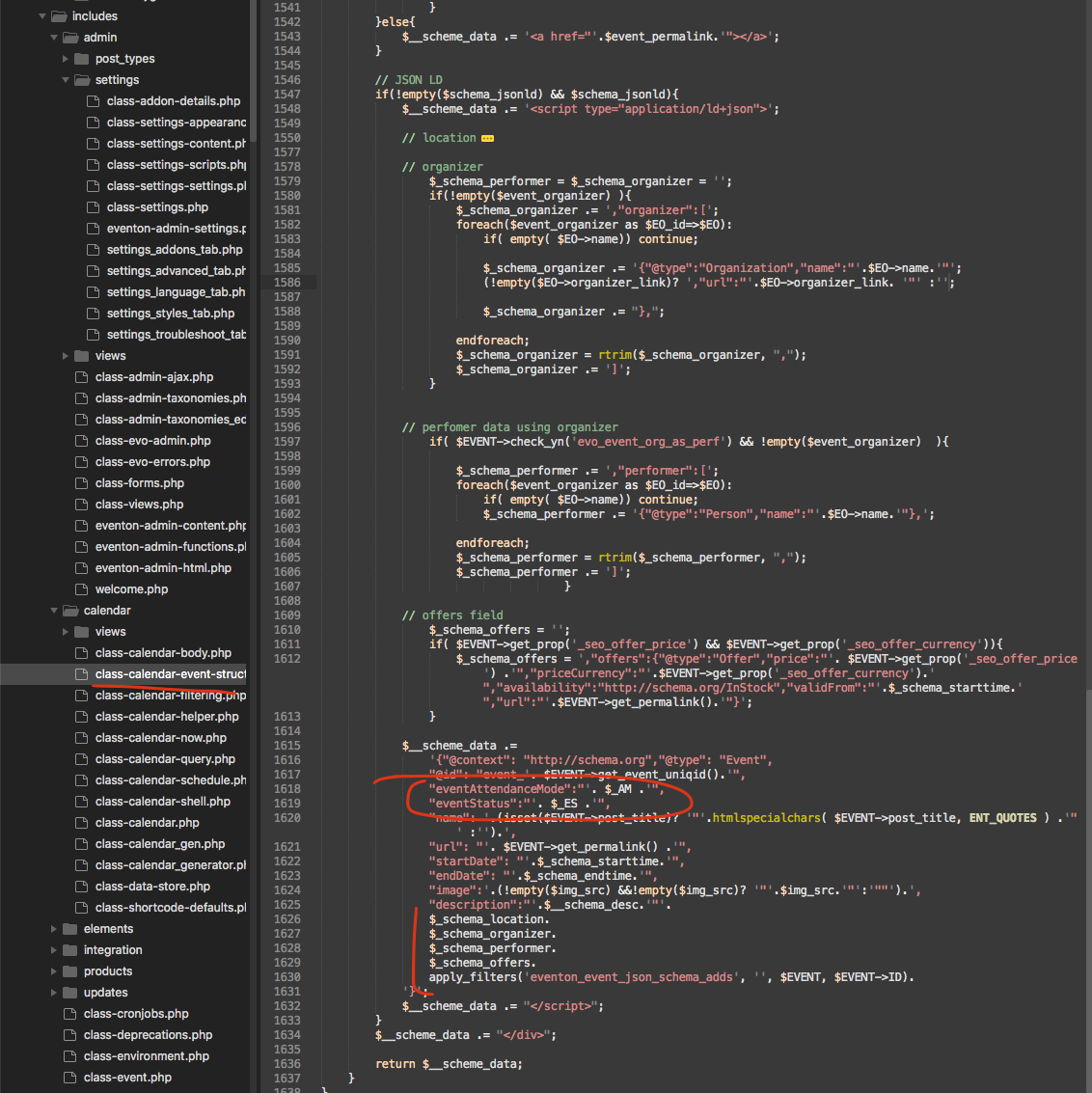
here is a patch fix to resolve this issue. Strangely moving the eventstatus value higher up solved the issue.
Replies for tickets on suppota
here is a patch fix to resolve this issue. Strangely moving the eventstatus value higher up solved the issue.
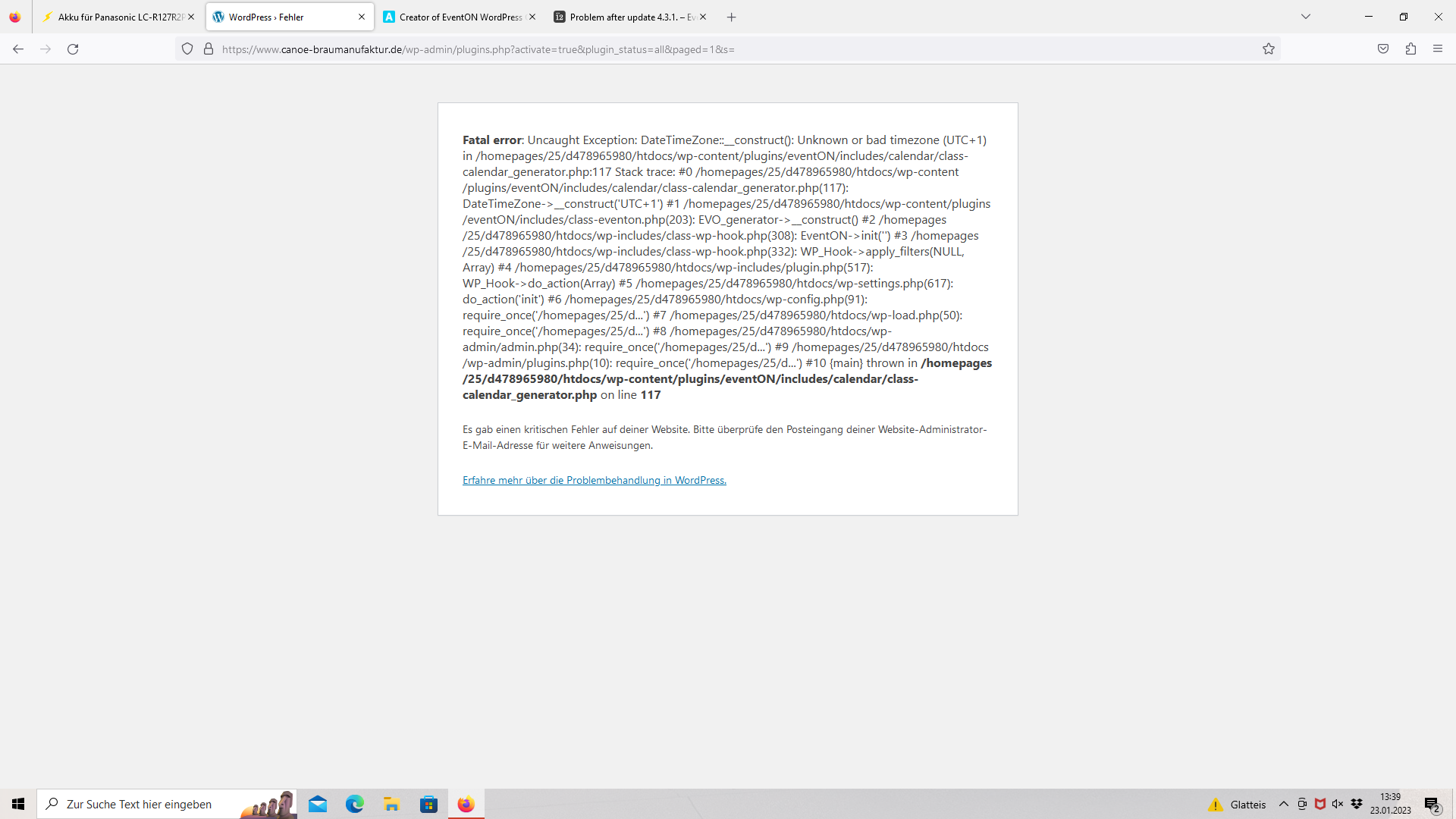
The latest version 4.3.1 should resolve this issue now 🙂
please read this for more info on license info for eventON .
https://docs.myeventon.com/documentations/licensing-eventon-products/
You will need to go to codecanyon to get eventON not myeventon.com 🙂
Could you please send me the instruction for how to do that please?
It looks like a new version of EventOn plugin may have resolved this, disreagrd I will send another ticket if it persists
Cancel as this was caused by need to extend support and update to current update.
Hi Jan,
Use the custom CSS code below to remove the shade
.evcal_evdata_row .evors_section.sec_shade{display:none;}
Please add the custom CSS code to “EventON Settings > Styles” and save changes. If you do not see the new style changes, Go to “EventON Settings > Styles & Scripting > Turn off write styles to header” Click save changes – to write the styles css code direct into page header. You can turn this off once the cache is cleared.
Hi Jonathan,
Please download the plugin again from Codecanyon and update the plugin again. Be sure to backup your site first using a plugin like this one
https://wordpress.org/plugins/updraftplus/
Below is a tutorial on how to update the plugin safely.
To update eventon to latest version: If you are unable to do autoupdate, you can go to codecanyon your account > download and get the latest eventon version as zip file. Then you can go to your website > make sure “Delete eventon settings & data when EventON is uninstalled” is Deslected from eventon settings, delete old eventon, install new one and activate. This link will further explain the process it.
Hello Dirk,
Please create your own ticket so that we can help you troubleshoot the issue.