might need to update eventon to 4.3.1 BUT if you can I’d wait a few days if you can to make sure 4.3.1 is stable
now one thing I found Odd on your site was I updated the page- but it only showed me the update when logged in- while logged out it did not update the page see video below
I’m not sure if this is an elementor thing as I never really use it to edit pages but it might be the cause somehow that its not showing an updated page (no idea how that would make it show november) but its a start- we will keep looking
but your plugins are not up to date so is this something that just happened or have you recently updated another plugin and it started?
please try this patch fix.

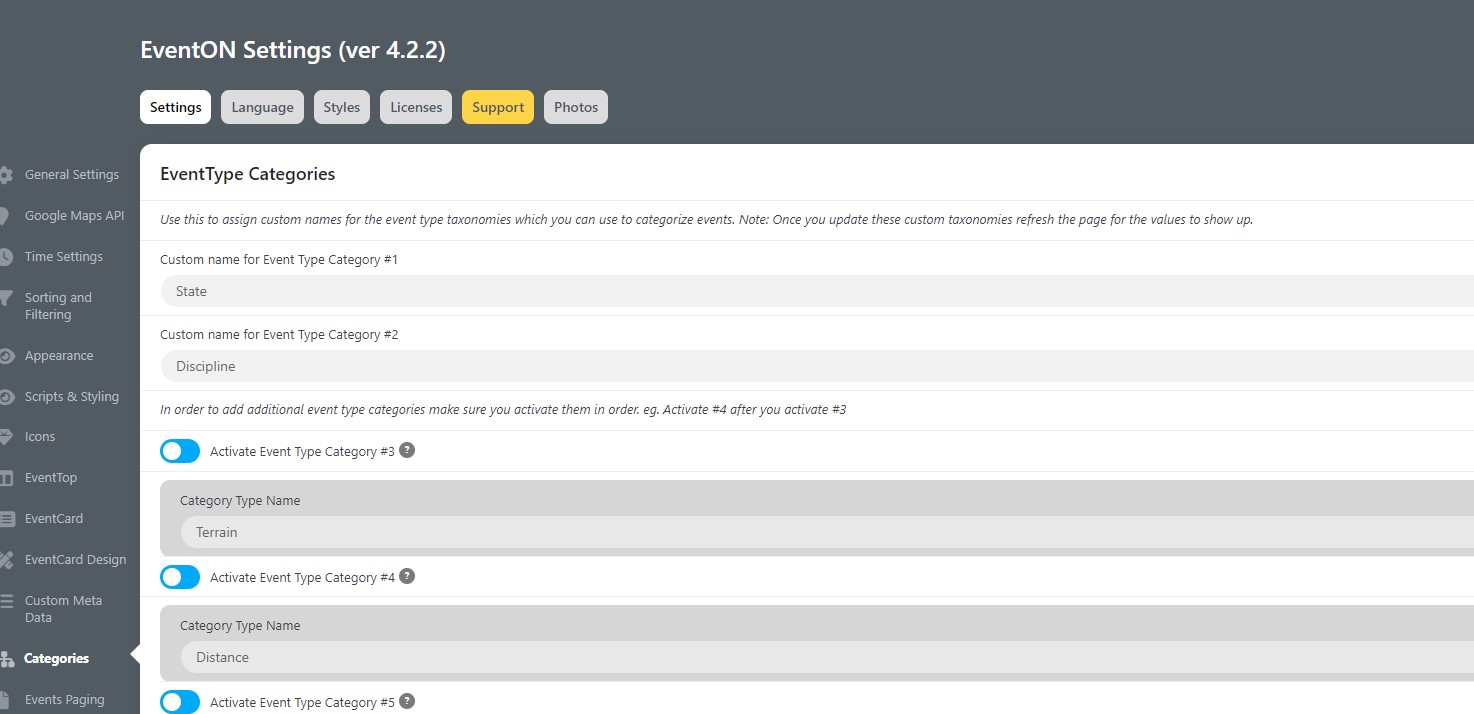
thank, you, I’ve updated that shortcode, but no events are appearing – although some events have been tagged for them https://cycledownunder.com/best-ebike-events-cycling-events/
[add_eventon_el number_of_months=”12″ event_type_2=”595″ sep_month=”yes” show_et_ft_img=”yes” ux_val=”4″]
is this the correct shortcode?
thanks
Yes, that would be fine. Is that something you can do for me?
We are glad your issue is resolved, if you have any further questions or concerns please create a new ticket.
If you have a moment, we would greatly appreciate if you could kindly leave us a review at codecanyon! from your account > downloads. Cheers!
Could you downgrade to 4.2.2 while we are working on a fix?
https://helpdeskx.s3.amazonaws.com/wp-content/uploads/2023/01/20051245/eventON-36.zip
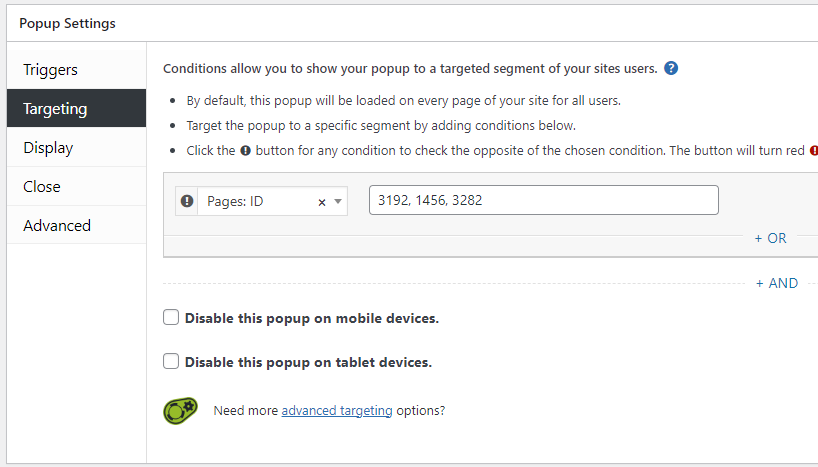
If you want to turn on the Popup Maker box on the testing page, you can open the the “Mailchimp newsletter signup pop-up” and add page ID number 3282 like in the attached screenshot.
Hello,
Please stay on 4.2.2 while we are working on a fix. It will be available on CodeCanyon.
We are glad your issue is resolved, if you have any further questions or concerns please create a new ticket.
If you have a moment, we would greatly appreciate if you could kindly leave us a review at codecanyon! from your account > downloads. Cheers!
