Hello,
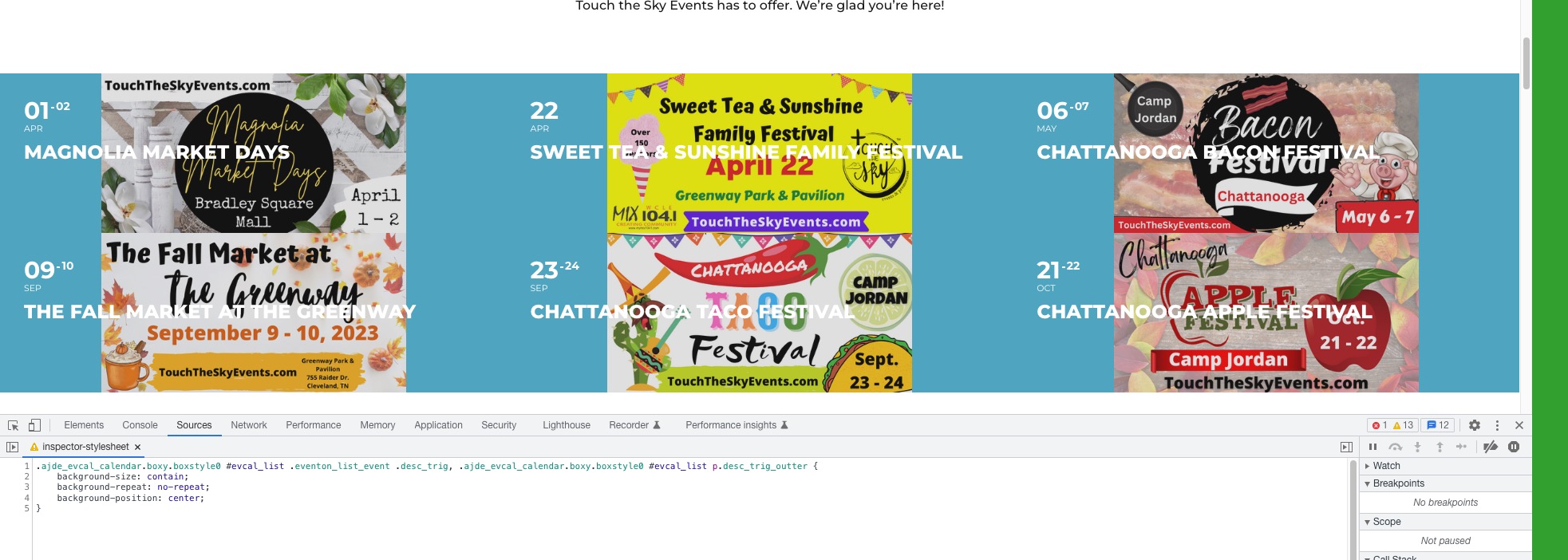
This code can make it look like on the screenshot:
.ajde_evcal_calendar.boxy.boxstyle0 #evcal_list .eventon_list_event .desc_trig, .ajde_evcal_calendar.boxy.boxstyle0 #evcal_list p.desc_trig_outter { background-size: contain; background-repeat: no-repeat; background-position: center; }

The closest what you can get is to add tile_style=”1″ to the shortcode. The option shows details under colored tile box.
Hello,
Sure you can reduce the font size of the title on mobile. Use the code below.
@media only screen and (max-width:767px){
.ajde_evcal_calendar.boxy.boxstyle2 #evcal_list .eventon_list_event .evcal_desc span.evcal_event_title, .ajde_evcal_calendar.boxy.boxstyle2 #evcal_list .eventon_list_event .evcal_desc span.evcal_event_subtitle{font-size:12px;}}
can I perhaps simply reduce the font size of the title on mobile?
Hello,
Thanks in advance. It works great on desktop, but mobile doesn’t hyphenate the words properly.
That doesn’t look right
Hello Vince,
Please take a look at Eventon > Settings > Appearance
Let us know if that works for you
Hi Cheryl,
Before deleting the old plugin, make sure “Delete eventon settings & data when EventON is uninstalled” is Deselected from eventon settings. Please find the tutorial below on how you can update the plugin.
http://www.myeventon.com/documentation/update-eventon/
Hi Blanka,
Thank you for your messages, I am going to assign this ticket to Ashan and he will be able to take it from here and find you a solution. Please allow some time for him to get back to you, we greatly appreciate your patience and thank you for being a eventon customer!
Hi Markus,
Please use the custom CSS code below to show the title and subtitle
.ajde_evcal_calendar.boxy.boxstyle2 #evcal_list .eventon_list_event .evcal_desc span.evcal_event_title, .ajde_evcal_calendar.boxy.boxstyle2 #evcal_list .eventon_list_event .evcal_desc span.evcal_event_subtitle{white-space:break-spaces;}
Please add the custom CSS code to “EventON Settings > Styles” and save changes. If you do not see the new style changes, Go to “EventON Settings > Styles & Scripting > Turn off write styles to header” Click save changes – to write the styles css code direct into page header. You can turn this off once the cache is cleared.
Thank you for a quick reply.