Reply to: tickets(303314)
Replies for tickets on suppota
Hello, so after plugin update, there is ok 🙂
But i have few more questions, which i am missing here.
Thank you a lot. Best regards.
Lukas
Hello,
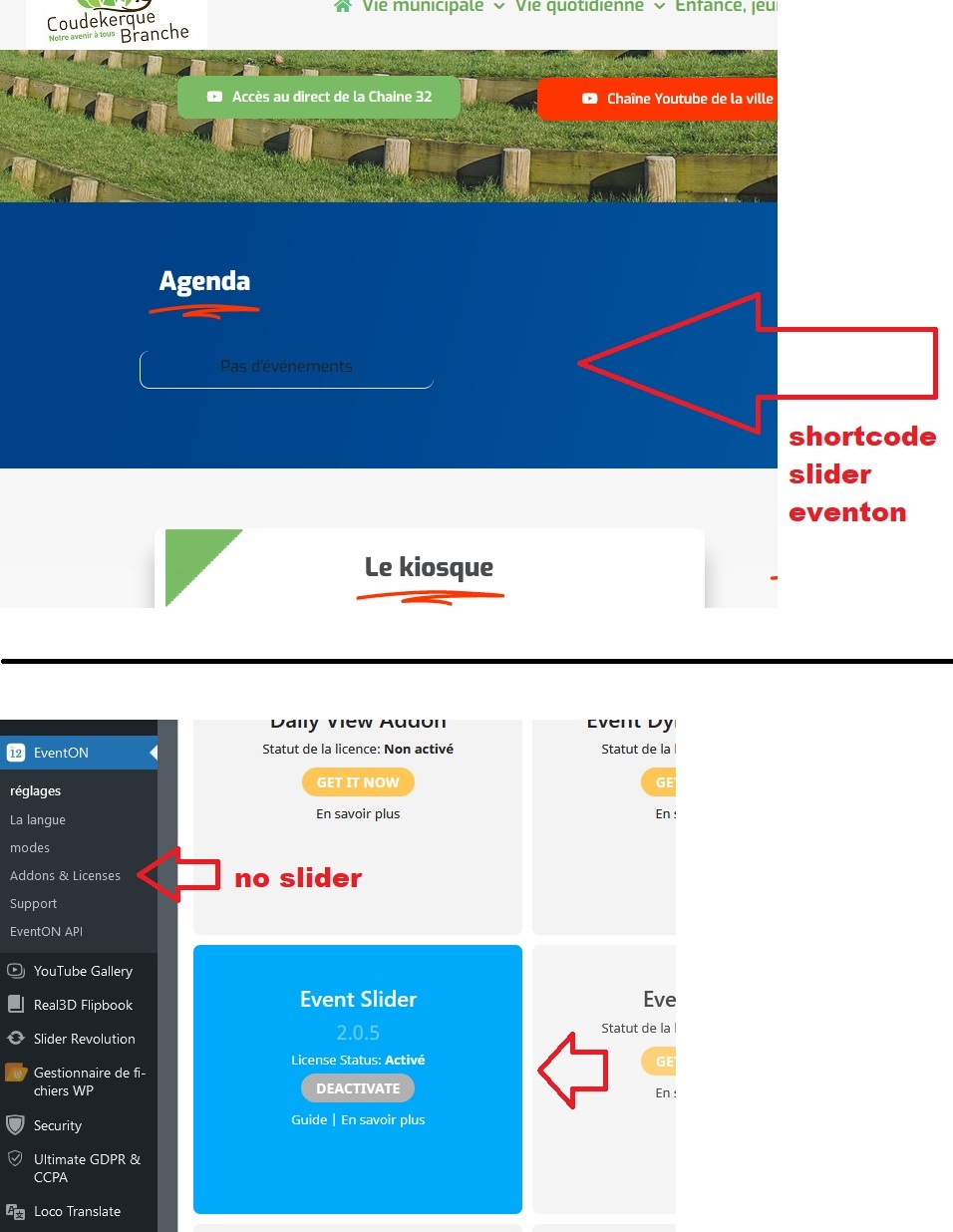
here is a screenshot to locate the shortcode:
[add_eventon_slider slider_type=”multi” slides_visible=”4″ slide_style=”imgtop” slide_auto=”yes” slider_pause=”6000″ slider_speed=”200″ slide_pause_hover=”yes” slide_hide_control=”yes” number_of_months=”2″ event_type=” 547,530,313,1309,663,543,330,1310,555,564,538,533,325,335,567,658,791,1551,”]
In the eventon shortcode generator, there is no slider option. However, the eventon slider plugin is correctly installed and the license is validated.
Thanks
Great! thanks a lot Ashan. good job!
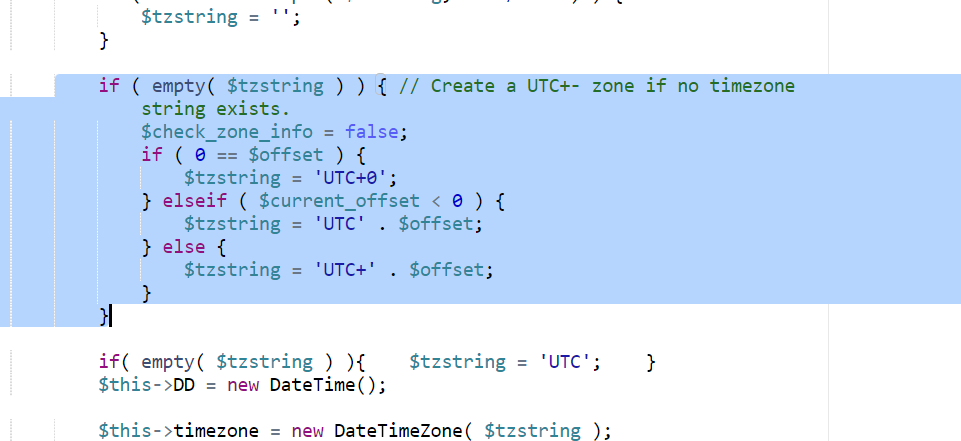
Scratch my last comment. I found the file, made the edit, but still crashing my site. Changed from “$current_offset” to “$offset”
More info:
EventOn V 4.3.1
WordPress V 6.1.1
Theme Jupiter X V 2.5.9
Tested with all plugins disabled. I have no class-calendar-generator.php file to edit as suggested in another thread.
It’s working now. thank you.
Sorry, but I do not understand how to do that. I have reverted to a backup of my website and will wait for an updated version to download.
Also, I submitted a ticket on January 6th, Ticket #301561, which has not been answered. Artem who replied said he would pass this ticket to you, but I have not heard any more since then. Can you please update me on that ticket and a timeline for when that ticket can be resolved?
Thanks
FYI the update is now published for everybody 🙂