Hello,
Thank you for your messages, I am going to assign this ticket to Ashan and he will be able to take it from here and find you a solution. Please allow some time for him to get back to you, we greatly appreciate your patience and thank you for being a eventon customer! Also please disable any IP blocking on your site if there are any.
I went to https://5000.n-joyevents.ch/wp-admin/admin.php?page=eventon#evcal_002 and put Mont to Primary Calendar Font family. Seems to be working now. Please check and let me know.
… https://gewerbegemeinschaft.org/veranstaltungen/
Calender works with shortcode:
[add_eventon cal_id=”117″ event_order=”DESC” event_count=”100″ show_limit=”yes” jumper=”yes” jumper_count=”9″ jumper_offset=”-6″ exp_jumper=”yes” show_et_ft_img=”yes” accord=”yes” event_past_future=”all” eventtop_style=”1″]
If Mai 2023 is selected here, the event is shown.
above the calender it should also show up unter
“anstehende Veranstaltungen unserer Mitglieder und Partner”
shortcode for event list here:
[add_eventon_list number_of_months=”6″ show_et_ft_img=”yes” event_count=”20″ hide_past=”no” hide_mult_occur=”yes” hide_empty_months=”yes” show_year=”yes” hide_so=”yes” event_type=”118″ event_past_future=”future”]
Hello,
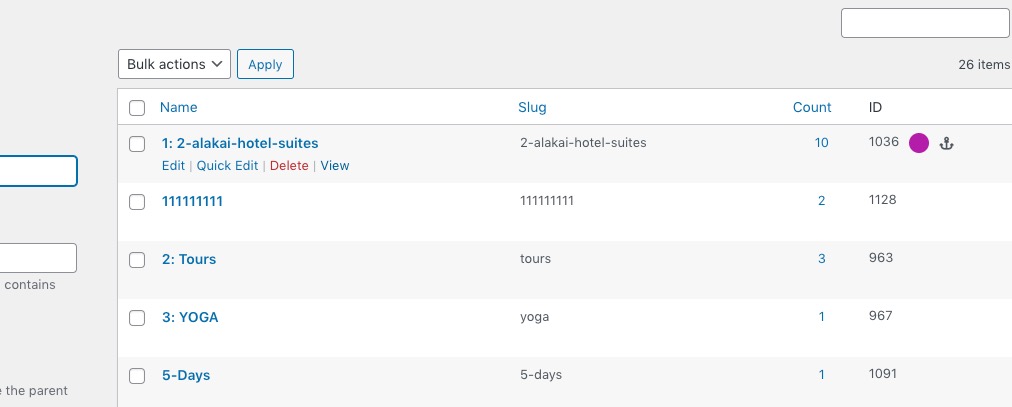
Please go to Events > Event Type > click on View.
We are glad your issue is resolved, if you have any further questions or concerns please create a new ticket.
If you have a moment, we would greatly appreciate if you could kindly leave us a review at codecanyon! from your account > downloads. Cheers!
Hello,
CodeCanyon handles your account and updates. Please contact theme about the issue.
Ashan,
The same on dev2:
https://dev2.myeventon.com/wp-admin/customize.php?return=%2Fwp-admin%2Fadmin.php%3Fpage%3Deventon
Hello,
Thank you for your messages, I am going to assign this ticket to Ashan and he will be able to take it from here and find you a solution. Please allow some time for him to get back to you, we greatly appreciate your patience and thank you for being a eventon customer! Also please disable any IP blocking on your site if there are any.
Same with my list, they are not showing any events any more:
Used shortcode:
[add_eventon_list number_of_months=”6″ show_et_ft_img=”yes” event_count=”20″ hide_past=”no” hide_mult_occur=”yes” hide_empty_months=”yes” show_year=”yes” hide_so=”yes” event_type=”118″ event_past_future=”future”]
example sites:
– www.tramendo.de (app. 4 events should show up)
– gewerbegemeinschaft.org (one event in Mai)
Hello,
Please go to EventON > Single Events > enable Override event color with event type color.