Hi Reuben,
Please ensure that you have added Tags in Eventon >Settings > EventTop
Replies for tickets on suppota
Hi Reuben,
Please ensure that you have added Tags in Eventon >Settings > EventTop
Hi Pedro,
We are glad your issue is resolved, if you have any further questions or concerns please feel free to create a new ticket.
That worked, thank you! Where can I change the font size and colour of title, subtitle and meta fields in theses boxes?
I have change other things and now it works.
Thanks for your help.
Regards.
Pedro..
The url from  I bring the facebook events doesn't bring the organizer either, I tried countless solutions but unfortunately I can't bring all the information from the facebook calendar
https://calendar.google.com/calendar/ical/ba8r83n0b1s8gjhqiksk036rhrj4la3k%40import.calendar.google.com/public/basic.ics

Another solution would be to automatically import the facebook ics file, the one generated from https://www.facebook.com/events/ical/upcoming/?uid=100072261342209&key=b2iHGfdm5YTXDRF6

Is it possible for the ICS import plugin to do the automatic import from a location on the server?
I installed an application that automatically generates ICS files in a location.

Thanks
Hello,
Please add this CSS code to EventON > Styles (If you don’t see any change, EventON > Scripts & Styling > turn off Write dynamic styles to header > save settings > turn on Write dynamic styles to header):
p.evo_card_organizer_more { display: none !important; }
…we don’t use any custom styles.
You can find all custom styles already added to wp-admin > Appearance > Customize > Additional CSS:
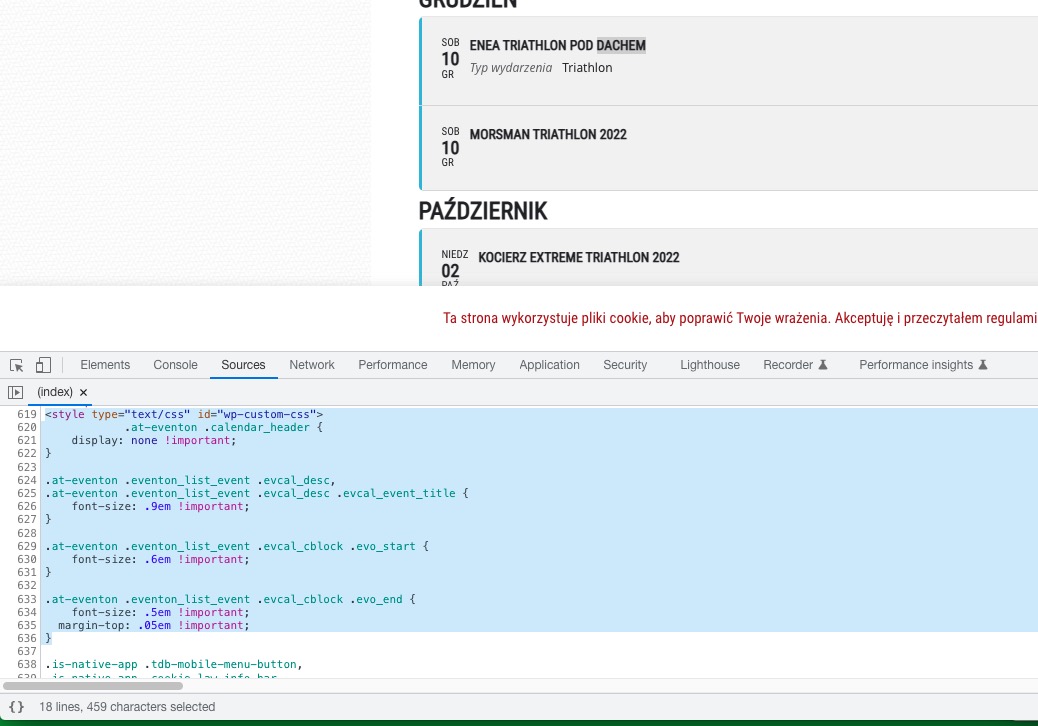 Removing/commenting them will solve your issues.
Hello,
this URL opens in Chrome and download a file
This is because Facebook knows that you are a human and allows you to download the file.
A completely different process happens when a server tries to export the file.
I doubt that they allow you to export your calendar as a link. The only guide I found:
https://www.facebook.com/help/www/152652248136178/
Please also follow
https://docs.myeventon.com/documentations/setup-language-corresponding-events/
As you can see users should access events from translated calendars. The same with Google and other search engines. They will be accessing translated events from calendars which makes Single Event pages translated correctly.
Great! Please keep us updated.