NOPE!!
I stand corrected, it myseteriously worked for a few minutes, but it has gone back to the images NOT loading into the image area on the pop-up (event view)
Replies for tickets on suppota
NOPE!!
I stand corrected, it myseteriously worked for a few minutes, but it has gone back to the images NOT loading into the image area on the pop-up (event view)
DISREGARD!!
I am terribly sorry. I purged the cache (my cache plugin) and all is showing up just fine. Whoops!
If you need admin access please let me know ASAP, and I’ll set it up. Much appreciated.
That notice is for an older version of eventON, with a newer version of EventON 5.0.4 that have vulnerability resolved, hence the notice should go away.
Credibility of patchstack is debatable as it is not reflecting resolved issues in reality and are running outdated reports.
Our attempts to reach to that company was met with unprofessional responses.
Hi Artem,
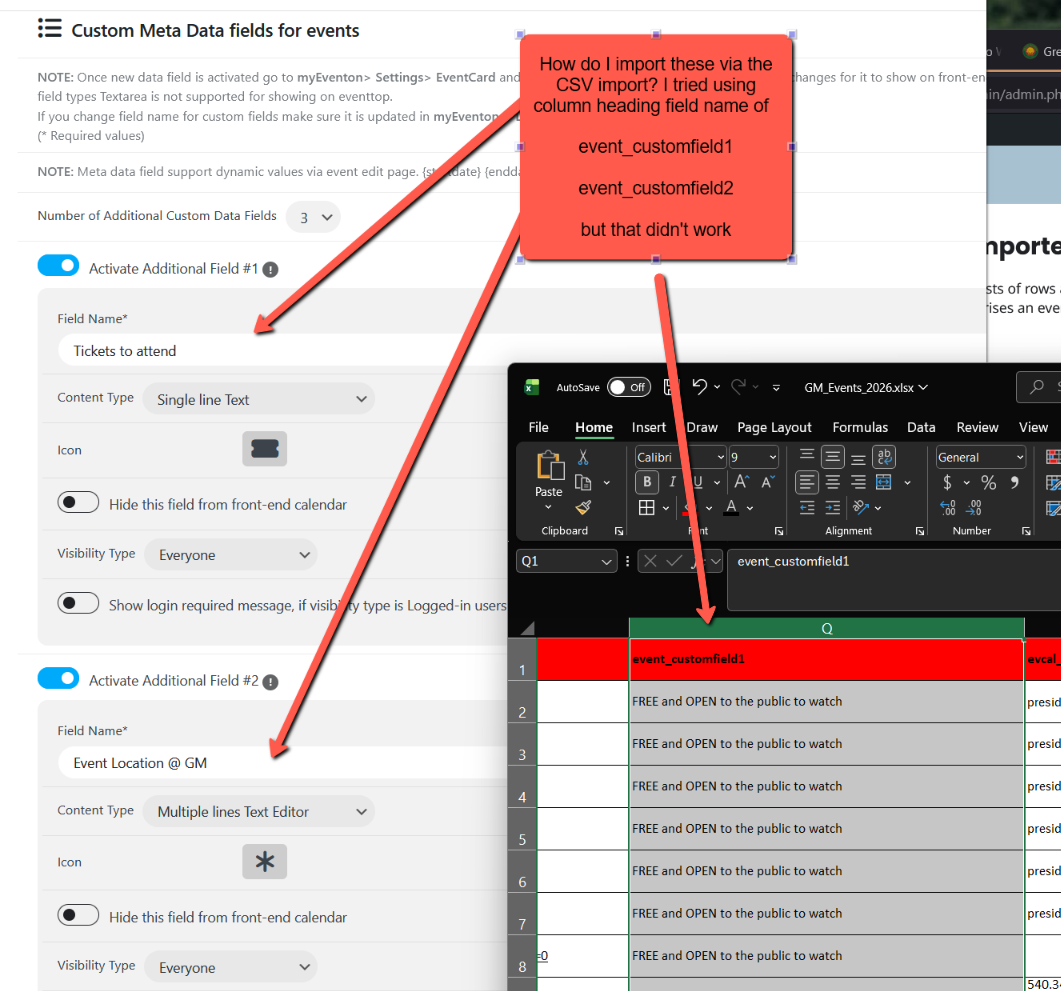
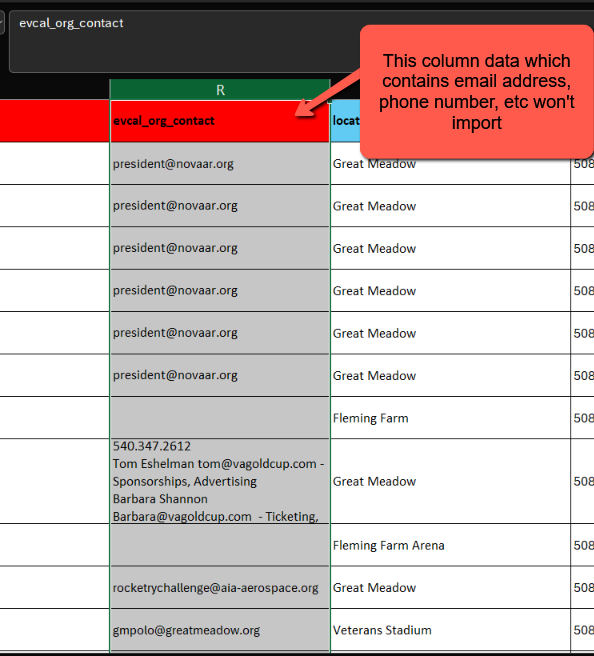
Thank you for that clarification! I was able to add start and end times and re-imported the csv file which fixed the date/time issue however I’m still unable to import the following fields:
Custom Meta Data
Event Organizer Contact
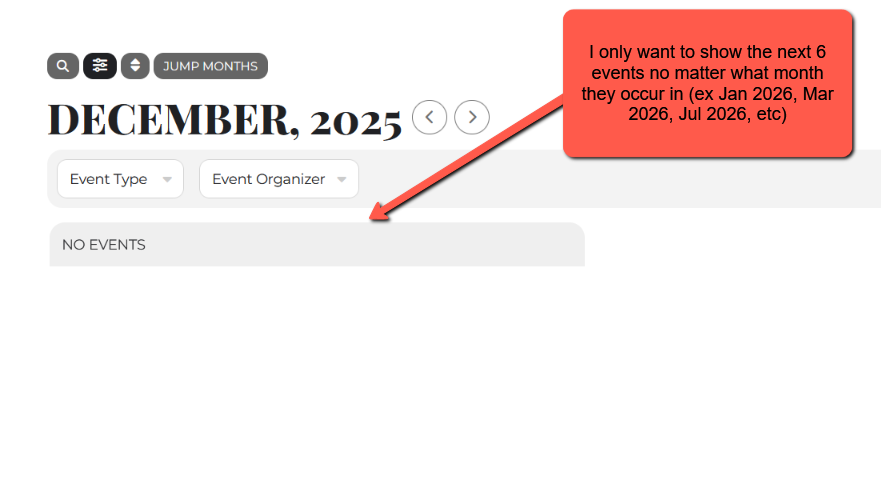
Shortcode to Display Next 6 Upcoming Events
I tried using the hide_empty_months=”yes” shortcode
parameter and event_count=”6” to only list the next upcoming 6 events and to hide
the ”no events” months message but it’s not working. Here is the shortcode I tried to use:
[add_eventon tiles=”yes” tile_bg=”1” tile_style=”1” jumper=”yes” exp_jumper=”no” show_limit_ajax=”yes” show_et_ft_img=”yes” etc_override=”yes” search=”yes” exp_so=”yes” filter_type=”select” filter_clear=”yes” event_count=”6” hide_empty_months=”yes”]
Thank you again and look forward to your update.
Best regards,
SW
Thank you for your help.
So, this seems to be related to an incompatibility of TagDiv Newspaper theme with the last WP version using some SEO plugins.
I’ve solved the problem disabling Yoast SEO plugin.
Thank you for time time !
Best regards.
You can also take a look at Event API add-on:
https://www.myeventon.com/addons/event-api/
It can output a feed in JSON format:
https://dev2.myeventon.com/wp-json/eventon/events
Could you try updating manually:
To update eventon to latest version: If you are unable to do autoupdate, you can go to codecanyon your account > download and get the latest eventon version as zip file. Then you can go to your website > make sure ”Delete eventon settings & data when EventON is uninstalled” is Deslected from eventon settings, delete old eventon, install new one and activate. This link will further explain the process it. Also you can follow us on twitter to get real-time announcements on updates!
Since you are trying to change the default styling, you just need to change it on one website and then copy the code to all other websites.
Could you try using this code:
@media (min-width: 960px) {
.evo_page_content.evo_se_sidarbar .evo_page_sidebar {flex-basis: 30%;width: 30%;}
}
It should only work on a desktop resolution.