We are glad your issue is resolved, if you have any further questions or concerns please create a new ticket.
Archives: Replies
Replies for tickets on suppota
Reply to: tickets(298382)
Please go to EventON > Time Settings > enable Allow universal event time format on eventCard > add your own Date/Time Format.
PHP format values can be found here:
https://www.php.net/manual/en/datetime.format.php
Reply to: tickets(300751)
Hello,
Add hide_month_headers=”yes” to your shortcode. It should be enough to make it look the way you like.
Reply to: tickets(300751)
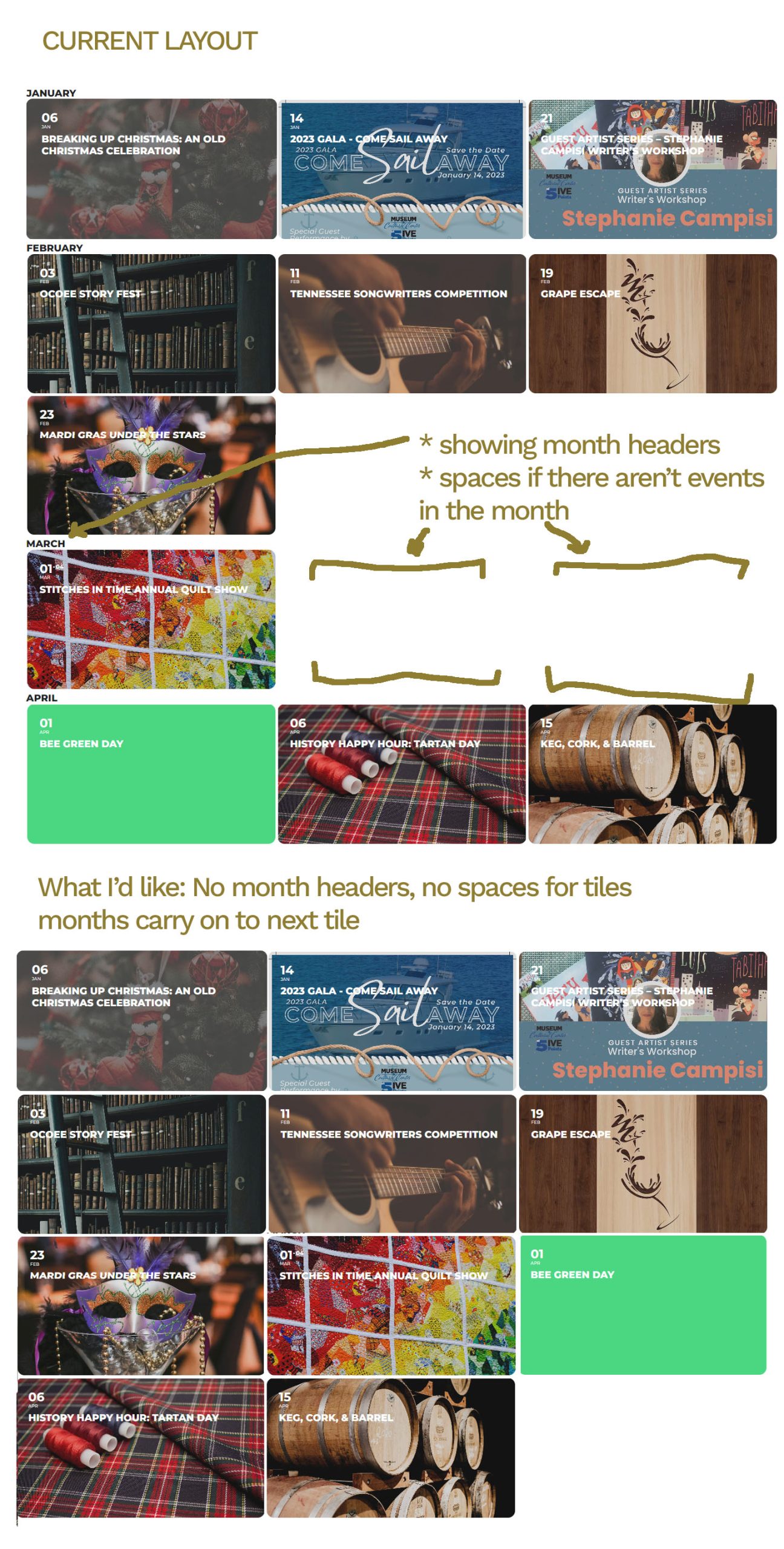
Reply to: tickets(298382)
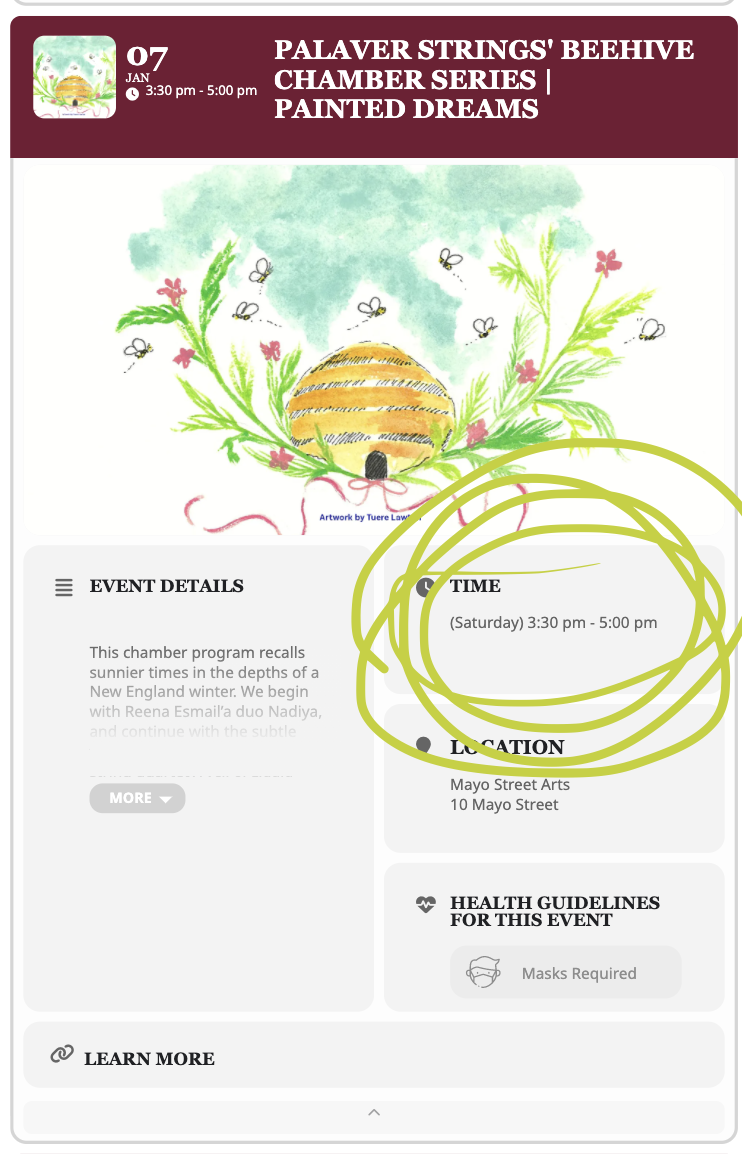
My bad! Screenshot attached. You’re an angel <3
Reply to: tickets(298383)
Yay! Thank you!
Reply to: tickets(298384)
Hi, thank you! I am not sure where this exists within Event On– would you mind guiding me to the location of this page– a novice here!
Reply to: tickets(298381)
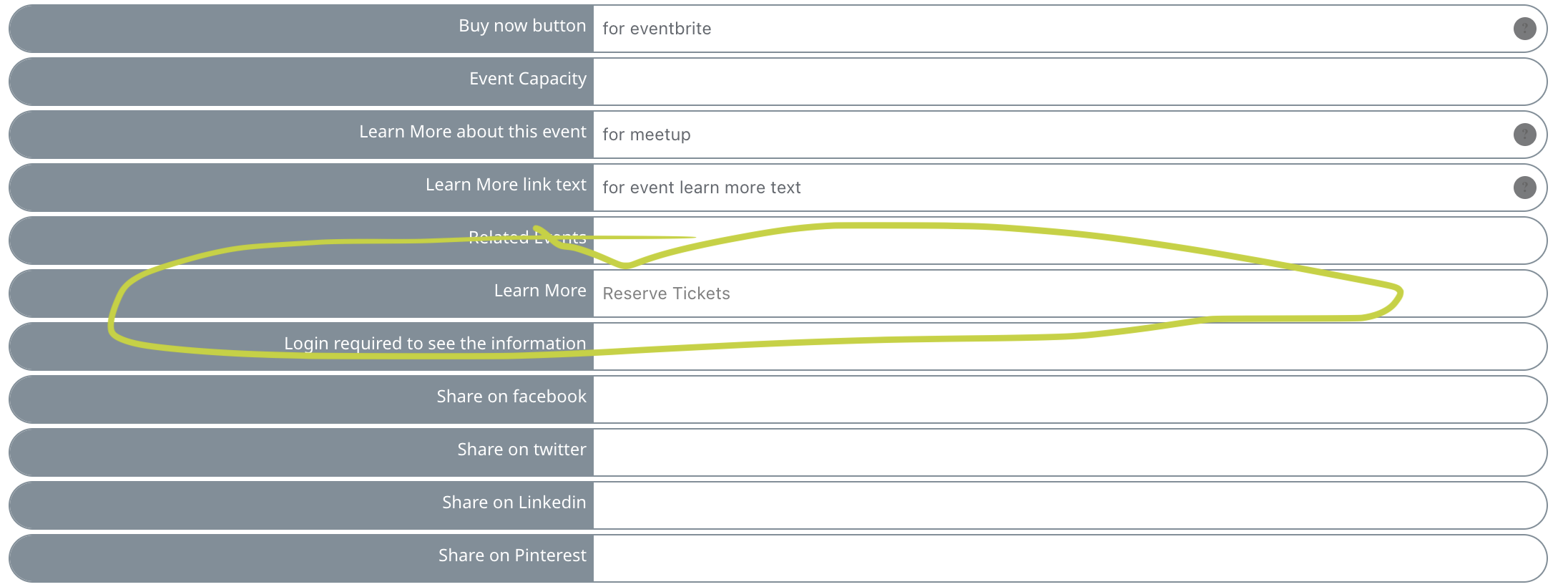
Here is where I am currently updating the language
Reply to: tickets(298381)
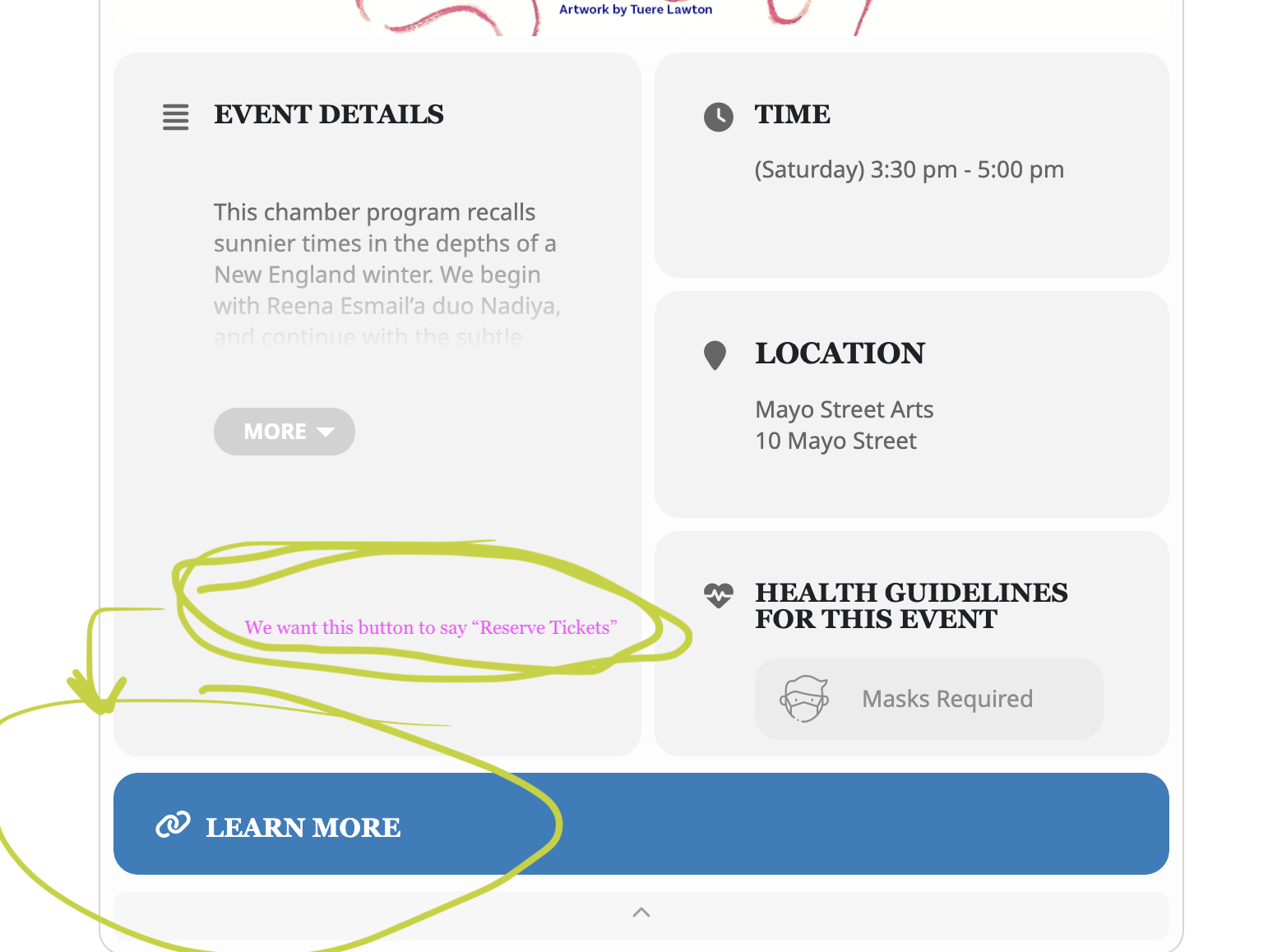
Hello– I tried both suggestions and neither worked. The custom meta field adds too much text, rather than simply a button—
When I update the language of the event card in the “learn more” area, no change is made.
See the photo attached!
Reply to: tickets(300698)
Hi Kenneth,
Thank you so much, I’ve just adjust CSS with padding separately and now it’s good, as you can see 🙂
My client is very happy and me much more 😀
I have no regret to choose EnventOne, great support and good product! :))