https://www.bievre-est.fr/wp-admin
identifiant : testeventon
mot de passe : testeventon
Replies for tickets on suppota
https://www.bievre-est.fr/wp-admin
identifiant : testeventon
mot de passe : testeventon
hello,
wich screenshot ?
hello :
pw :
y0V%K5M@AGFaK98tTSOCU3Dc
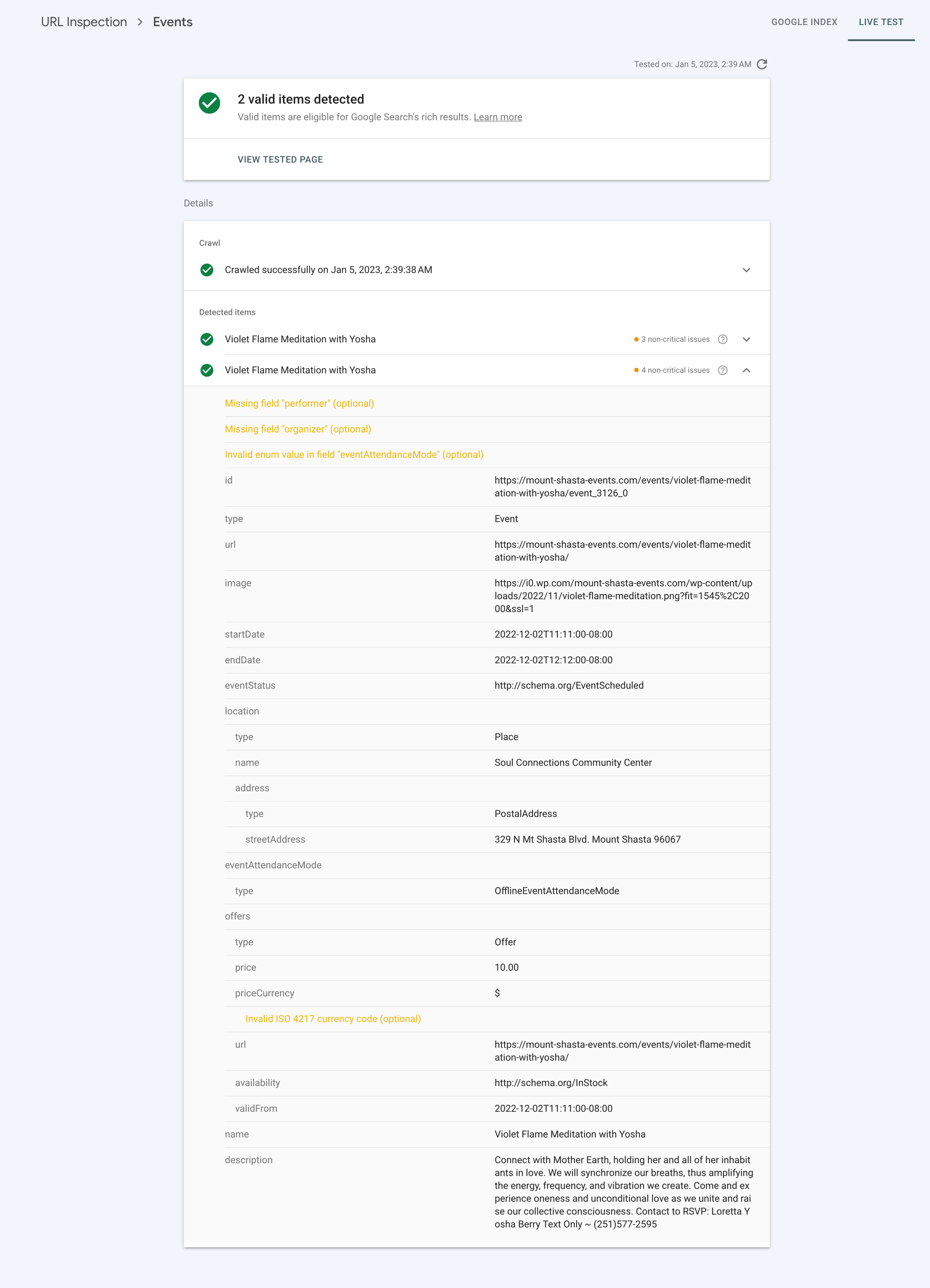
Regarding enum error: Correction, this is the most current version of the same page. Notice that Performer and Organizer are not found. Organizer was set on the event and I have enabled the SEO about Organizer and Performer. I also toggled the organizer on and off in case it wasn’t set with the new settings.
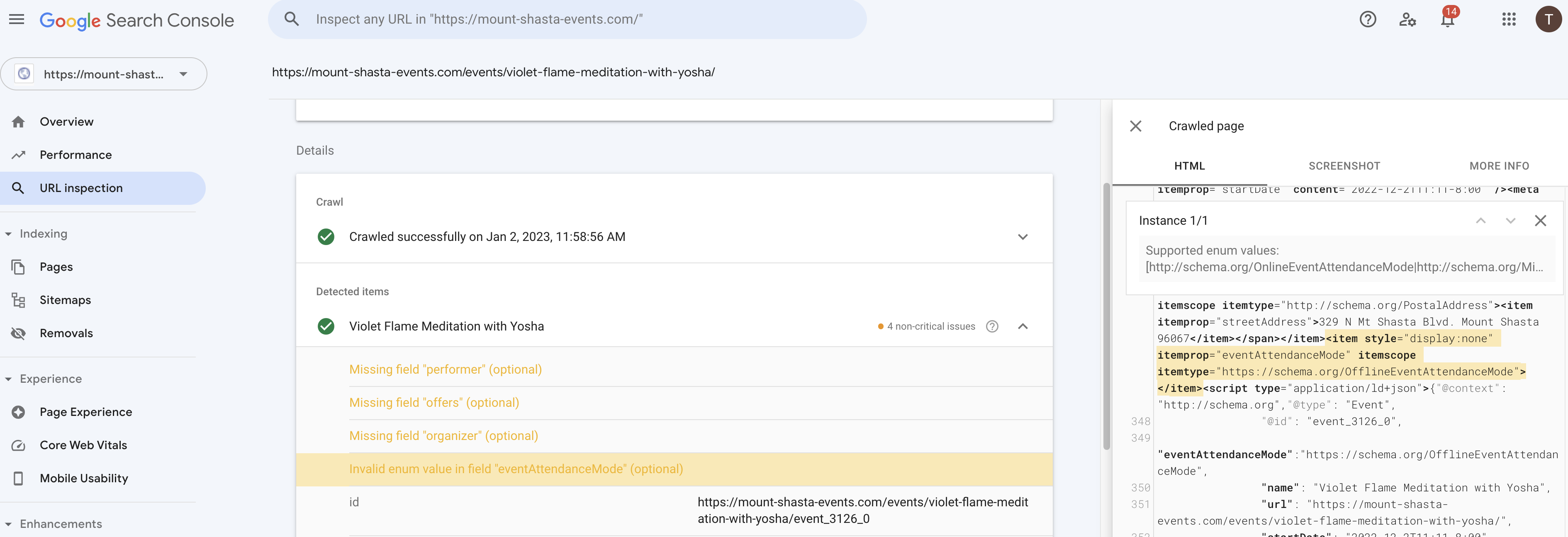
Thank you, I understand Performer, Offer, Description, Image. I have tested 2 with SEO for Organizer activated. I don’t see Performer in source code though. Maybe I should clear cache. Is there a way to reference the custom fields in EventOn?
Action Users require a login. I created a field named Offer. This way the Action User can send me the Offer (ticket or donation price) and I will enter it for them. The Offer does show in the Event Schema Metadata in page source from adding it to the event. Performer does not yet.
I use RankMath and they use variables for metadata (as do other apps) e.g. %title% . They also allow the creation of custom variables in a Post or Page. Something like this? %customfield(field-name)% Can I use your fields in this way? Not sure yet how RankMath will use them for metadata. If at all.
attached image show Google Search Console enum error. Unsure about your removing schema data instructions. This particular event is a repeating event and I notice that Google indexes the canonical url, not the repeat instances. Let me know if you feel I should still remove schema data.
It seems that this happens because event schema is duplicated. Could you go to EventON > Remove schema data from calendar: Everywhere except single event pages. The same with Remove JSON-LD data for events.
oooooooh you are using a very very old version of eventon (from 2019-6-28)
you will want to update to 4.2.2
To update eventon to latest version: If you are unable to do autoupdate, you can go to codecanyon your account > download and get the latest eventon version as zip file. Then you can go to your website > make sure “Delete eventon settings & data when EventON is uninstalled” is Deslected from eventon settings, delete old eventon, install new one and activate. This link will further explain the process it. Also you can follow us on twitter to get real-time announcements on updates!
Now because your version is so old the Delete eventon settings & data when EventON is uninstalled toggle is not present in your version.
I have activated “do not delete settings and events” on your site BUT
before updating
1: do a backup of the entire site
2: screen shot your appearance settings for your color schemes as this has a chance of going back to defaults
you will also need to update events list extended (your version is from early 2019)
To update eventon addons: You can download latest eventon addons from myeventon > my account. Then you can go to your website, deactivate old addon and install new one and activate then delete the old addon. This link will further explain the process. Also you can follow us on twitter to get real-time announcements on updates!
now there have been many many updates to eventon since your version
https://docs.myeventon.com/documentations/eventon-changelog/
theres a ton more features
Hello,
When trying to login from https://west38moto.com/my-account/, it does not allow us to see the backend. Please ensure that the Eventon user is an admin user, so that we can troubleshoot the issue effectively.
You are welcome. If you have any other questions, please feel free to create a new ticket.
Hi Kelly,
If you are not using the latest Eventon version, please update it and check if that fixes the issue.
To update eventon to latest version: If you are unable to do autoupdate, you can go to codecanyon your account > download and get the latest eventon version as zip file. Then you can go to your website > make sure “Delete eventon settings & data when EventON is uninstalled” is Deslected from eventon settings, delete old eventon, install new one and activate.
here is a link to the file. The columns are out of place upon export from eventon LINK