Done adding in version 5.0 🙂
Archives: Replies
Replies for tickets on suppota
Reply to: tickets(363435)
Thank you for letting us know of this! We will be adding this in version 5.0 🙂
Reply to: tickets(395780)
Ashan,
CSV file to import can be found here:
https://fromsmash.com/EventOn
Login to new site
https://new1.masterfoto.se/wp-admin
Next, try importing the first event:
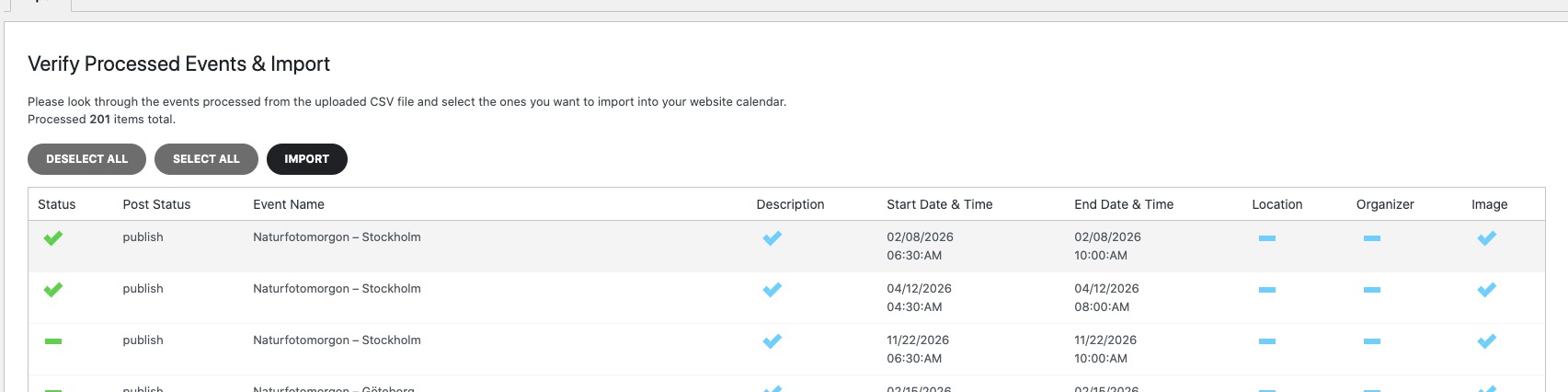
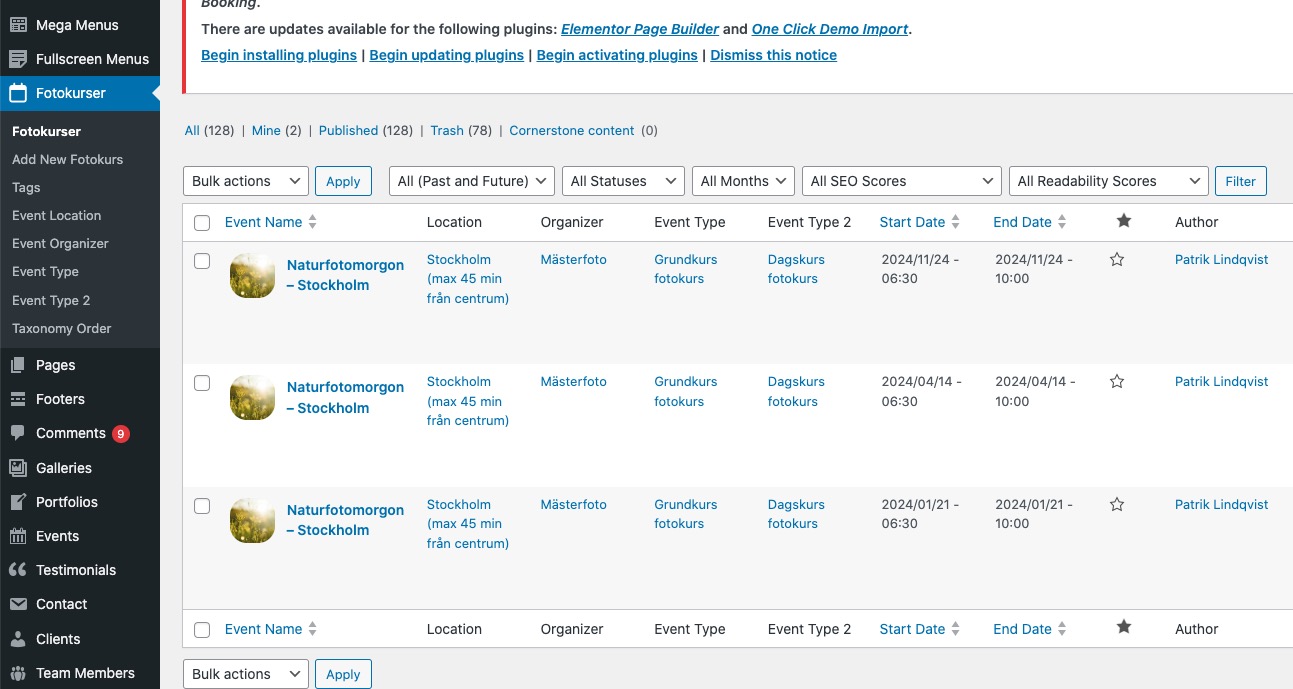
It doesn’t import and only shows there three old ones:
https://new1.masterfoto.se/wp-admin/edit.php?s=Naturfotomorgon+%E2%80%93+Stockholm&post_status=all&post_type=ajde_events&action=-1&event_date_type=all&event_status=all&ev_month=all&seo_filter&readability_filter&paged=1&action2=-1
Reply to: tickets(395780)
Thank you for your messages, I am going to assign this ticket to Ashan and he will be able to take it from here and find you a solution. Please allow some time for him to get back to you, we greatly appreciate your patience and thank you for being a eventon customer! Also please disable any IP blocking on your site if there are any.
Reply to: tickets(396423)
Please try
.evoWV.ajde_evcal_calendar .EVOWV_grid .evo_wv_day.today .day_num { background-color: red !important; color: #fff !important; }
Try also adding the code to wp-admin > Appearance > Customize > Additional CSS.
Reply to: tickets(396422)
Perfect! If you have any further questions or concerns please create a new ticket.
Reply to: tickets(396369)
I cannot find #120113 among your purchases. Could you also send us associated email?
Reply to: tickets(396322)
We were able to get this working. Really hoping to get everything ironed out for next week release 🙂
Reply to: tickets(396315)
Kindly update to the latest version 2.4.20 — should resolve the repeats not adding to cart
https://docs.myeventon.com/documentations/changelog-event-tickets/
Reply to: tickets(395780)
I can´t use wp all import as i don´t want to import the whole sit. The only thing that is left importing is the EventON events.