Hello,
Unfortunately, we unable to fully help with PHP customizations since it’s against Support Policy.
You can find available Hooks here:
https://docs.myeventon.com/documentations/hooks-actions-filters/
More guides can be found here:
https://docs.myeventon.com/documentation/codex/
How to add additional content to EventCard:
https://docs.myeventon.com/documentations/show-additional-custom-data-eventcard/
More code examples:
https://docs.myeventon.com/documentation/code-snippets/
Hello,
Have you tried contacting us on EventON Lite Support Forum:
https://wordpress.org/support/plugin/eventon-lite/
1. Arrows can be changed from EventON > Appearance > Calendar Header > Arrow Circle. If you don’t see any change, EventON > Scripts & Styling > turn off Write dynamic styles to header > save settings > turn on Write dynamic styles to header.
You can also add this CSS code to EventON > Styles (If you don’t see any change, EventON > Scripts & Styling > turn off Write dynamic styles to header > save settings > turn on Write dynamic styles to header). You can also add this code to wp-admin > Appearance > Customize > Additional CSS.
.ajde_evcal_calendar .calendar_header .evcal_arrows i, .evo_footer_nav .evcal_arrows i { color: red; } .ajde_evcal_calendar .calendar_header .evcal_arrows, .evo_footer_nav .evcal_arrows { border-color: red; background-color: #fff; }
2. Please use this code:
.eventon_events_list .eventon_list_event .evoet_dayblock, .eventon_events_list .eventon_list_event .evoet_cx .evoet_dayblock span, .evo_pop_body .evoet_dayblock { font-size: 40px; } .evcal_cblock .evo_start em.month, .evcal_cblock .evo_end em.month, .evcal_cblock .evo_start em.day { font-size: 12px; }
3. Please use this code:
.eventon_events_list .eventon_list_event .evcal_desc .evcal_desc_info, .eventon_events_list .eventon_list_event .evoet_cx .level_3, .evo_pop_body .evcal_desc .evcal_desc_info, .evo_pop_body .evoet_cx .level_3 { font-size: 30px; }
Go to EventON > EventCard > try a different Feature image display style.
4. Please use:
#evcal_list .eventon_list_event p.no_events, .evo_eventon_now .no_events { font-size: 20px; }
We are glad your issue is resolved, if you have any further questions or concerns please create a new ticket.
Hello,
Please add this to the shortcode:
hide_mult_occur=”yes”
This hides events from showing more than once in between months, across the entire event list.
Ashan,
They bought EventON from us and cannot update it automatically.
Could you check?
Hello,
Thank you for your messages, I am going to assign this ticket to Ashan and he will be able to take it from here and find you a solution. Please allow some time for him to get back to you, we greatly appreciate your patience and thank you for being a eventon customer! Also please disable any IP blocking on your site if there are any.
While we are working on the issue, please update manually according to:
To update eventon to latest version: If you are unable to do autoupdate, you can go to codecanyon your account > download and get the latest eventon version as zip file. Then you can go to your website > make sure “Delete eventon settings & data when EventON is uninstalled” is Deslected from eventon settings, delete old eventon, install new one and activate. This link will further explain the process it. Also you can follow us on twitter to get real-time announcements on updates!
Jep. Working. Thanks a lot.
Super, danke! jetzt müsste nur doch der Monatstext Zentriert sein dann ist es fein. Ich finde immer noch nicht die Funktion wo ich die Farbe der Filterleiste ändern kann. AUch ist mir aufgefallen wenn man den Kalender auf dem Smartphone nutz funktionieren die kleinen Pfeiltasten nicht mehr richtig. Danke!
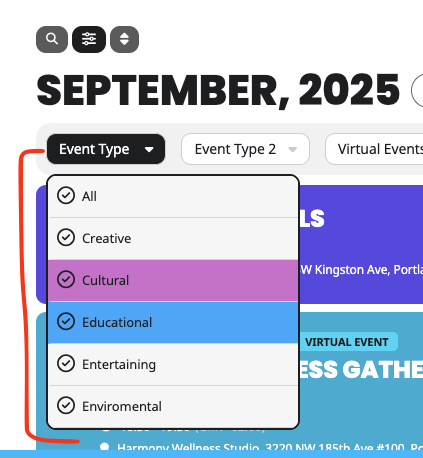
By default it should arrange the filter terms alphabetical order.