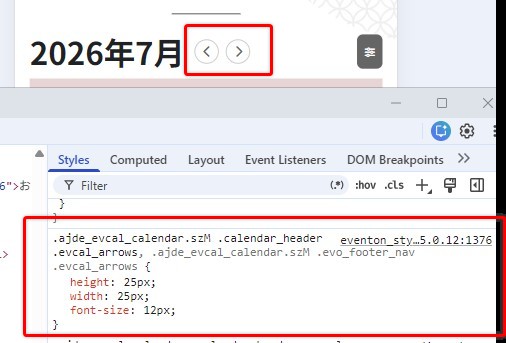
Please add this CSS code to EventON > Styles (If you don’t see any change, EventON > Scripts & Styling > turn off Write dynamic styles to header > save settings > turn on Write dynamic styles to header).
You can also add this code to wp-admin > Appearance > Customize > Additional CSS.
@media (max-width: 960px){ .ajde_evcal_calendar .calendar_header .evo_arrow, .ajde_evcal_calendar .calendar_header .evcal_arrows, .evo_footer_nav .evcal_arrows { height: 45px; width: 45px; } }
This way buttons will be larger on mobiles.
Please check and let me know.
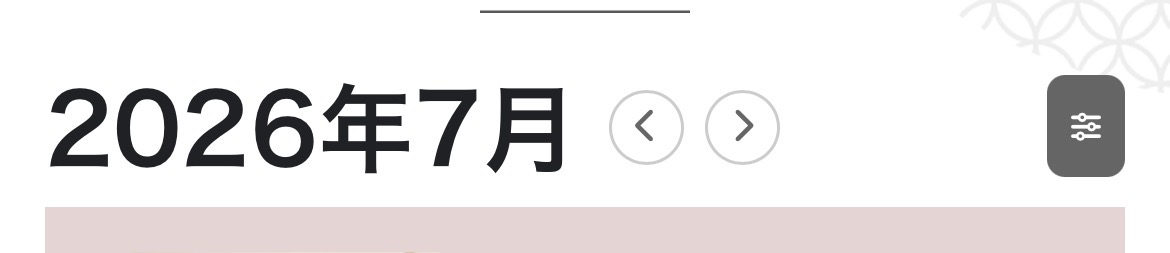
Sorry, it was not just on iOS, it’s on all devices that have a small screen.
I think the buttons are too small and too close that hard to tap with default style.
I was able to fix with css, but it’s not good as the default style in terms of UX.
As you can see it is very skinny and looks awkward. I was able to remove the sidebar but where can I edit the archive page?
Please add this CSS code to EventON > Styles (If you don’t see any change, EventON > Scripts & Styling > turn off Write dynamic styles to header > save settings > turn on Write dynamic styles to header).
You can also add this code to wp-admin > Appearance > Customize > Additional CSS.
.evotax_term_card .evo_card_wrapper { width: 100%; max-width: 1100px; display: block; }
In order to customize Locations Template please follow
https://docs.myeventon.com/documentations/how-to-customize-events-archive-page/
The same can be applied to /wp-content/plugins/eventON/taxonomy-event_location.php.
Okay, great – I will wait for the update!
Hello,
https://helpdeskx.s3.amazonaws.com/wp-content/uploads/2026/07/06144648/IMG_0464.jpg
Is this from Safari or Android?
Could you also send us a screenshot from other OS?
We are going to add the fix to the next version of EventON. So you’ll be able to just update it.
Hello,
yes, of course. Attached the order ID #227821
Thank you
br
Thank you.
CLAUDE says, that this code change will be overwritten with the next eventON update – is that correct?
I have NOT had this Zoom link issue EVER – it occurred recently
What changed?
Is there a permanent fix for that?
Also, I’m not code-savvy…
Hello,
…I asked your team whether it would allow access to full ticketing data, including attendee information per event and other ticket‑related details
Could you send us a link to your question?
Default JSON structure can be found here:
https://docs.myeventon.com/documentations/json-data-structure/
This is how your can add more fields:
https://docs.myeventon.com/documentations/add-additional-event-data-json-output/