Ashan,
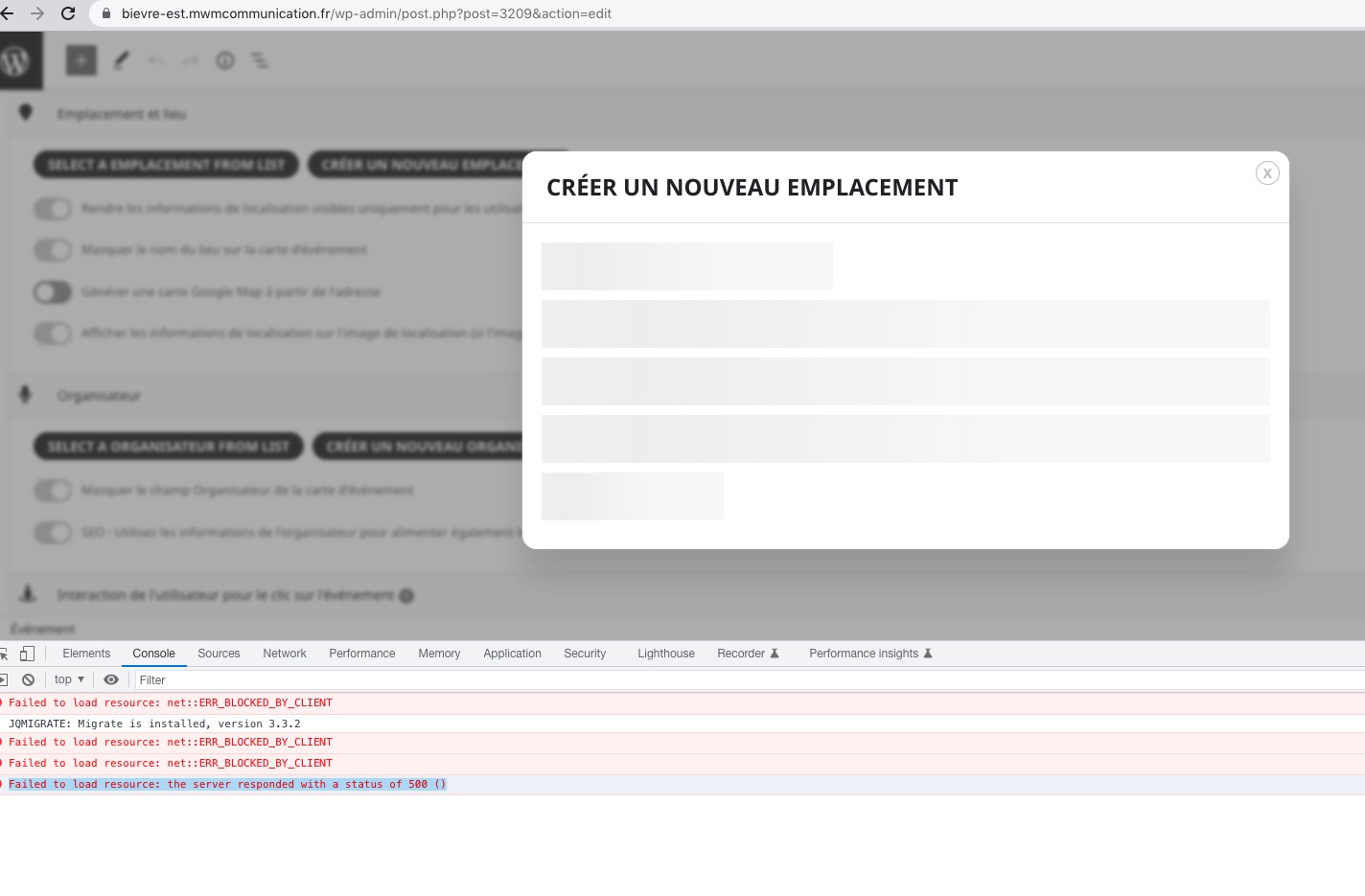
The error when you try to open Create a new Location form:
https://www.bievre-est.mwmcommunication.fr/wp-admin/post.php?post=3209&action=edit
[12-Dec-2022 15:06:48 UTC] PHP Fatal error: Uncaught Error: Call to undefined method evo_event_metaboxes::get_tax_form() in /var/www/vhosts/bievre-est.mwmcommunication.fr/www/wp-content/plugins/eventON/includes/admin/class-admin-ajax.php:322
Stack trace:
#0 /var/www/vhosts/bievre-est.mwmcommunication.fr/www/wp-includes/class-wp-hook.php(307): EVO_admin_ajax->get_event_tax_term_section()
#1 /var/www/vhosts/bievre-est.mwmcommunication.fr/www/wp-includes/class-wp-hook.php(331): WP_Hook->apply_filters()
#2 /var/www/vhosts/bievre-est.mwmcommunication.fr/www/wp-includes/plugin.php(476): WP_Hook->do_action()
#3 /var/www/vhosts/bievre-est.mwmcommunication.fr/www/wp-admin/admin-ajax.php(187): do_action()
#4 {main}
thrown in /var/www/vhosts/bievre-est.mwmcommunication.fr/www/wp-content/plugins/eventON/includes/admin/class-admin-ajax.php on line 322
identifiant : testeventon
password : testeventon
Hello,
We went ahead and activate debug in your site but the credentials you provided for wp-admin do not work anymore. Kindly send us credentials which do work so that we can troubleshoot the issue fully.
Same probem here. I have all the latest plugin versions and SMTP, so that is not the issue. My waitlisted people are not being automatically bumped into open spaces. They are getting no email that says they have been changed to “yes”/added. They are remaining on the waitlist.
Guys, this is the same request i have, in another ticket. So that the event url defaults to show the nearest upcoming event, so not the first, expired, event date.
This would help in sharing on socials and passing on links
Voici les accès FTP :
FTP: ftp.bievre-est.mwmcommunication.fr
Identifiant: bievre-est_-2156
Mot de passe: fkjB-yckD-2MEg-At74
Merci.
There is a new version available RSVP 2.8.1. Could you update?
To update eventon addons: You can download latest eventon addons from myeventon > my account. Then you can go to your website, deactivate old addon and install new one and activate then delete the old addon. This link will further explain the process. Also you can follow us on twitter to get real-time announcements on updates!
Thank you very much for the info! Let’s continue the conversation in your other ticket.
I’ve already found it in your other ticket.