Hello,
Thank you very much for the info! We are going to fix this in the future.
Replies for tickets on suppota
Hello,
Thank you very much for the info! We are going to fix this in the future.
Hello,
Please go to Edit Event and among variations find “All”:
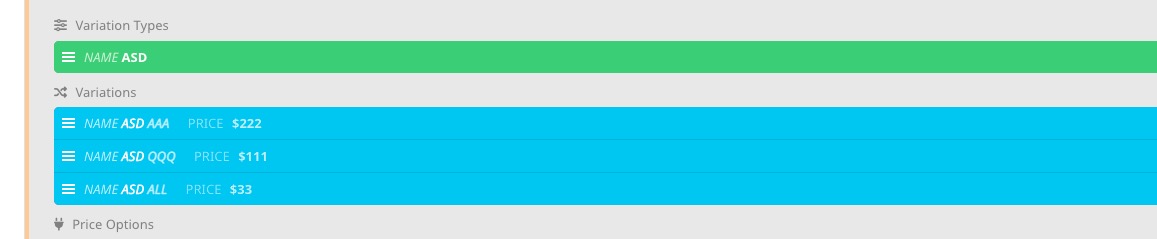 Now delete it.
https://lgbtnetwork.org/wp-admin/admin.php?page=eventon#evcal_001b > Use UTC offset time globally on calendars (BETA) is disabled. Please update EventON to 4.2.2 and then enable the option.
https://lgbtnetwork.org/wp-admin/admin.php?page=eventon#evcal_001 > Delete eventon settings & data when EventON is uninstalled is disabled so the updating process should work fine.
Worked, ty
Hello,
Great! If you have any further questions or concerns please create a new ticket.
We are glad your issue is resolved, if you have any further questions or concerns please create a new ticket.
If you have a moment, we would greatly appreciate if you could kindly leave us a review at codecanyon! from your account > downloads. Cheers!
Addition: this would also be to share a repeating event on social media (auto posting), where the viewer then would endup on the upcoming instance of that repeating event
Found the answer, so closing this one (new to this).
I re-added the user credentials to WordPress and tested it. It should definitely work when you log in now.
Here is the login:
lgbtnetwork.org/wp-admin
eventon
5s%CEK6rFr^O*g7aN^IWe7&D
“Could you go to wp-admin > Settings > make sure that Date and Time Formats aren’t empty?”
It was that,, First time it happens.. THANKS😉👍