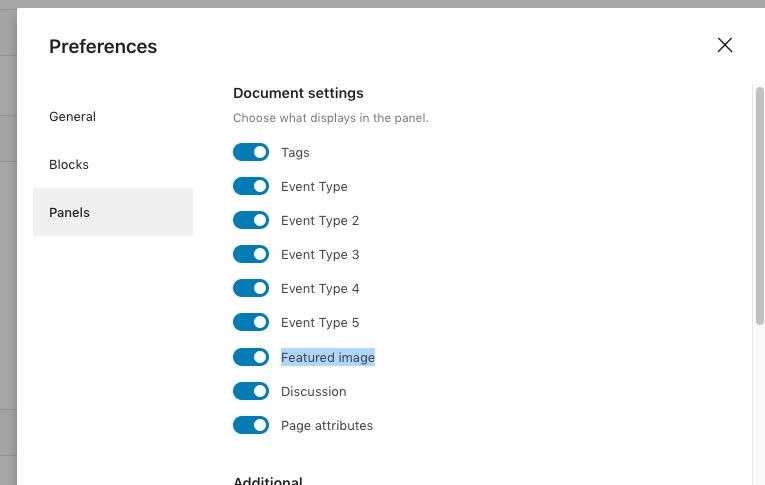
It is toggled on in preferences but still does not display in editor.
Archives: Replies
Replies for tickets on suppota
Reply to: tickets(299022)
Yes, They work correctly now.
Thank you for the prompt response.
Reply to: tickets(299022)
Hello,
I went to https://www.thesocialzeeland.org/wp-admin/admin.php?page=eventon&tab=evcal_tx and changed Default event ticket stop selling time base to When Event Ends. Please check now.
Reply to: tickets(298557)
We are glad your issue is resolved, if you have any further questions or concerns please create a new ticket.
If you have a moment, we would greatly appreciate if you could kindly leave us a review at codecanyon! from your account > downloads. Cheers!
Reply to: tickets(299026)
Hello,
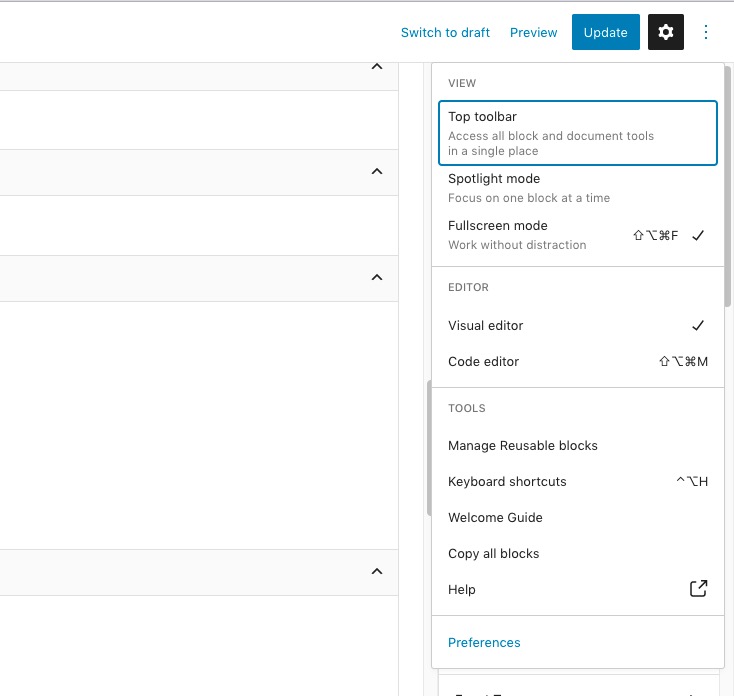
Please go to Preferences:
 Now click on Featured Image:
Reply to: tickets(299003)
We are glad your issue is resolved, if you have any further questions or concerns please create a new ticket.
If you have a moment, we would greatly appreciate if you could kindly leave us a review at codecanyon! from your account > downloads. Cheers!
Reply to: tickets(298909)
I did follow this guide and it did not work.
Reply to: tickets(287555)
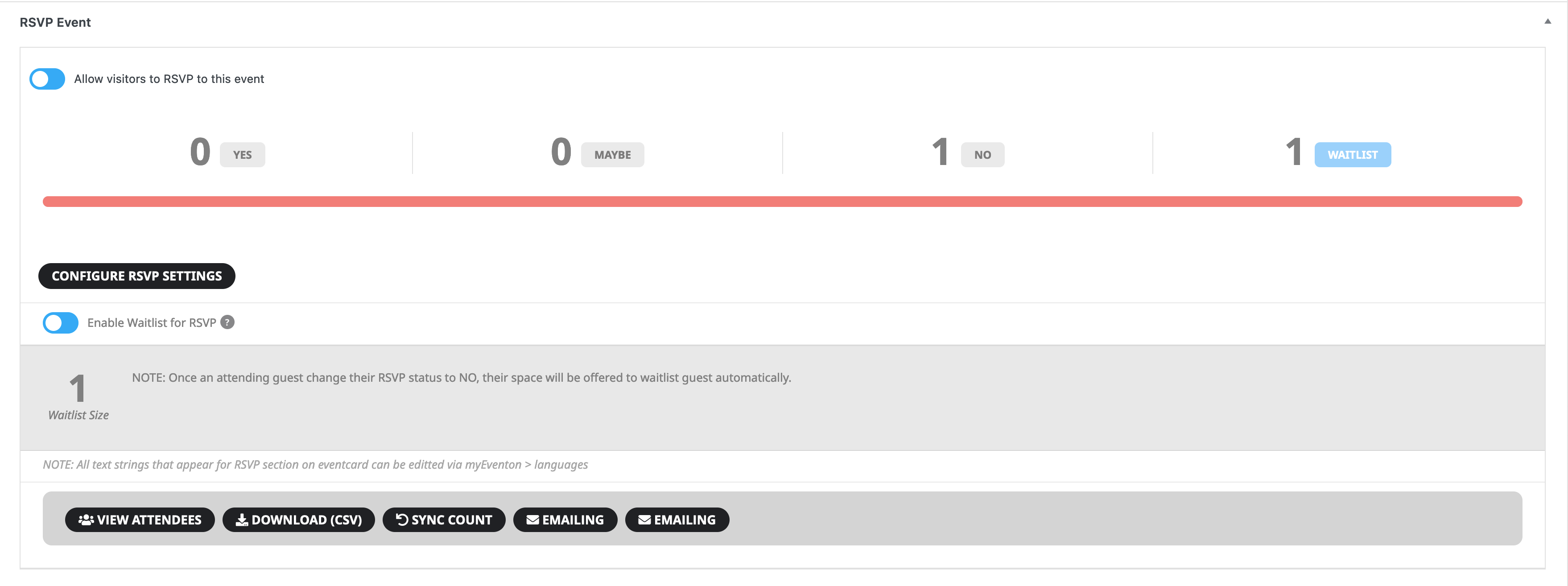
Ok, I’ve got everything updated, and tested… and still no email being sent. But that could be because the count isn’t changing, even upon syncing.
Also, notice in my screenshot that there are 2 EMAILING buttons. The second one doesn’t do anything.
Reply to: tickets(298557)
Thank you.
Reply to: tickets(292139)
Thanks a lot, it works perfectly! Also, the “appearance” function of eventon doesn’t seem to work on the “event list” design. I change the color of the text and image with the css. I can’t find the css to select the time. I tried “evcal_time evo_tz_time” it didn’t work. I have tried others. I did not find.