Please also make sure to cancel your subscription:
https://docs.myeventon.com/documentations/how-to-cancel-addon-subscription-before-auto-renew/
Replies for tickets on suppota
Please also make sure to cancel your subscription:
https://docs.myeventon.com/documentations/how-to-cancel-addon-subscription-before-auto-renew/
Hello,
Thank you for your messages, I am going to assign this ticket to Ashan and he will be able to take it from here and find you a solution. Please allow some time for him to get back to you, we greatly appreciate your patience and thank you for being a eventon customer!
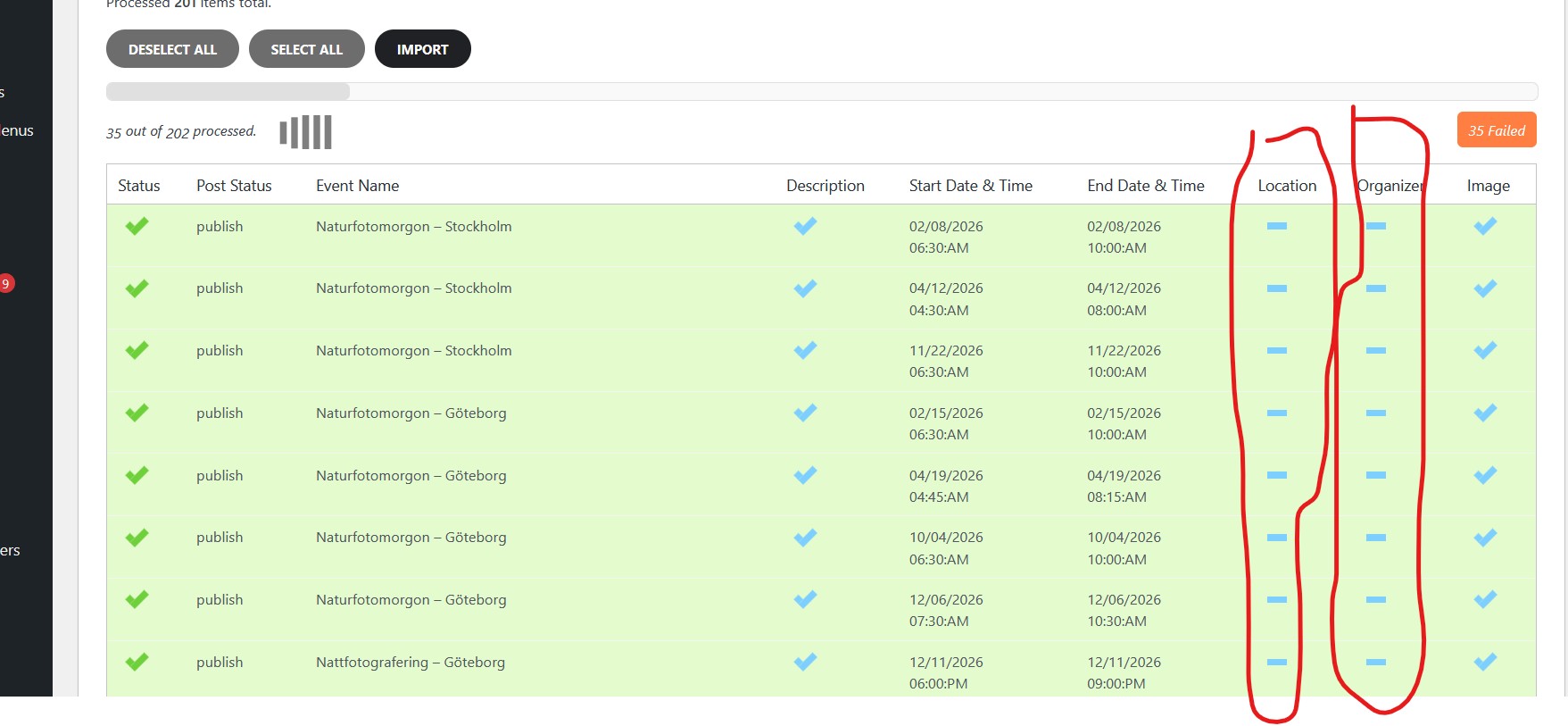
I updated the plugin and it seems to work. Though it seems like no location or organiser is exported from the site. When i try to upload the file to the new site all events fail.
Please if you can have a look on the file https://fromsmash.com/EventOn
Yes, I am refering to that demo. When I tested the link you provided and scrolled down to click the bottom navigation, it still kept me at the bottom. I wanted to know if there was a way where it could bring the user back up to the top of the page for the next month.
Hello,
Since your event is repeating, then you need to go to the future date (repeat) to see the buy section:
https://instituutorshof.be/events/workshop-familieopstellingen-2/var/ri-2.l-L1/
Could you check and let me know?
Kindly update to the latest version of RSVP and rsvp waitlist that should resolve the issue with not able to change RSVP.
Do you see the same issue on our test site:
https://dev2.myeventon.com/events/test-54/
Could you also send us a link to the page on your website?
Please update Event Map add-on as the functionality is only available from 1.6+.
The same with the second question.
To update eventon addons: You can download latest eventon addons from myeventon > my account. Then you can go to your website, deactivate old addon and install new one and activate then delete the old addon. This link will further explain the process. Also you can follow us on twitter to get real-time announcements on updates!
To update eventon to latest version: If you are unable to do autoupdate, you can go to codecanyon your account > download and get the latest eventon version as zip file. Then you can go to your website > make sure “Delete eventon settings & data when EventON is uninstalled” is Deslected from eventon settings, delete old eventon, install new one and activate. This link will further explain the process it. Also you can follow us on twitter to get real-time announcements on updates!
There is something wrong with the EventON version installed on the server.
Could you update it and then try to download the events again?