Found the issue will release an update soon 🙂
Archives: Replies
Replies for tickets on suppota
Reply to: tickets(297858)
yes, I did it.
Reply to: tickets(297867)
Hi, having exactly same problem here: none of the RSVP configuration settings are saving at all after publishing the event. Everything (capacity, special fields, etc.) reverts back to default. RSVP 2.8.
Unable to use the plugin anymore !
Reply to: tickets(298013)
I have encountered exactly the same problem.
Moreover “capacity limit for RSVP” is not synchronized in different languages! this plugin is not usable if you have a site with events translated in different languages and you want to use the capacity 🙁
Reply to: tickets(298044)
The translation is fine, the problem concerns the synchronization of the capacity of an event for example. If you have 100 places for an event with language 1, you don’t have capacity for the following languages. If someone books the event, the count is only done in the language where the booking was made. The plugin is therefore unusable.
The plugin has to work like Woocommerce: If you sell an item in the store, the stock decreases in all other languages by one unit.
Reply to: tickets(297867)
Hello! After updating to 2.8, none of the RSVP configuration settings are saving at all after publishing the event. Everything (capacity, special fields, etc.) reverts back to default.
Reply to: tickets(297867)
Which part of rsvp settings are you having issues saving? i wonder if it has to do with cache..
Reply to: tickets(298044)
It should be able to translate just fine. Are you trying to translate backend or front?
Reply to: tickets(298218)
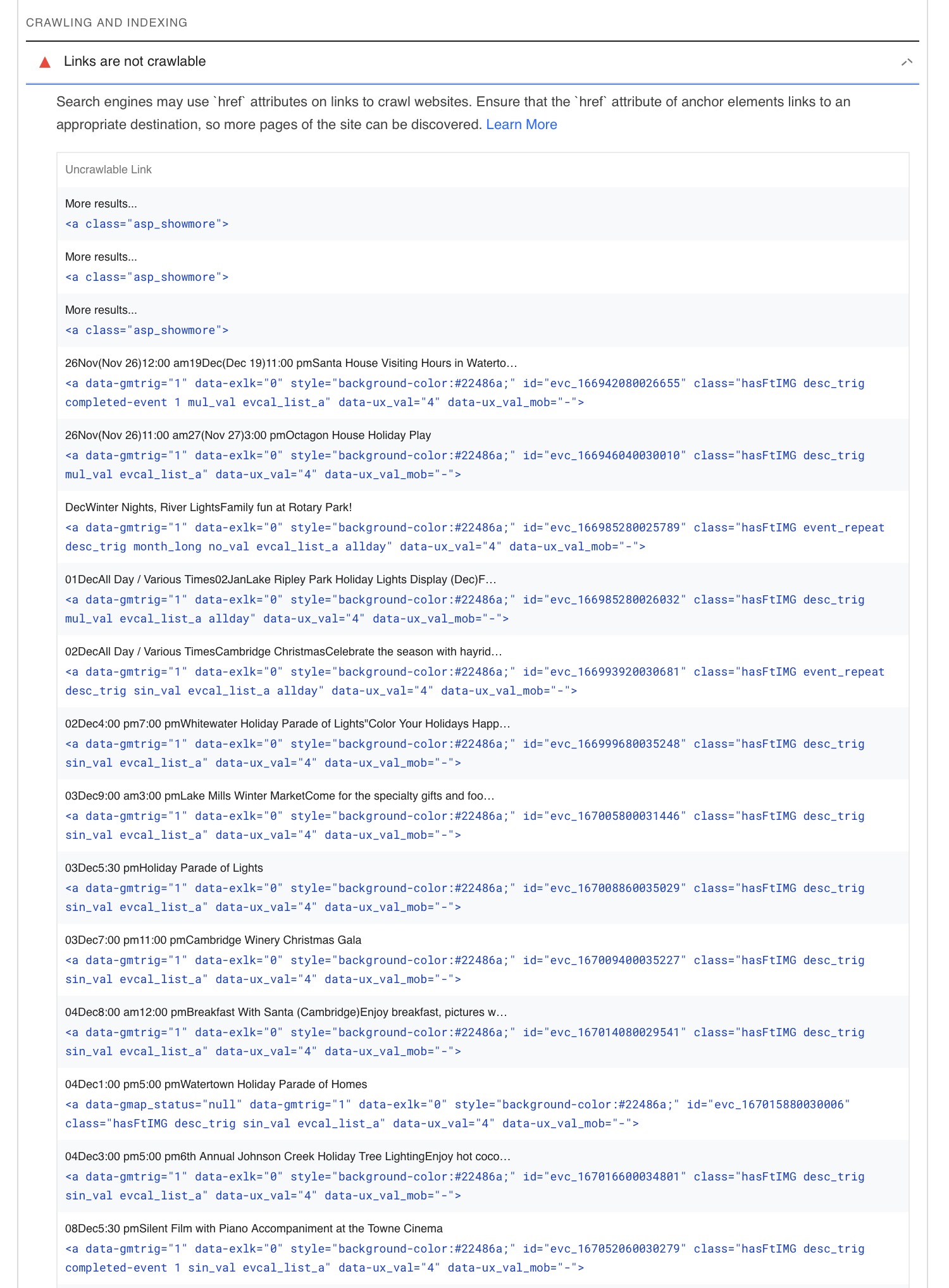
Attached is a screen grab of the errors.
You can run the test here:
https://pagespeed.web.dev/report?url=https%3A%2F%2Fenjoyjeffersoncounty.com%2Fevent-calendar
Reply to: tickets(295632)
Sure, I just disabled it.