Hi, thanks for the response.
I’ve just done that and I sent the first page of events as a batch to translate but we usually do all our translations manually as it’s easier, quicker and more accurate.
I’ve re-checked the calendar codes and I can’t see a problem but I still can’t see any English events from tomorrow, 12 Nov onwards.
What else can I try?
Thank you
Thanks, that helped. We have re-done the custom page and the events now display.
However, that results in the content not formatting the way it used to. I have a several questions:
- When a light-box pop-up event is displayed that has an organizer, it now includes a Learn More button on the organizer. Is there a way to remove that?
- Lists of events now stack the time/location (forced to use that event top designer). Is there a way to change that back to the way it was?
- The date portion of the event top is now a grey, where is that color controlled?
- We include one of the categories on the event top, that no longer seems available. Is that true?
Our production site is https://pca-chicago.org so you can see how it looks. The sandbox site is https://dev.pca-chicago.org/ so you can see the differences.
We also just received this email from WordPress:
In this case, WordPress caught an error with one of your plugins, EventON.
Error Details
=============
An error of type E_ERROR was caused in line 23 of the file /mnt/stor3-wc2-dfw1/503791/649231/www.dreamweek.org/web/content/wp-content/plugins/eventON/ajde/ajde.php. Error message: Uncaught Error: Class ‘ajde_wp_admin’ not found in /mnt/stor3-wc2-dfw1/503791/649231/www.dreamweek.org/web/content/wp-content/plugins/eventON/ajde/ajde.php:23
Stack trace:
#0 /mnt/stor3-wc2-dfw1/503791/649231/www.dreamweek.org/web/content/wp-content/plugins/eventON/includes/class-eventon.php(196): ajde->__construct()
#1 /mnt/stor3-wc2-dfw1/503791/649231/www.dreamweek.org/web/content/wp-includes/class-wp-hook.php(307): EventON->init(”)
#2 /mnt/stor3-wc2-dfw1/503791/649231/www.dreamweek.org/web/content/wp-includes/class-wp-hook.php(331): WP_Hook->apply_filters(NULL, Array)
#3 /mnt/stor3-wc2-dfw1/503791/649231/www.dreamweek.org/web/content/wp-includes/plugin.php(476): WP_Hook->do_action(Array)
#4 /mnt/stor3-wc2-dfw1/503791/649231/www.dreamweek.org/web/content/wp-settings.php(598): do_action(‘init’)
#5 /mnt/stor3-wc2-dfw1/503791/649231/www.dreamweek.org/web/content/wp-config.php(95): require_once(‘/mnt/stor3-wc2-…’)
#6 /mnt/stor3-wc2-dfw1/503791/649231/www.dreamweek.org/web/content/wp-load.php(50): require_onc
Okay, I guess you won’t do it today and I have to go. You can’t access now because I turn on my security plugin. But let’s do on Monday from 9am until 8pm in GMT+1 You can access anytime you can and it’s the same login details. Please and have a great weekend!
Here are the steps to recreate the issue:
- Select any event set as draft from the backend under “Events”
- Click “Preview”
- You will receive the blank page
Hope this link will work: https://www.sg-dietzenbach.de/neu-mit-eventon/wp-admin/
The develoment server is not public.
Klaus
Between the lines, I can read this.
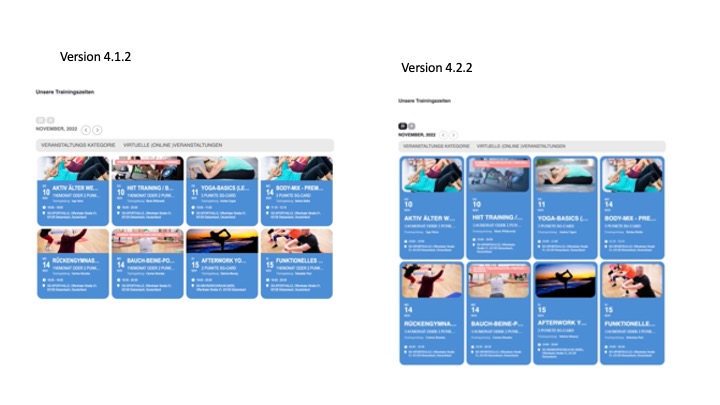
And 4.2.2 doesn’t look the same as 4.1.3 as I showed you with the screenshots.
Version 4.1.3: https://install.cqbcc.de/kalender/
Version 4.2.2: https://probieren.cqbcc.de/kalender/
I solved on 2, all good.
Got it. Here is the access: eventon.fixing and password: 3$myW$%y9jEDsNQy37n4F$0B
Here is the login: https://conferenziaworld.com/wp-login.php
Please let me know when you’re finished. Thank you
Thank you, I will make that… 🙂
There is also this guide:
https://fontawesome.com/v5/docs/web/setup/host-font-awesome-yourself