Hi Artem,
no success with regenarting permalinks.
Your admin access:
Username: eventontemp PW: 8Hy0foT$!KlxJsZRL42aJP0G
Regards Henning
Replies for tickets on suppota
Hi Artem,
no success with regenarting permalinks.
Your admin access:
Username: eventontemp PW: 8Hy0foT$!KlxJsZRL42aJP0G
Regards Henning
I am uncertain of your request. Did you FTP into the site to test the code? Or do I have to test something for you?
I was wondering if it’s something that builds up every time a page is saved. Some sort of revision history.
Please comment the added custom code, then uncomment one line after another to see which one causes the issue.
Hello,
Could you go to https://dai-sport.dk/wp-admin/admin.php?page=eventon&tab=evcal_3 and comment codes that affect Event Top?
As for colors, please go to https://dai-sport.dk/wp-admin/admin.php?page=eventon#evcal_002 > make sure that colors are correct. When done, if you don’t see any change, EventON > Scripts & Styling > turn off Write dynamic styles to header > save settings > turn on Write dynamic styles to header.
Date block can be changed with this code:
.eventon_events_list .eventon_list_event .evcal_cblock em, .evo_pop_body .evcal_cblock em { color: #bd5c51 !important; }
Hello,
Please go to EventON > EventTop > add “Event Time” to a column.
Hello,
Could you go to wp-admin > Settings > Permalinks > Save changes?
Please also send us wp-admin access to your site as a private message for us to further assist your situation.
Hello,
Please use CSV Importer add-on:
https://www.myeventon.com/addons/csv-event-importer/
Go to your A site > EventON Settings > Download all eventON events. > Now import the file using the add-on.
Try on https://dev.myeventon.com/wp-admin/
You can also try clone your website with any of these plugins:
https://www.wpbeginner.com/showcase/best-wordpress-plugins-to-clone-or-duplicate-a-site/
Hello,
Could you tell us more about issue so we can help?
I am also going to assign this ticket to Ashan and he will be able to take it from here. Please allow some time for him to get back to you, we greatly appreciate your patience and thank you for being a eventon customer!
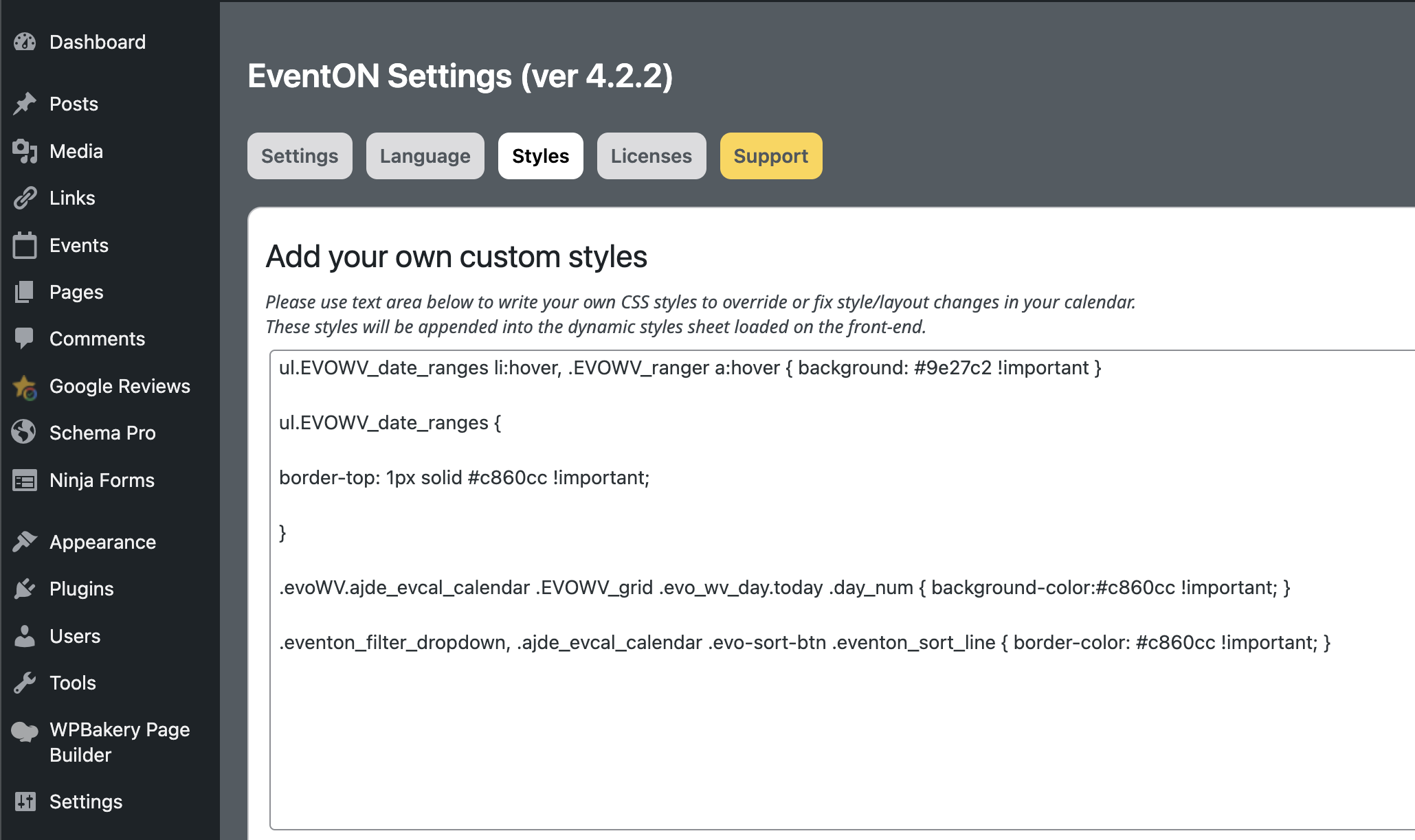
CSS code provided was added like so, didn’t change colors.
Font being used is one loaded across my website as standard font, still not showing.