Did you attach an image to your last reply? If you did, could you send it again?
Could you also send us a link to the page with the issue?
What I see on my side:
Replies for tickets on suppota
Did you attach an image to your last reply? If you did, could you send it again?
Could you also send us a link to the page with the issue?
What I see on my side:
Hi
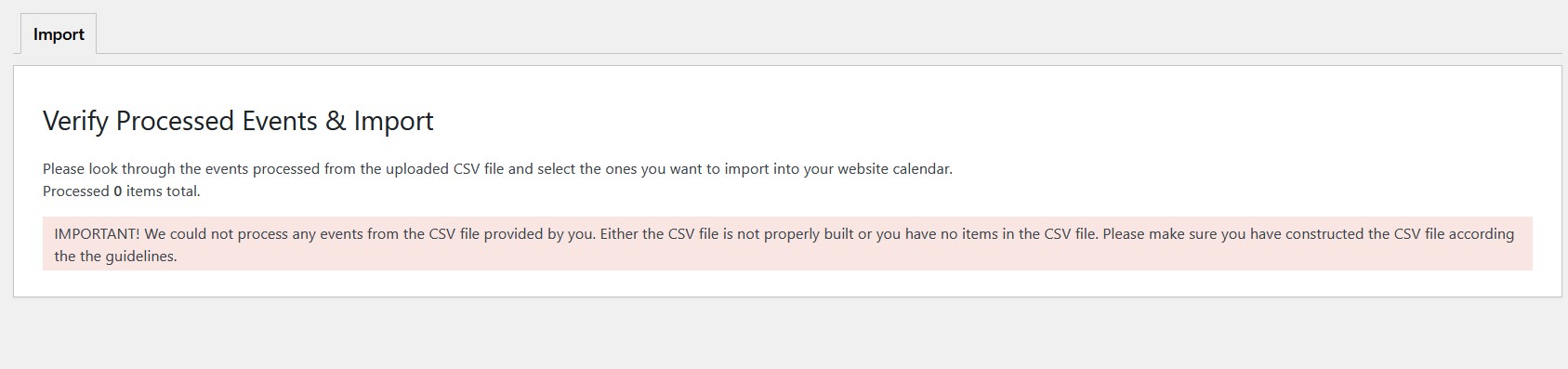
I bought the CSV importer but i get an error.
I downloaded from old site and uploaded via the CSV importer. Would you have any idea what is wrong?
I also didn’t notice any differences with enabled Essential plugin.
Since you use WPML, you can follow this guide instead of using “Enable language corresponding events”:
https://docs.myeventon.com/documentations/wpml-eventon-front-end/
It seems that since there is Elementor between EventON and WPML, maybe EventON cannot load it’s events correctly.
Could you follow the guide and then let us know?
Please try increasing memory limit to 768M and then 1024M.
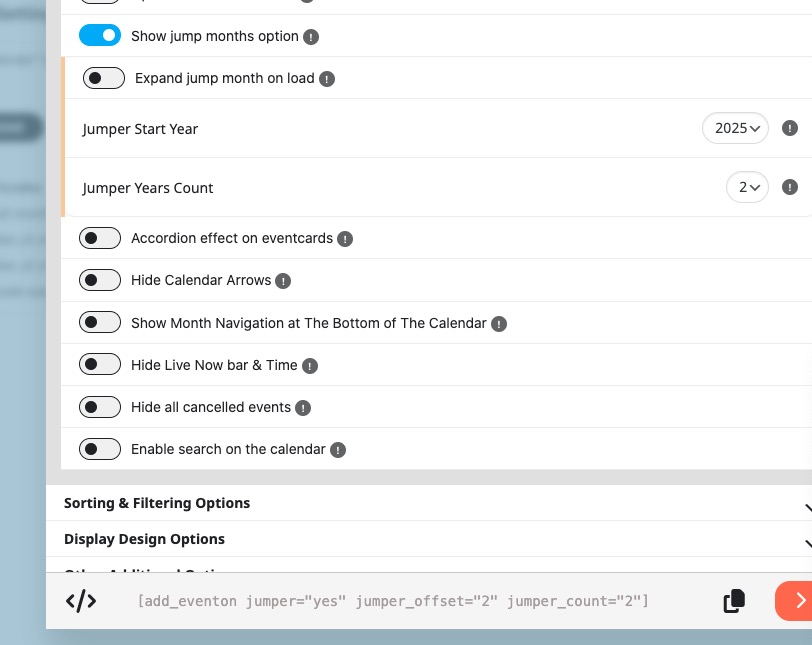
Please take a look at this setting:
jumper_offset=”2″ jumper_count=”2″
It’s one RSVP per Event per user when they are logged-in. If a person checks an event in Incognito Mode then they can RSVP multiple times with different emails. They just need to refresh the event page.
Hello,
EventON doesn’t have such functionality, I am afraid.
But since you use WooCommerce, you can try attaching a new file with QR Code included through WooCommerce:
https://wordpress.org/support/topic/attach-custom-pdf-to-completed-order-emails/
I believe that WooCommerce has this paid plugin to attach files to WooCommerce’s emails:
https://woocommerce.com/document/email-attachments/
In order to keep showing the event, you can just put October 9th as it’s End Date. Since your last booking block is on the date, there is no reason to put make End Date the same as Start Date (Sep 22).
But how do I avoid confusing the customers since the date on the main event is set to 22th of september?
Please add this CSS code to EventON > Styles (If you don’t see any change, EventON > Scripts & Styling > turn off Write dynamic styles to header > save settings > turn on Write dynamic styles to header). You can also add this code to wp-admin > Appearance > Customize > Additional CSS.
.eventon_single_event .evoet_dayblock.evcal_cblock { display: none !important }
That looks great! But how do I avoid confusing the customers since the date on the main event is set to 22th of september? Also, when that date has passed the calendar will be removed. Do i need to work around on that topic, or is it an obvious solution i havent understood yet?