When I try to login https://go52.events/wp-login.php?redirect_to=https%3A%2F%2Fgo52.events%2Fwp-admin%2F&reauth=1 with the login info from the last message, it redirects me to https://go52.events/login-page/
Archives: Replies
Replies for tickets on suppota
Reply to: tickets(296537)
Login/pass info to /wp-admin dashboard. Could you also try applying a license using a different browser?
Reply to: tickets(296546)
Hello,
$this->prochains_evenements_calendrier_lieu
What is the output of this code snippet?
As for the original question, why do you need to add event_type(_2) in your shortcode in the first place if you want to show all events? Just don’t put anything there and events will be visible.
Reply to: tickets(296552)
Hello,
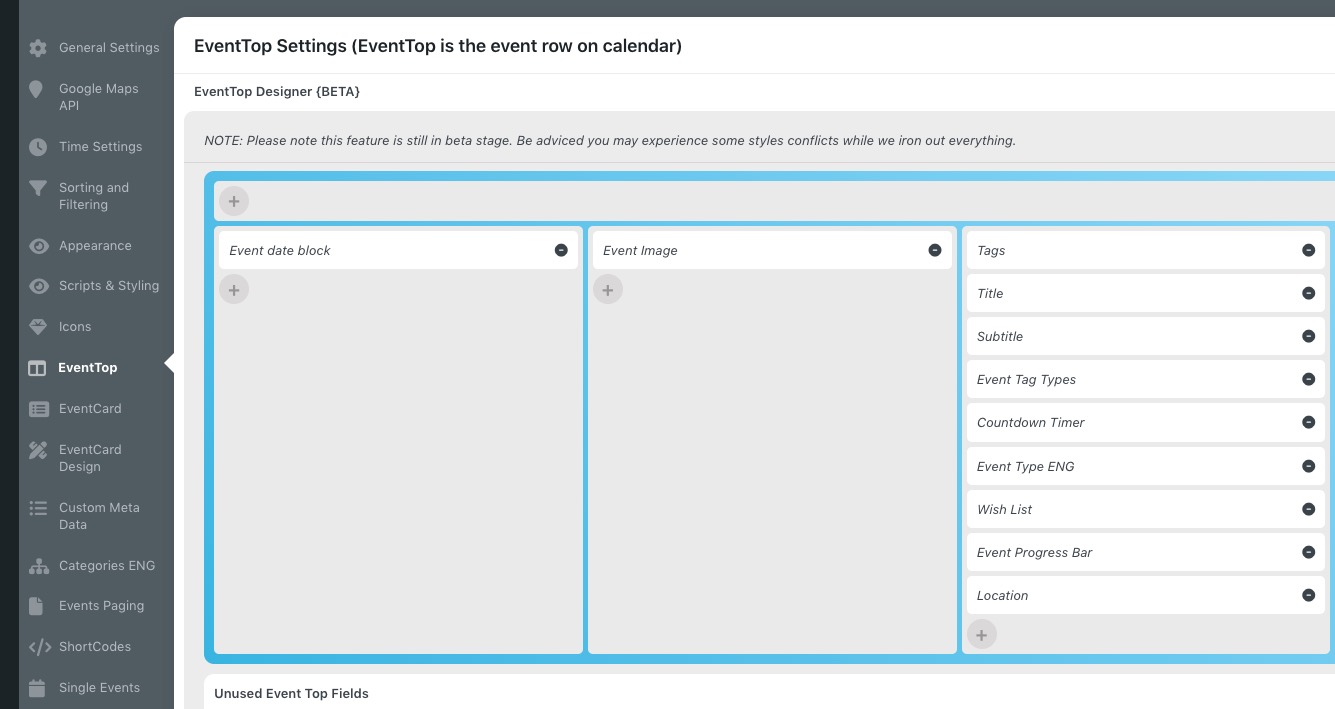
Please go to EventON > EventTop > arrange fields similar to
Reply to: tickets(296154)
Yes it’s possible to do so, would you like me to try it?
Reply to: tickets(295772)
Hi. I think you didn’t get my response. Here it is:
No. It’s when I try to load the builder in a page that contains Eventon shortcode.
Like this one.
Reply to: tickets(296495)
Reply to: tickets(296546)
And the shortcode I'm using for multislider:
<?phpechodo_shortcode(‘[add_eventon_slider cal_id=”multi_slider_event” slider_type=”multiimgab” slides_visible=”3″ slide_hide_control=”no” slide_auto=”yes” slider_pause=”16000″ slide_pause_hover=”yes” show_repeats=”no” slide_loop=”yes” number_of_months=”12″ ux_val=”4″ hide_mult_occur=”yes” lang=”L1″ event_type=”all,’.$this->prochains_evenements_calendrier_lieu.'” event_type_2=”all,’.$this->prochains_evenements_calendrier.'” wpml_l1=’fr’ wpml_l2=’en’]’); ?>
Reply to: tickets(296452)
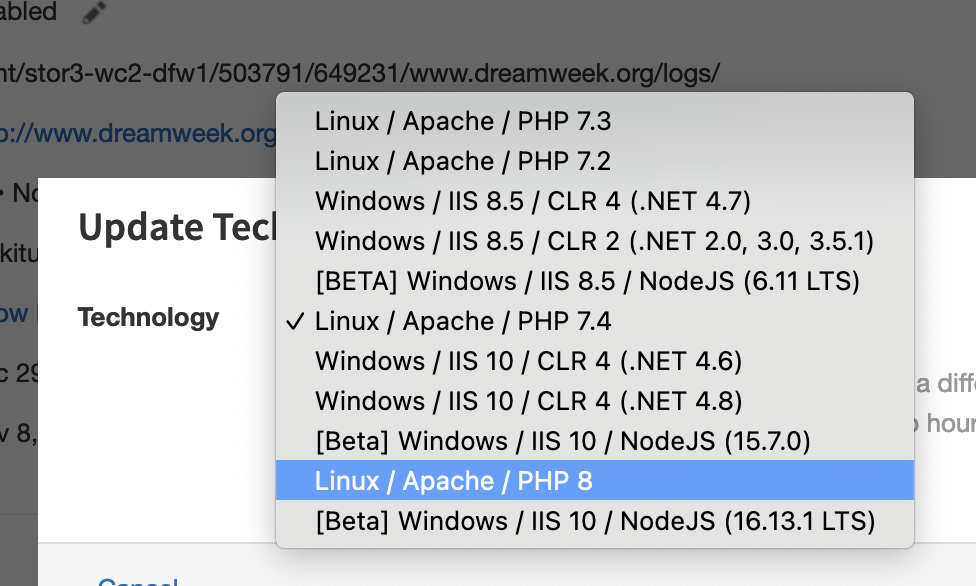
Very good hint, it was:
Many thanks!
Reply to: tickets(296537)
I see; the two sites are running on the same physical server, if that makes a difference.
What kind of look at the admin do you need? access? or screenshot? which pages?
Thanks,
– Jesse