Nov 12 has passed. Also now the events are visible, as it seems:
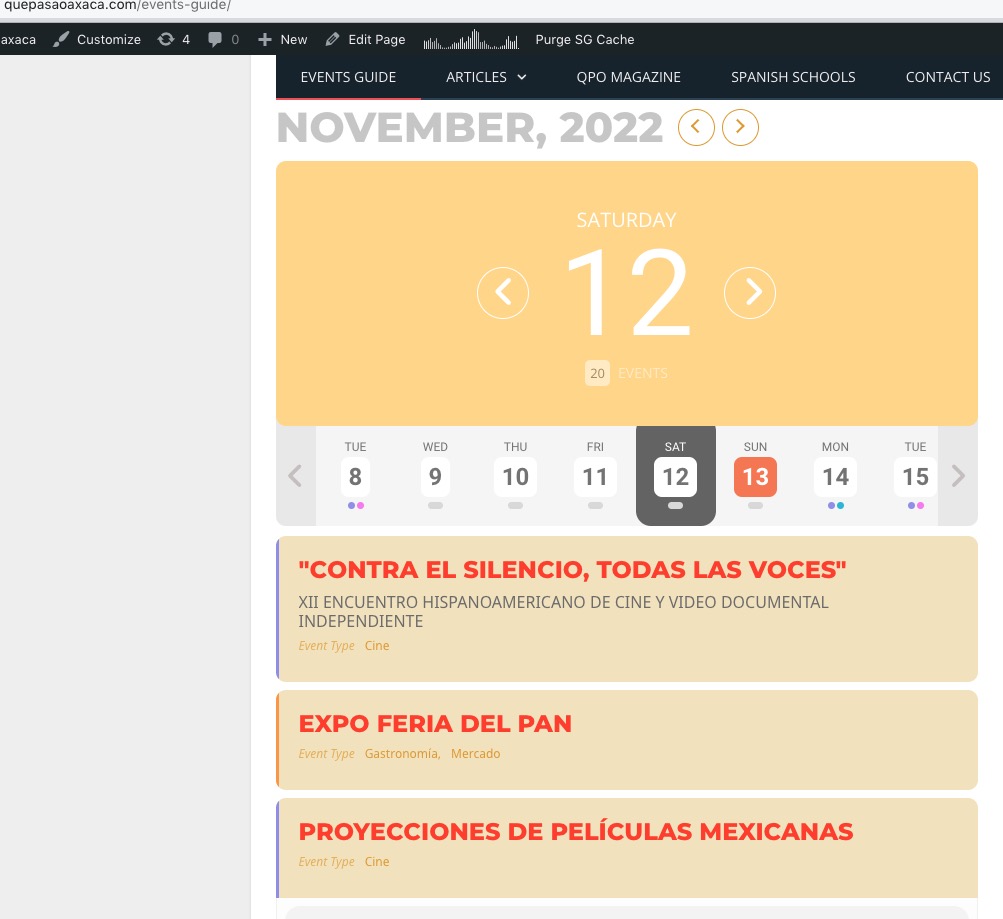
Do you have another date in the future with the issue?
Replies for tickets on suppota
Nov 12 has passed. Also now the events are visible, as it seems:
Do you have another date in the future with the issue?
Hello,
Please send us wp-admin access to your site as a private message for us to further assist your situation.
As far we can see the audit trail you created the template event testing which is now in use.
We created this design? https://training-development.co.uk/Public-Courses/eventon-testing/
Could you rename /eventon folder, so the single event page template can get back to it’s original design?
https://training-development.co.uk/wp-admin/theme-editor.php?file=eventon%2Fsingle-ajde_events.php&theme=conferpress
Please understand that both of these functionalities only exist in your custom made template:
https://helpdeskx.s3.amazonaws.com/wp-content/uploads/2022/11/10043751/Ash-n-J-eventon-request-Screenshot-2022-11-07-151309.jpg
and
https://helpdeskx.s3.amazonaws.com/wp-content/uploads/2022/11/10100708/Screenshot-event-date-error-2022-11-10-170251.jpg
We are glad your issue is resolved, if you have any further questions or concerns please create a new ticket. If you have a moment, we would greatly appreciate if you could kindly leave us a review at codecanyon! from your account > downloads. Cheers!
Please take a look at “Understanding the default WooCommerce user roles“:
https://wholesalesuiteplugin.com/woocommerce-user-roles-2/
By default, WooCommerce assigns the Customer role to any visitor who creates an account.
So you they shouldn’t be able to access wp-admin in the first place, only /my-account page.
The Order Complete / Thank you page does not have the EventOn links. This is not automatically created by EventOn.
This page has the submit button, so if everything is correctly on your website, your page should have it too:
https://dev.myeventon.com/fred-2/order-received/181525/?key=wc_order_lcDoPD2cuLjfU
…the login redirected to the home page.
After the purchase (after the checkout process), they should be logged-in automatically by Woo.
WooCommerce is creating a Customer account, they still wouldn’t be able to login automatically.
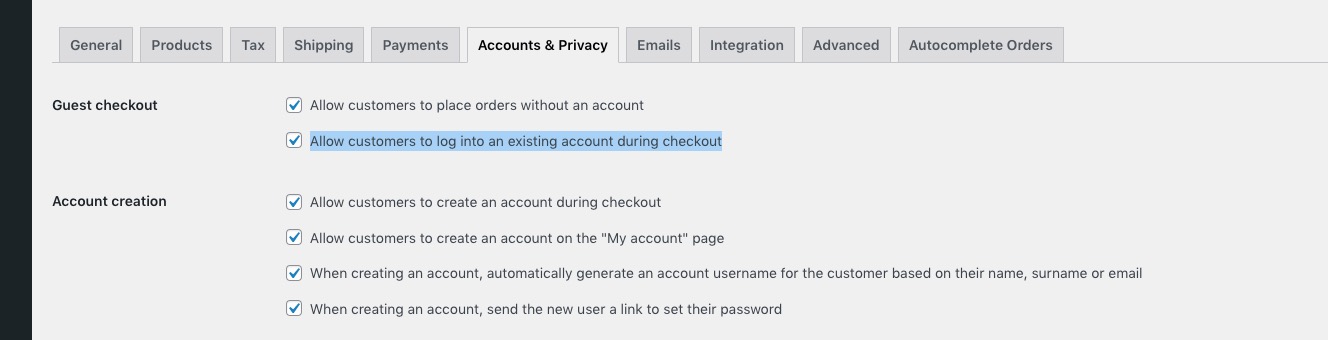
Please make sure that all these fields are checked similarly:
His directions were to create a login manually first
Could you send us a screenshot of his message? Also a link to the ticket with his answer.
You don’t need to create a login. WooCommerce does everything automatically.
Available documentation on Action User Plus can be found here:
https://docs.myeventon.com/documentation/addons/actionuser-plus/
I have diablaed them on my draft site https://g2solution.co.uk/herefordshire/submit-an-event/, thank you
Everything seems to be working with the custom code I provided earlier. Please make sure that quotes are similar to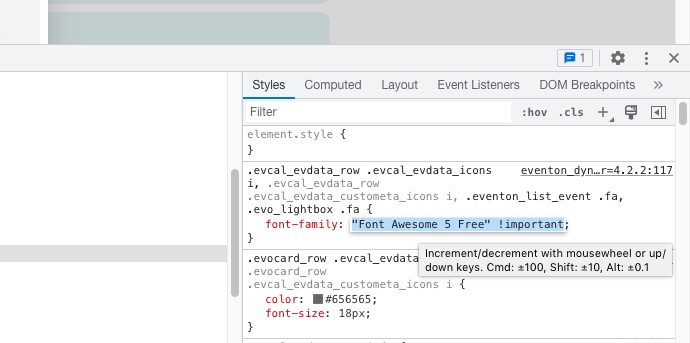
Hello,
Please go to EventON > Time Settings > Allow universal event time format on eventCard > add
j.n. g:ia{z}
Perfect work now!!!!
Thank you for all
Hello,
It all depends on how many users you have. So at certain points you will have to pay for using Google Map API.