Thank you. The “Show events next to grid” layout does not work for us, but we added the text above the calendar itself.
Archives: Replies
Replies for tickets on suppota
Reply to: tickets(337218)
Yes so brauche ich das 😀
Reply to: tickets(396088)
Hello,
Could you go to EventON > RSVP > enable Disable creating new account for new RSVP user? This way RSVP will stop creating a new profile for each user.
Reply to: tickets(396003)
Not sure where it’s located:
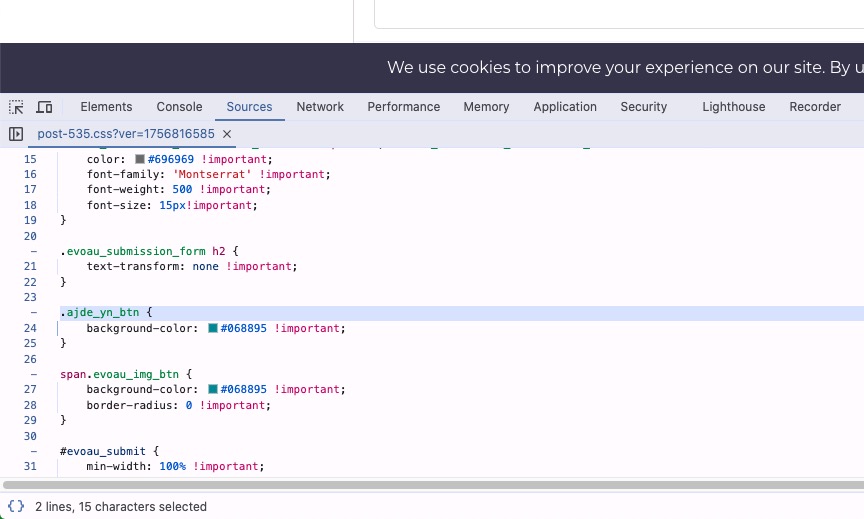
Please send us wp-admin access to your site from “Access Info” box on right side menu, to further assist your situation.
Reply to: tickets(395236)
Hello,
Login info doesn’t work for me anymore. Could you check and let me know?
Reply to: tickets(337218)
Please take a look at
https://www.moviewochenschau.de/test/
Reply to: tickets(396038)
Yes, you can select a specific date and time.
Please take a look at this guide on how to set up booking blocks:
https://docs.myeventon.com/documentations/general-user-guide/
Reply to: tickets(396062)
We are glad your issue is resolved, if you have any further questions or concerns please create a new ticket.
If you have a moment, we would greatly appreciate if you could kindly leave us a review at EventON WordPress Page OR Codecanyon. Your review helps us a lot in continuing EventON improvements!
Reply to: tickets(395236)
Hello Support Team,
Unfortunately, the problem has occurred again and right now the calendar is not loading correctly.
I will proceed to clear the WP Rocket cache so that the website can continue working immediately, but I would appreciate it if you could check whether there is any trace of the error left in order to better understand what is causing it.
I look forward to your guidance.
Thank you very much for your help.
Best regards,
Ana
Reply to: tickets(396002)
yes, please. We have a lesson next Tuesday and I am not sure the zoom room will be available/reachable after rsvp.