Do you see any date modification in my event? Or any other unusualities?
Archives: Replies
Replies for tickets on suppota
Reply to: tickets(400095)
Hello,
This ticket is private now because of screenshots with emails and other info.
Could you send us a link to the event you are referring to?
I believe that in this event it shows all customers and also variations as well:
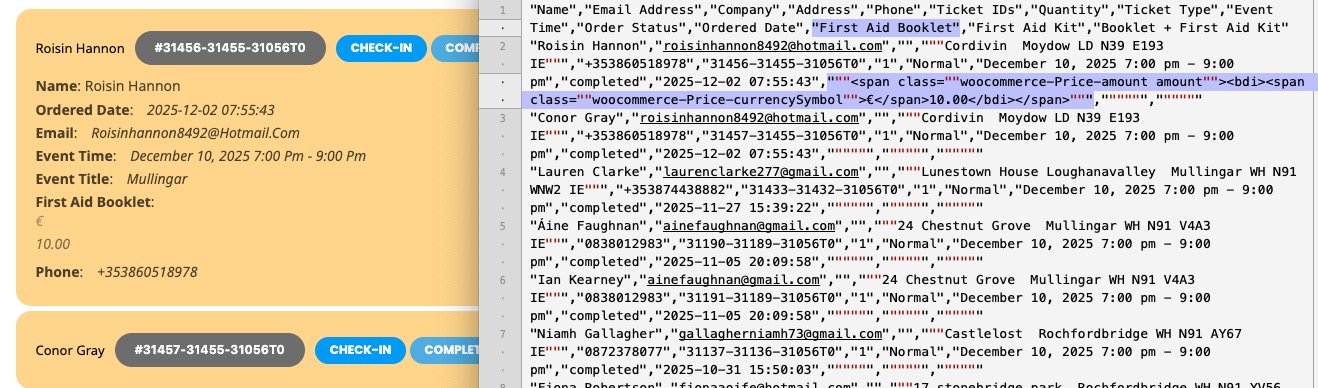
In addition, the client is having people turn up at events who were not on the attendee list, but on the WooCommerce side are shown to have paid for a ticket.
Could you send us a link to such event/order as well?
Reply to: tickets(327844)
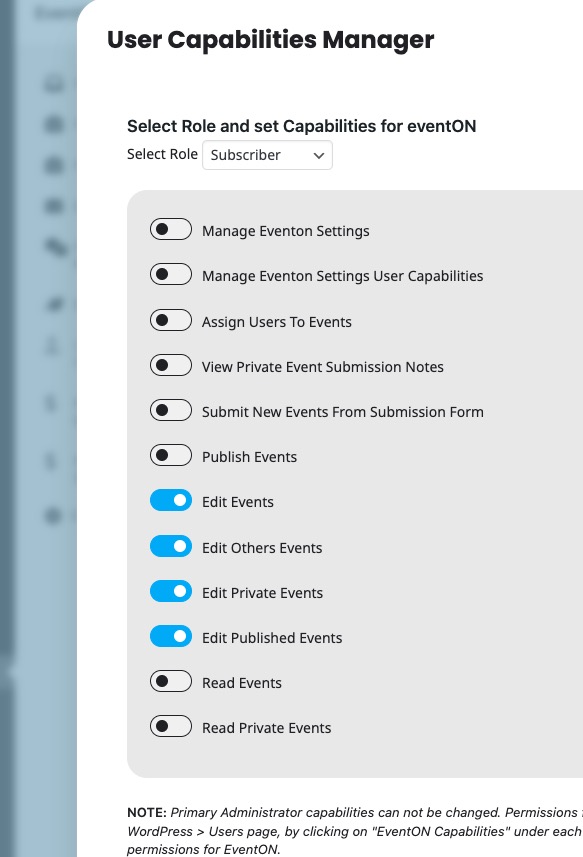
Please go to EventON > Action User > User Capabilities > enable the correct capabilities for Subscriber role:
Reply to: tickets(400105)
Hello,
Do you have RSVP or Tickets add-on installed on the server?
I cannot find any purchases associated with your email.
Reply to: tickets(400106)
Hello,
Please follow the instructions in this documentation to activate debug in your site to see any PHP errors recorded that can provide insight on to whats going on. Please reply with a link to debug.log file. If you are not able to do this please send us FTP access to your site so we can do this for you.
Usually you also need to increase memory limit:
https://docs.myeventon.com/documentations/increasing-wordpress-memory-limit/
Reply to: tickets(398252)
Thank you. I went and updated the login link. When do you plan on releasing the next version?
https://www.held2gether.com/wp-admin/?wtlwp_token=5f16c203ee7db3f5db2dcd8b7cd0948eb51420918d33d28d1eadce4bf7e8f9462ac8e0ea12700c95c173599c96d683059d8a3120a51f61c82adbcd60dca4abc7
Reply to: tickets(327844)
Thank you for fixing it. However, when i view the events within events manager i dont see the ability to edit an event although i enabled that feature within the action user. please help.
Reply to: tickets(400014)
Also, can you set up the number of tickets displayed at the same time – I have already sent a feature request for this but heard nothing back.
We do check all request and will implement new features when they are align with our development plans.
I’ve contacted our developers about the variable issue. Will let you know ASAP.
With Apple Pay, can you please advise on this. I’ve followed the link and enabled it but it’s still not working. Can you please tell me exactly what’s happening here?
Still the same issue on my side, I am afraid. Please note that this is not related to EventON, as Apply Pay should work for regular products as well.
Did you check this guide?
https://woocommerce.com/document/woopayments/payment-methods/apple-pay/#domain-registration
Reply to: tickets(399934)
Ashan,
Please use this login info to login as admin:
Only 6 events are showing on Checkins page:
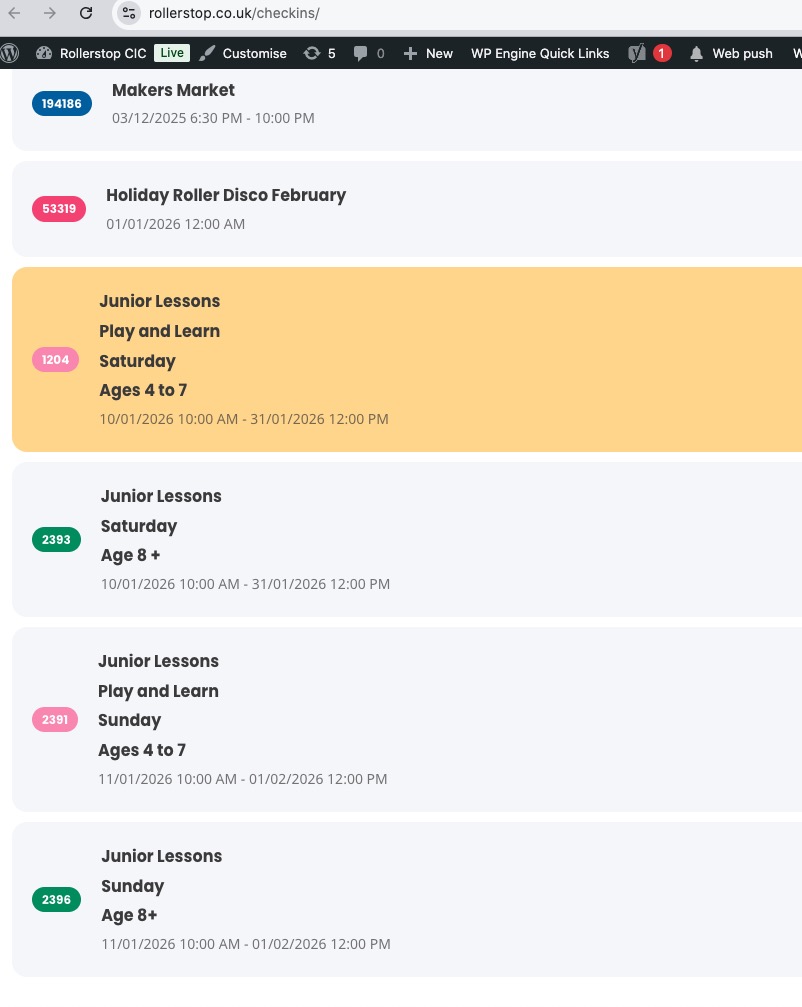
But they have 38 events and more than 7000 tickets purchased.
Could you check?
Reply to: tickets(399934)
Thank you for your messages!
I am going to escalate this ticket to development to help in here. Please allow us some time to address this, and we truly appreciate your patience. Thank you for being a valued EventON customer!
Additionally, if your site has any IP blocking or security restrictions in place, kindly disable them temporarily to facilitate our support process.