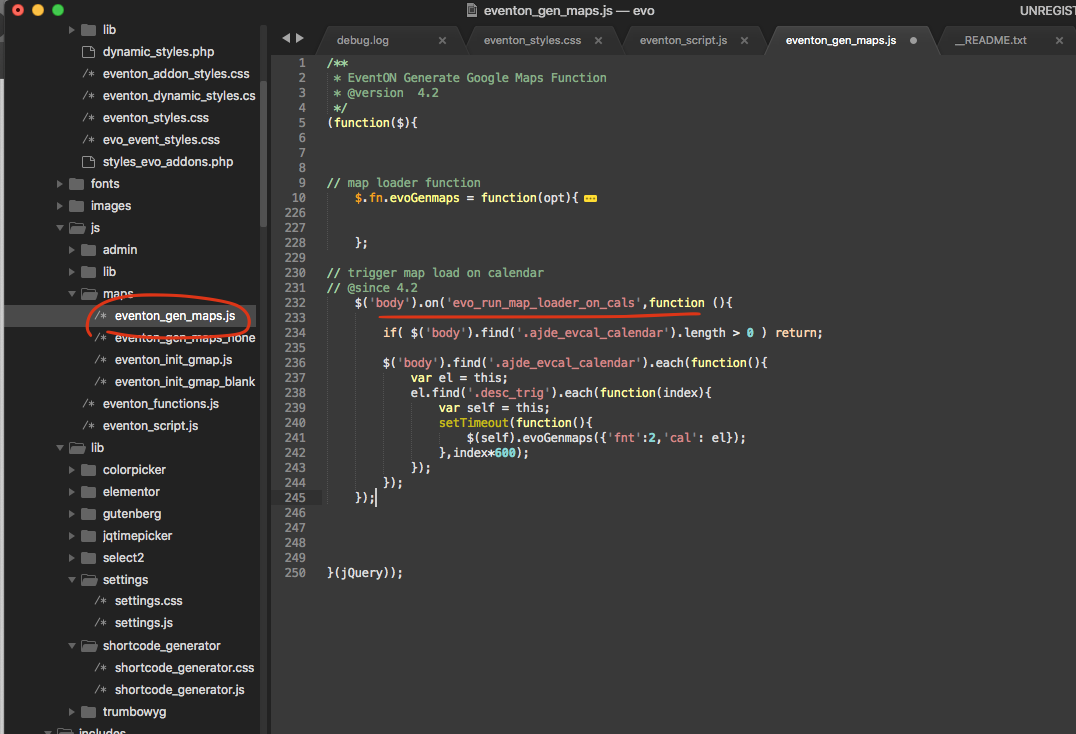
Remember its very important eventon_gen_maps.js is loaded on to page before eventon_script.js for this to run.
AND wait till eventON 4.2 to use this code.
Replies for tickets on suppota
Remember its very important eventon_gen_maps.js is loaded on to page before eventon_script.js for this to run.
AND wait till eventON 4.2 to use this code.
I am sorry to hear you are not feeling happy upon this indicent. Third party conflicts are beyond our capability as there are lot of variability coming from outside of EventON.
So from what I understand. You need to run the map generation part of the code after the consent it approved in your unique instance. This is the best I can do to mitigate the hindrance caused by this cookie plugin.
Below code I am adding in version 4.2 which we will release today I believe. — this will allow you to run a jquery code like this
$(‘body’).trigger(‘evo_run_map_loader_on_cals’);
AFTER the consent is given.
Beata order is cancelled and refunded.
Hello SImon should be working now.
Most of those should be possible with EventON you may need custom email notification and reminder because our reminder addon https://www.myeventon.com/addons/reminders/ does not go into that extent you are hoping for.
Other wise everythin else should be fine. You may need lot of addons to do all the items. You can check our available addons library at https://www.myeventon.com/addons/
Let me know if you need any more assistance Hans
I need to submit an updated site password for this ticket. I needed to change it before this ticket was closed. Please let me know how I can do that. Thank you!
Hi Artem,
The mobile is an iphone 7.
I did some research, and there seems to be issues with jquery in elementors popup, would be happy with a workaround.
But overall keypress should also work, esp with such a small icon to click.
Also a way to have the searchresults present with more width than just bound to the width of the input search field.
Or a redirect to a searchresult page would be brillant.

This is the ticket section still showing large text.
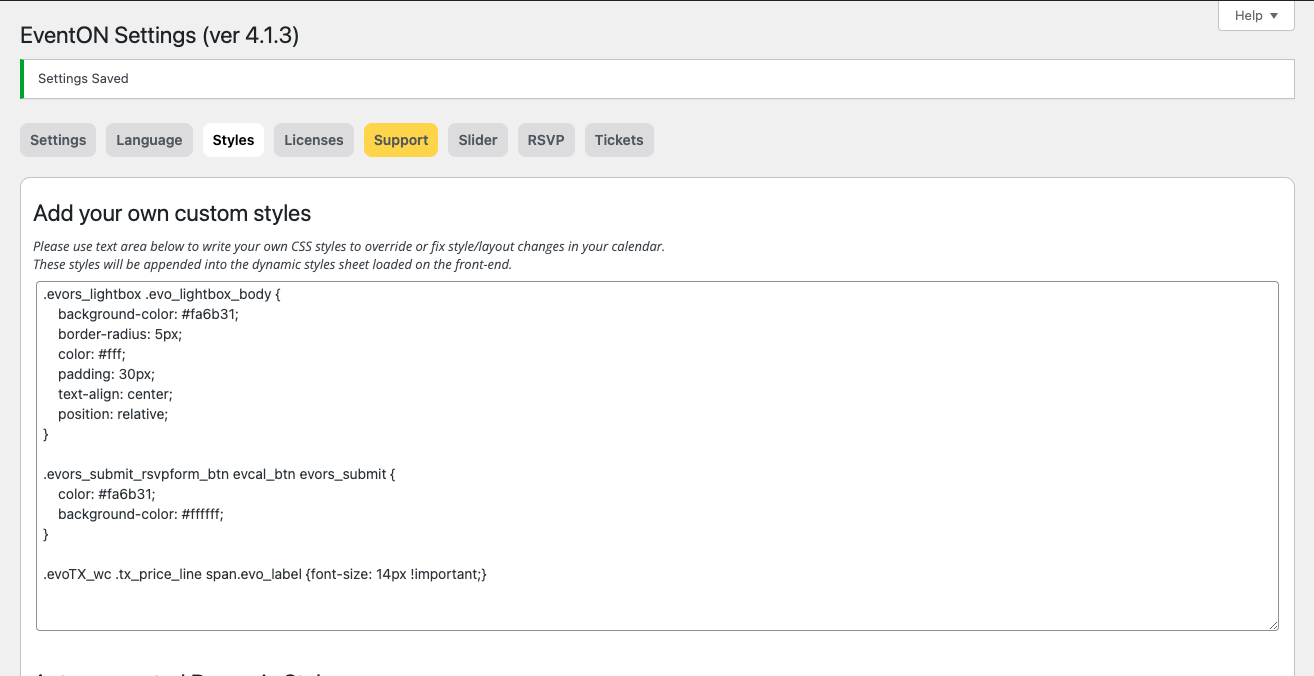
Hi, I’ve added this to code to styles but am not seeing any difference.
Hi Kristen,
Please replace the code with the one below.
.select_container:focus:before, .select_container:hover:before {
color: var(–theme-color-input_dark) !important;
background-color: var(–theme-color-input_bg_hover) !important;}