Reply to: tickets(395784)

Thank you for your messages, I am going to assign this ticket to Ashan and he will be able to take it from here and find you a solution. Please allow some time for him to get back to you, we greatly appreciate your patience and thank you for being a eventon customer!

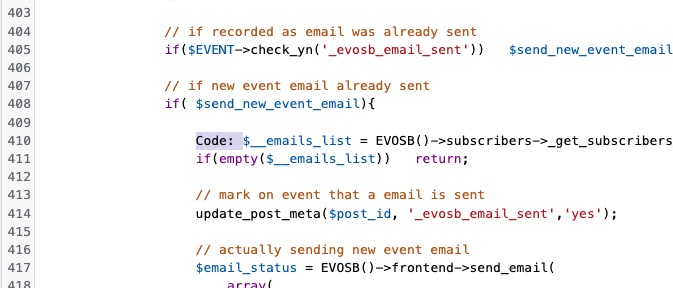
Please also send us Order ID of the purchase.

Reply to: tickets(395181)

Hello Ashan, 

Sure, here are the admin credentials I’ve set up for you: 

URL: https://hispanauta.com/wp-admin

User: eventon

PW: nthsF2a2N6Ps!CqHU$)sHdjt

I’ve tried the above alternative and sure, I guess I could use that. The background image in the tiles however, until clicked on and fully opened,, is quite out of focus or blurry, so it’s not so nice… I mean, it doesn’t look clean so to speak. Any way I can improve that? 

Thanks so much! 

Reply to: tickets(395528)

Maybe you should take a look at Event API:

https://www.myeventon.com/addons/event-api/

I believe that it should be the easiest solution for you.

Please check and let me know.

Try on

https://dev.myeventon.com/wp-admin/

Reply to: tickets(395806)

Hello,

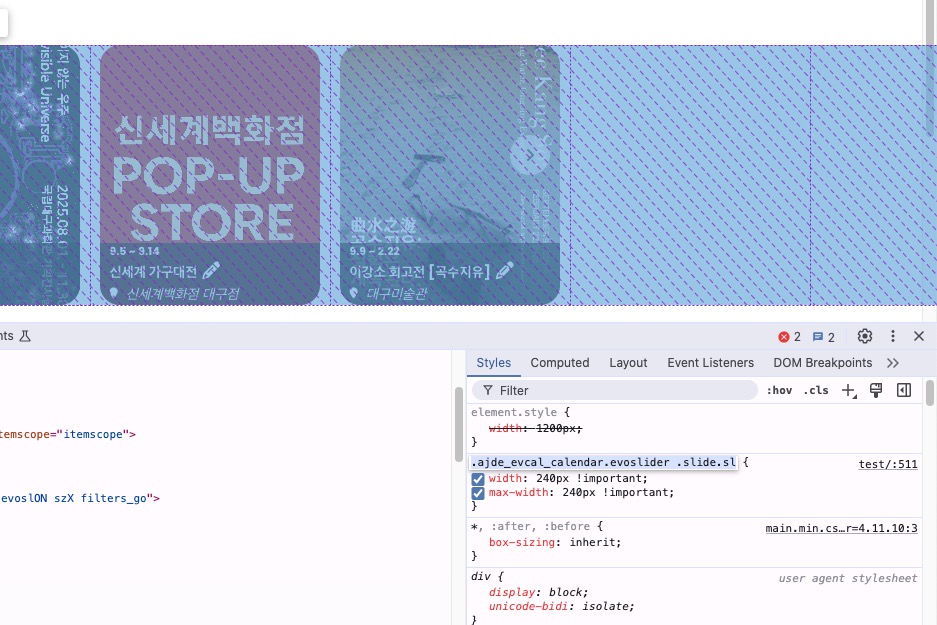
By default Event Slider shows one event at a time. Please remove this custom CSS code to fix the issue:

It should be located in wp-admin > Appearance > Customize > Additional CSS.

Reply to: tickets(388655)

Hello,

I am not sure where to find the shortcode as well.

Edit Page https://improvisation.fr/wp-admin/post.php?post=470&action=edit doesn’t show any shortcodes at all.

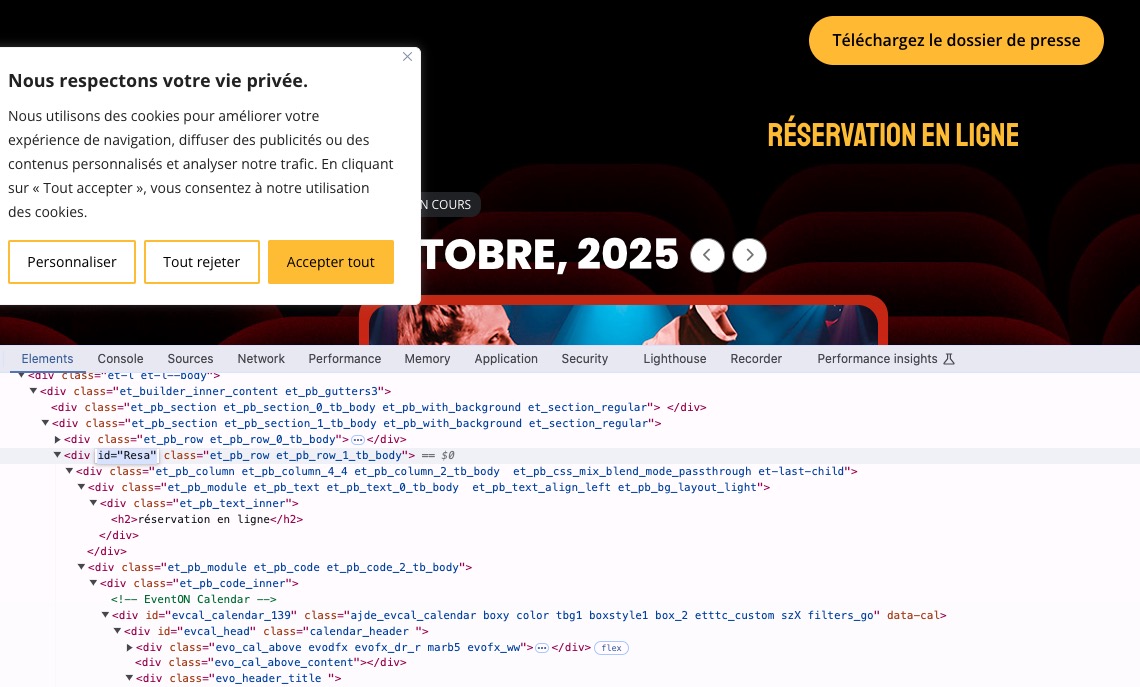
HTML code shows that the section is named “Resa”:

Do you know what “Resa” is and where to find it?

Reply to: tickets(395781)

You can use basic Event Lists with this guide:

https://docs.myeventon.com/documentations/how-to-show-past-events/

Then use “Event Order: DESC” to sort events within each month. However, not possible to sort events, unfortunately.

Reply to: tickets(395698)

Hi, thanks’ for your prompt reply. Unfortunately, adding the suggested line of PHP did not resolve the issue but threw an error. I noticed that in the Events list table, the repeat interval labels (e.g. hourly, daily, weekly, monthly, yearly, custom) are currently echoed as raw strings in class-admin-posts.php inside the column_name() method. Because these strings are not wrapped in a translation function (__(), _e(), etc.), they cannot be translated via WPML / Loco Translate / PO files. That’s why they always stay in English. I solved this with the following PHP snippet (the event status array in the code is translated for my convenience).

add_action(‘manage_ajde_events_posts_custom_column’, function($column, $post_id) {

    if ($column !== ‘name’) {

        return;

    }

    // Grab original HTML printed by EventON

    ob_start();

}, 0, 2);


add_action(‘manage_ajde_events_posts_custom_column’, function($column, $post_id) {

    if ($column !== ‘name’) {

        return;

    }


    $html = ob_get_clean();


    if (empty($html)) return;


    // Replace raw repeat labels with localized Slovene version

    $map = [

        ‘hourly’  => ‘Vsako uro’,

        ‘daily’   => ‘Vsak dan’,

        ‘weekly’  => ‘Vsak teden’,

        ‘monthly’ => ‘Vsak mesec’,

        ‘yearly’  => ‘Vsako leto’,

        ‘custom’  => ‘Po meri’,

        ‘cutom’   => ‘Po meri’,

    ];


    foreach ($map as $en => $sl) {

        $html = preg_replace(‘/>’ . preg_quote($en, ‘/’) . ‘</’, ‘>’ . $sl . ‘<‘, $html);

    }


    echo $html;

}, 99, 2);

I hope this helps you fixing the issue permanently with the next plugin update
Reply to: tickets(395781)

Hello, 

Is there a way to achive the goal without paying 40$ for only the sorting option?

Best regards, 

Jonas