Dear,
Thank you for your help but I didn’t find where to put the code and I have search everywhere 😉
Can you help me please ?
I
give you an access to admin panel. Could you please say me where to put
the code exactly to hide empty month on the detail of each event of
this page https://improvisation.fr/category/spectacles/
URL : https://improvisation.fr/connectimpro38/
Login
: com-online
Password : Com#38+On2/Lin)E-
Best regards,
Christophe
This code did not change anything.
Hello, we have too many events and recurring dates, which makes it impractical to create them manually.
I have already cancelled my subscription, so I kindly request that you proceed with the refund.
Thank you
Hello, I have not received the refund yet for the Event List & Items addon. You said on Sep 3 that you had issued the refund, but it is now Sep 11 and I still have not received the refund. Please issue the refund immediately.
Hello,
Thank you for your messages, I am going to assign this ticket to Ashan and he will be able to take it from here and find you a solution. Please allow some time for him to get back to you, we greatly appreciate your patience and thank you for being a eventon customer!
Please follow this guide:
https://docs.myeventon.com/documentations/how-to-upgrade-from-lite-to-full-version/
Sorry to have wasted your time snd that i did not see the export button. I really checked but i couldn’t find it.
But how do i activate the full version on the new site. I only have the Lite version and i cant find how to update with code. Please let me know how to do it? I have the full version on the old site.
Hello,
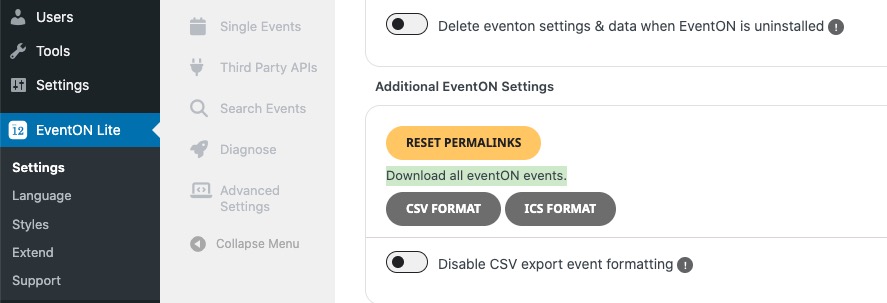
EventON allows you to export events by going to EventON Settings:
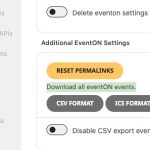
CSV Import add-on then lets you to import the .csv file:
https://www.myeventon.com/addons/csv-event-importer/
But I believe that the easiest solution is to just copy your website with this or similar plugin:
https://wordpress.org/plugins/wp-clone-by-wp-academy/
Also check
https://wordpress.org/plugins/wp-all-import/
Hello,
Please take a look at Event Lists: Ext add-on:
https://www.myeventon.com/addons/event-lists-extended/
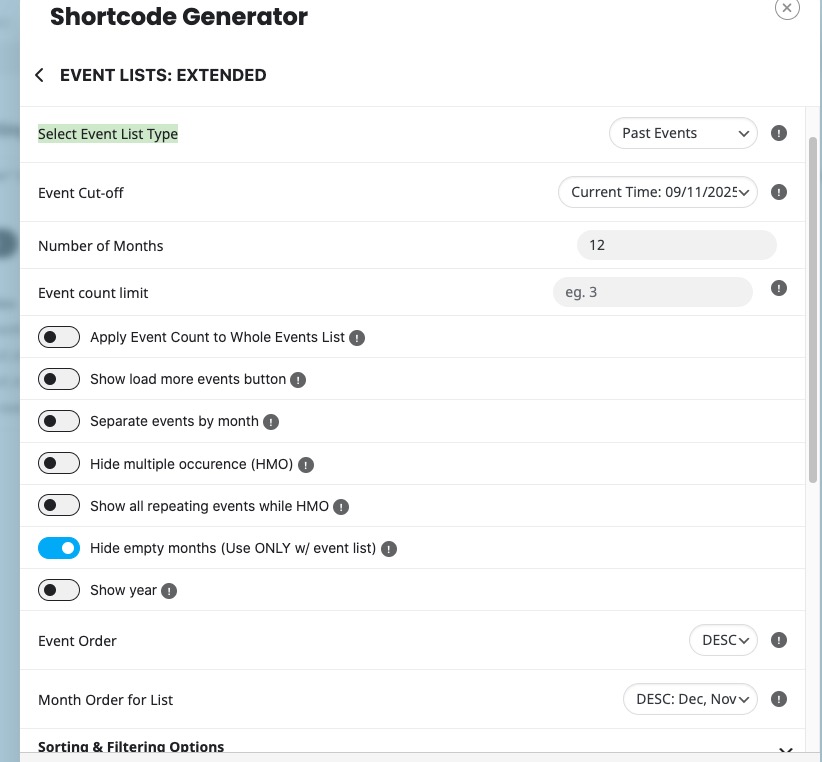
You can select “Select Event List Type: Past Events” and then “Event Order: DESC” and “Month Order for List: DESC: Dec, Nov”:
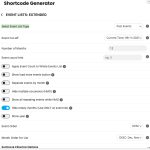
The result:
https://dev2.myeventon.com/test-32/
Try on
https://dev.myeventon.com/wp-admin/
Another major issue: When booking seats for a larger group…
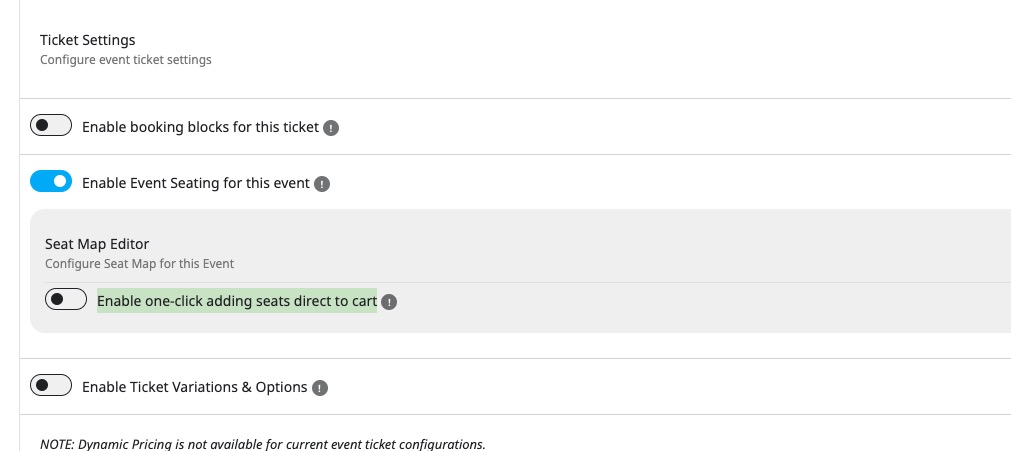
Could you go to Edit Event > Tickets > enable Enable one-click adding seats direct to cart?
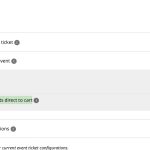
As for the rest, Ashan will check it ASAP. Thank you for sharing the info with us!