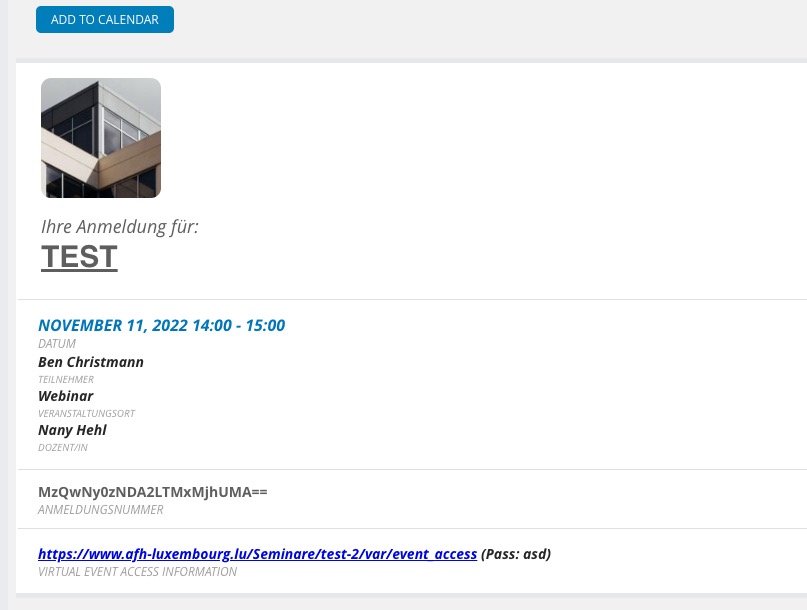
Please take a look at this event:
https://www.afh-luxembourg.lu/wp-admin/post.php?post=3127&action=edit
Ticket:
https://www.afh-luxembourg.lu/wp-admin/post.php?post=3406&action=edit
You need to enable Virtual Event and make sure to add “Zoom Meeting URL to join“.
Just contact us next time when this happens again.
We are glad your issue is resolved, if you have any further questions or concerns please create a new ticket.
If you have a moment, we would greatly appreciate if you could kindly leave us a review at codecanyon! from your account > downloads. Cheers!
After refreshing permalinks it works:
https://stjohnswf.org/eventonfeed
Please check and let me know.
Thank you. Manually inputting the CSS and making it priority has worked and seems to not affect other pages or mobile responsivity.
I can’t say if this is a permanent fix since future updates could affect this, but this temporary solution will work for now. It’s still odd that the calendar loading in triggers this on objects above it.
Your assistance is appreciated.
Hello,
Please send us wp-admin access to your site as a private message for us to further assist your situation.
Hello,
I cannot download the file. Could you send us a link the file itself?
We are glad your issue is resolved, if you have any further questions or concerns please create a new ticket.
If you have a moment, we would greatly appreciate if you could kindly leave us a review at codecanyon! from your account > downloads. Cheers!
This whole ticket is private.
We are glad your issue is resolved, if you have any further questions or concerns please create a new ticket.
Hello,
Please follow:
https://docs.myeventon.com/documentations/how-to-translate-calendar-front-end/
Go to RSVP > FORM RSVP SELECTION > Yes.