You can either hide past events by going to EventON > Hide past events for default calendar(s).
Or add event_past_future=”future” to a shortcode to show only future events.
Replies for tickets on suppota
You can either hide past events by going to EventON > Hide past events for default calendar(s).
Or add event_past_future=”future” to a shortcode to show only future events.
And one more thing.
Logged out state Number of participants is not displayed.
Are you referring to Event Top?
Ashan,
Cannot find RSVP in Event Top:
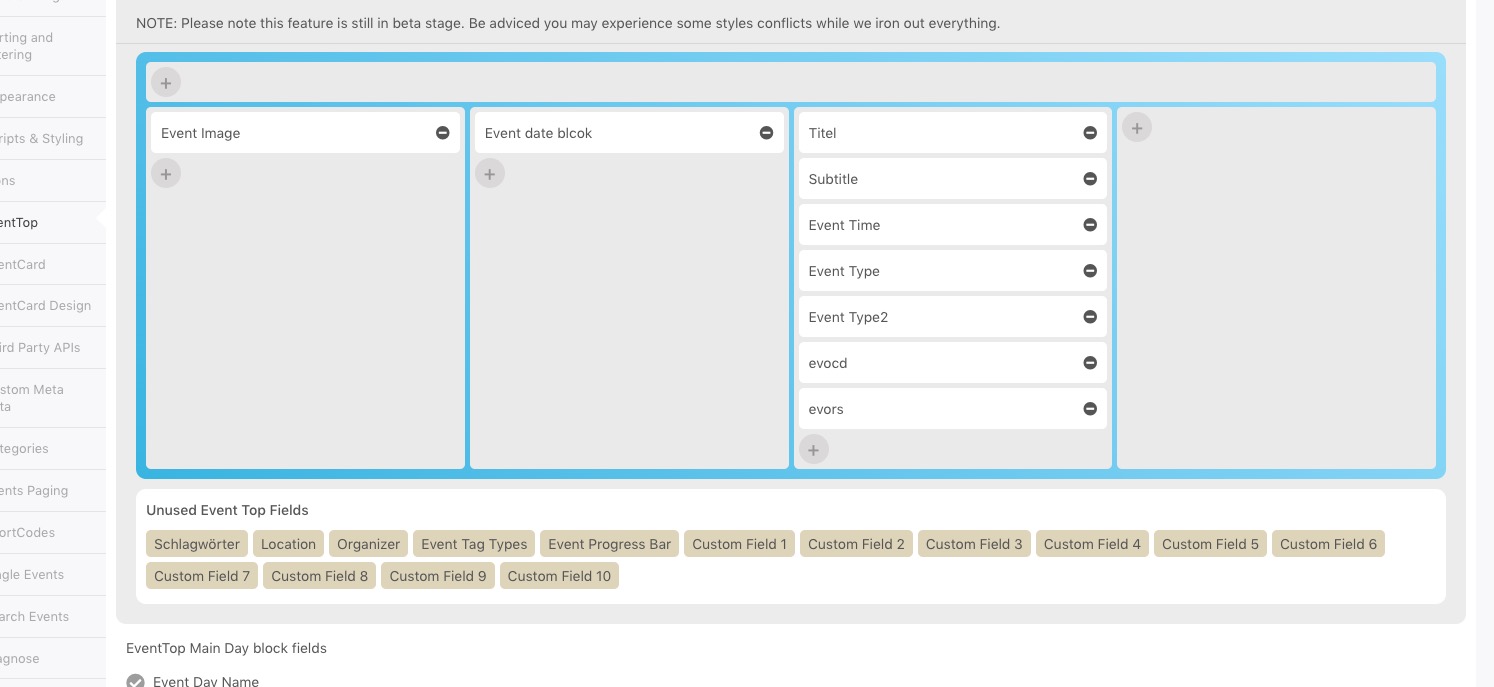
Could you check?
Hello,
1. This is because of Edit Event > RSVP > Allow only logged-in users to RSVP to this event.
2. & 3. Thank you for your messages, I am going to assign this ticket to Ashan and he will be able to take it from here and find you a solution. Please allow some time for him to get back to you, we greatly appreciate your patience and thank you for being a eventon customer! Also please disable any IP blocking on your site if there are any.
Hello,
In order to achieve this you need to customize Single Event Page template by following
https://docs.myeventon.com/documentations/customize-single-events-page/
Event variables that contain it’s info:
https://docs.myeventon.com/documentations/event-post-meta-variables/
Unfortunately, you cannot just create a new template based on Beaver Builder functionality since there is no compatibility between EventON and the builder.
Hi Wilco,
Please take a look at the documentation below on how to identify and apply CSS changes
https://docs.myeventon.com/documentations/change-css-calendar/
Hi Kristen,
I have checked the page link you provided and the settings seem to have taken effect (see the image below)
If you are still not able to see the changes on your end, please clear your browser cache and then check again.
thank you very much!
have a nice day!
PS: and please, if possible, let “ACTION USER ADDON” to be able to use the SCHEDULE and SPEAKERs addon too (as I read the users can’t submit info into the schedule-speaker addon while submitting events.
Is it possible to whitelist USA, Australia, Spain, Kenya? Still cannot access your website at all.
Thank you, I have updated the file you noted above and added the line of code you highlighted. I will test this and let you know. thanks for your help.
another quick question. where is the setting to remove the event from the calendar display when the event is over? I have used this before but I cannot recall how to access this setting in EVENTON.
My goal is for events to be removed from the calendar on the website after the event is over. Thank you.
Margo Dolan