7))ipBjyHfEdE(fSzOGPi!@B
I think I have found the code to change for the pause time. But it seems I have now messed up the full calendar – it’s not showing.
Replies for tickets on suppota
7))ipBjyHfEdE(fSzOGPi!@B
I think I have found the code to change for the pause time. But it seems I have now messed up the full calendar – it’s not showing.
Hello,
I am sorry, the access information you have provided did not work for us. Please check them and post the correct login information as a private message, thank you!
Please don’t delete this test event:
https://arsmagna.live/wp-admin/post.php?post=75703&action=edit
Ashan,
My test event:
https://arsmagna.live/wp-admin/post.php?post=75703&action=edit
When you duplicate https://arsmagna.live/wp-admin/post.php?post=75619&action=edit > no seats.
When you upload the json data, instead of 8 it shows 9.
I also tried to import events with CSV Import to dev2, but it shows this:
https://dev2.myeventon.com/wp-admin/post.php?post=31542&action=edit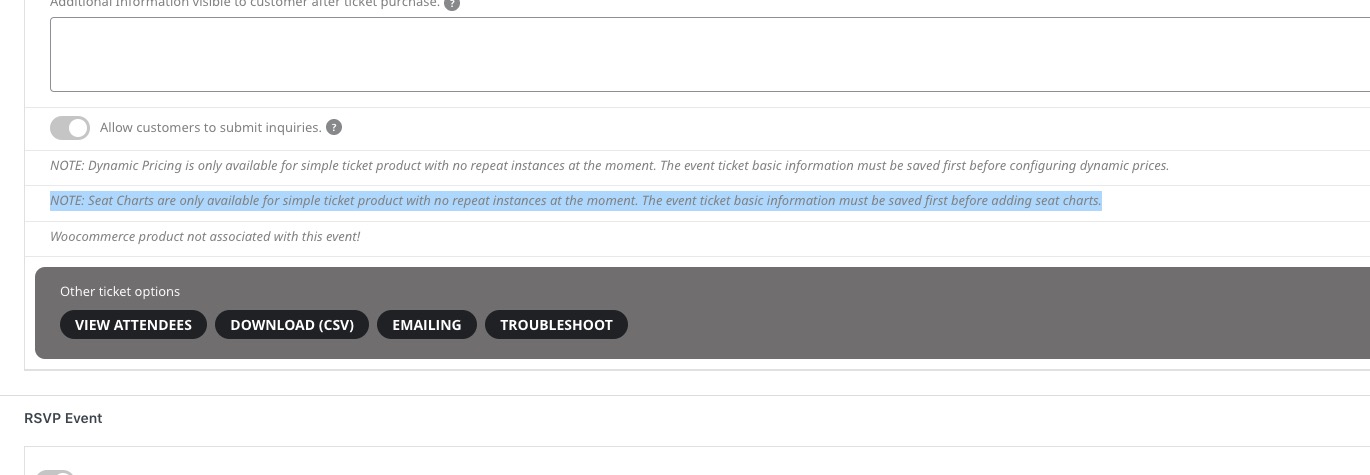
When you create a new event on dev2, save it with enabled Seats, upload the json data, it imports it, but after refreshing the page, the seat layout is empty:
https://dev2.myeventon.com/wp-admin/post.php?post=31540&action=edit
Hello,
Thank you for your messages, I am going to assign this ticket to Ashan and he will be able to take it from here and find you a solution. Please allow some time for him to get back to you, we greatly appreciate your patience and thank you for being a eventon customer! Also please disable any IP blocking on your site if there are any.
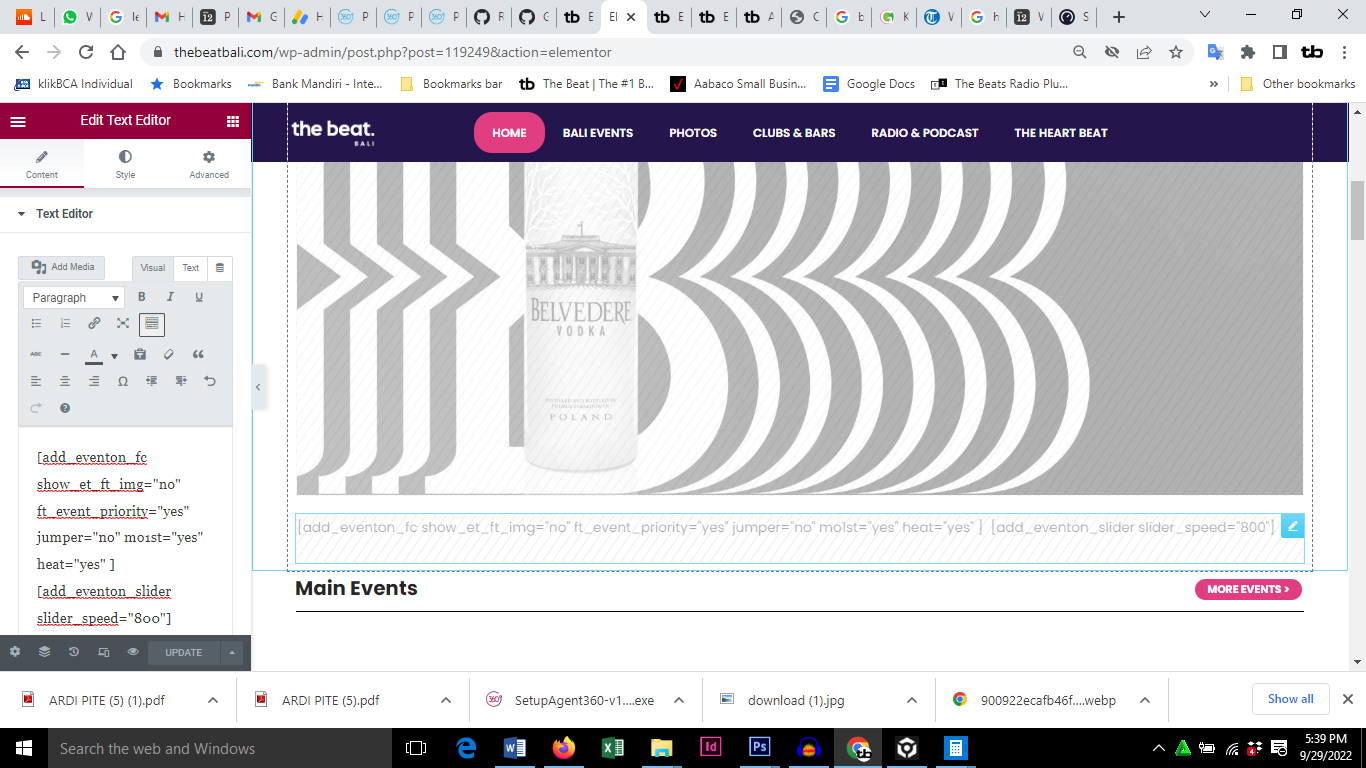
I added the code
[add_eventon_slider slider_speed=”800″]
like the attached screenshot.
and after saving, it didn’t do what it should. On the desktop the slider stopped. On the mobile it just stopped showing anything
Hello,
Yes you can add the code there. Let me know if that works for you
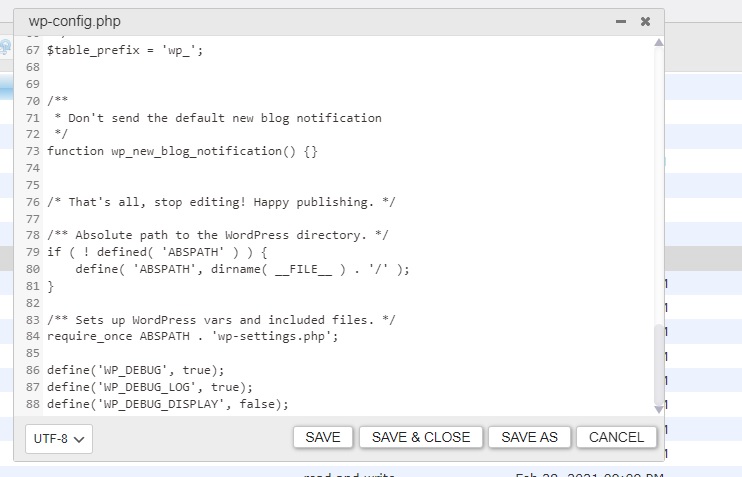
Hello
I added those lines, but no debug log appeared.
<?php
define( ‘WP_CACHE’, true ); // Added by WP Rocket
/**
* The base configuration for WordPress
*
* The wp-config.php creation script uses this file during the
* installation. You don’t have to use the web site, you can
* copy this file to “wp-config.php” and fill in the values.
*
* This file contains the following configurations:
*
* * MySQL settings
* * Secret keys
* * Database table prefix
* * ABSPATH
*
* @link https://codex.wordpress.org/Editing_wp-config.php
*
* @package WordPress
*/
// ** MySQL settings – You can get this info from your web host ** //
/** The name of the database for WordPress */
define( ‘DB_NAME’, ‘s536442i0’ );
/** MySQL database username */
define( ‘DB_USER’, ‘s536442i0’ );
/** MySQL database password */
define( ‘DB_PASSWORD’, ‘Ac26GXoE’ );
/** MySQL hostname */
define( ‘DB_HOST’, ‘localhost’ );
/** Database Charset to use in creating database tables. */
define( ‘DB_CHARSET’, ‘utf8’ );
/** The Database Collate type. Don’t change this if in doubt. */
define( ‘DB_COLLATE’, ” );
/**
* Authentication Unique Keys and Salts.
*
* Change these to different unique phrases!
* You can generate these using the {@link https://api.wordpress.org/secret-key/1.1/salt/ WordPress.org secret-key service}
* You can change these at any point in time to invalidate all existing cookies. This will force all users to have to log in again.
*
* @since 2.6.0
*/
define( ‘AUTH_KEY’, ‘`=r| pPgFCqBh-ipkBkEF.)5^p|?!d|G:NUYn)SxTt$rLlhEP_,7-q1Jz;iH!v6u’ );
define( ‘SECURE_AUTH_KEY’, ‘Fp7]#[0kh.y;QAXP_.@Sm%Du uO&.3Y+3d0(&j=UyWLXfVkaH9yh?bh %0X6i{vS’ );
define( ‘LOGGED_IN_KEY’, ‘9cV8C4JnMlW9+VAhMq|RO,l#9c8E86#IoAJ}wthq-F7yTPGa6)2kg1rb_86O)eH>’ );
define( ‘NONCE_KEY’, ‘_)?C_N&1p]Q:IZ!ae|fWmgfvJx;O@%i^u32c`V*nX4HO_3T%7TW/]FgZ~7wCUPGm’ );
define( ‘AUTH_SALT’, ‘=Lj42]37=|Le!{LxI4Dvev~{.#<FzcA/<|>_Nx1=-eH3~9C(lAbG_6pjgd(mtF@`’ );
define( ‘SECURE_AUTH_SALT’, ‘?&6x4Di.`Z${f,vIaT~S?W]aL<[Gg#R/d.OC.u9YN|uNW PKH(I]2#e/]JU]D+^L’ );
define( ‘LOGGED_IN_SALT’, ‘Q/gj*Do.XVZQ]E})>Q+OiJz&gM-ST!8q-S?m>#qNxif|p09}+y?)^zN3rH>@$;&`’ );
define( ‘NONCE_SALT’, ‘_GG_Ds{VA$T{]x&CQ^+4oxB6![-pli}l*m@!qL$w(KlM-z-0LFf50?riZm 8mC4C’ );
define( ‘WP_CACHE_KEY_SALT’, ‘),=mQnv]>8oamVH=VAEaJI^|fq}^YMq}@sAf~g9ahGa)@$IW[=N%]1VU;_qy5ca8’ );
/**
* WordPress Database Table prefix.
*
* You can have multiple installations in one database if you give each
* a unique prefix. Only numbers, letters, and underscores please!
*/
$table_prefix = ‘wp_’;
/**
* Don’t send the default new blog notification
*/
function wp_new_blog_notification() {}
/* That’s all, stop editing! Happy publishing. */
/** Absolute path to the WordPress directory. */
if ( ! defined( ‘ABSPATH’ ) ) {
define( ‘ABSPATH’, dirname( __FILE__ ) . ‘/’ );
}
/** Sets up WordPress vars and included files. */
require_once ABSPATH . ‘wp-settings.php’;
define(‘WP_DEBUG’, true);
define(‘WP_DEBUG_LOG’, true);
define(‘WP_DEBUG_DISPLAY’, false);
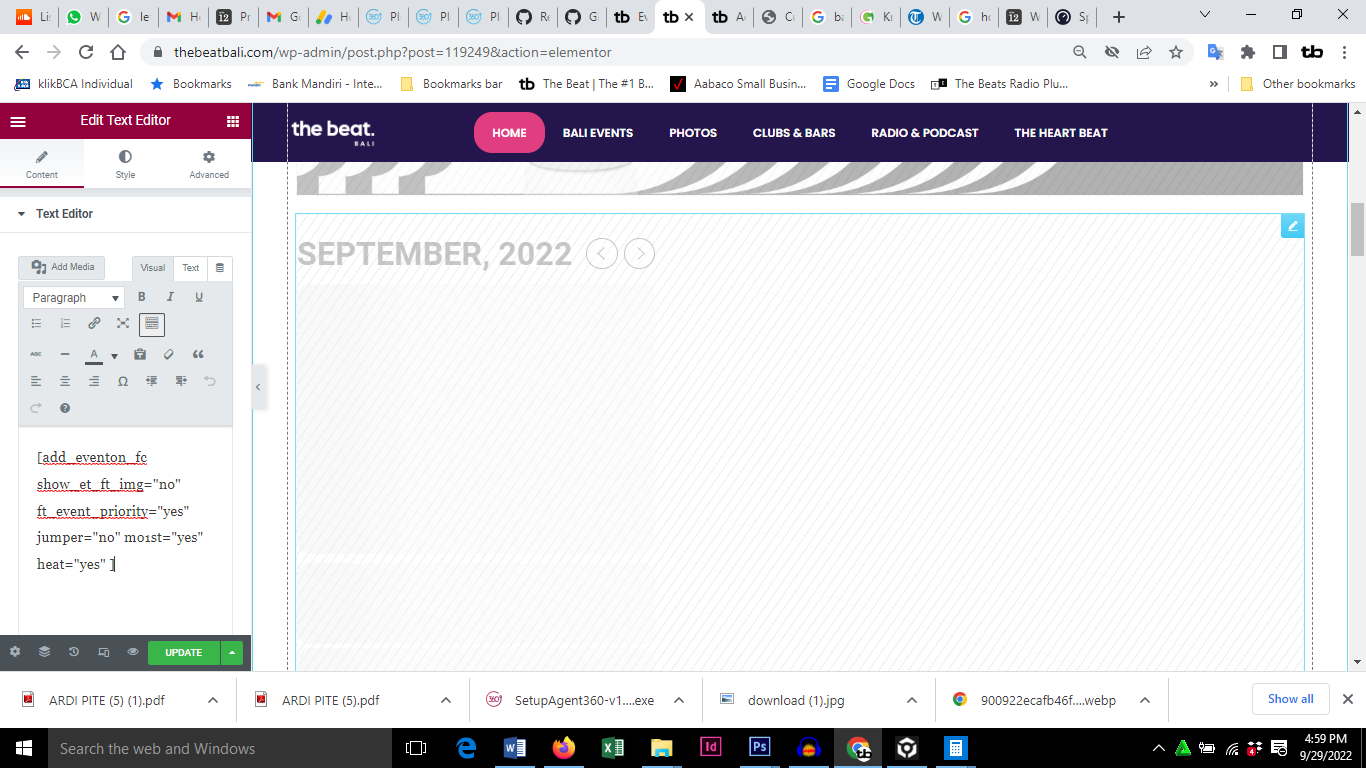
Is this where to add the code? screenshot
Hmmm yeah that kind of loses me. I’m not great at building websites. Sorry, but how do I do that?