These are not repeating events but it is a multi day event. e.g. let us say an event starts on sept 27th at 11:30 and it goes on till sept 29th but start time on 28th and 29th is 1pm. We really need to get it working.
Archives: Replies
Replies for tickets on suppota
Reply to: tickets(290889)
Hello,
You need to use Event Lists: Ext add-on
https://www.myeventon.com/addons/event-lists-extended/
Try this shortcode on https://dev.myeventon.com/wp-admin/:
[add_eventon_el number_of_months=”12″ event_count=”4″ hide_empty_months=”yes” event_count_list=”yes” tiles=”yes” tile_bg=”1″]
Reply to: tickets(290782)
Instead of the widget please use ESE:
https://docs.myeventon.com/documentations/use-eventon-shortcode-executor-widget/
The shortcode you need to put inside of the widget:
[add_eventon_list number_of_months=”2″ hide_mult_occur=”yes” hide_empty_months=”yes”]
Please try and let us know.
Reply to: tickets(290898)
Hello,
You cannot select multiple organizers, I am afraid. However, you can try Schedule add-on:
https://www.myeventon.com/addons/speakers-schedule/
It allows you to select multiple speakers. You can assign an image to each of them.
Try on https://dev.myeventon.com/wp-admin/
Please also note that you can also assign an image to an organizer by going to wp-admin > Event > Organizer > Edit > Image.
Reply to: tickets(290888)
Hello,
Thank you for your great suggestion, at the moment it is not supported. However please create a new ticket and select Feature Request as category so others can vote on your idea and get it moved into development faster.
Reply to: tickets(289030)
super yes it’s perfect thank you very much I was on vacation sorry for the late answer 😉
Reply to: tickets(290889)
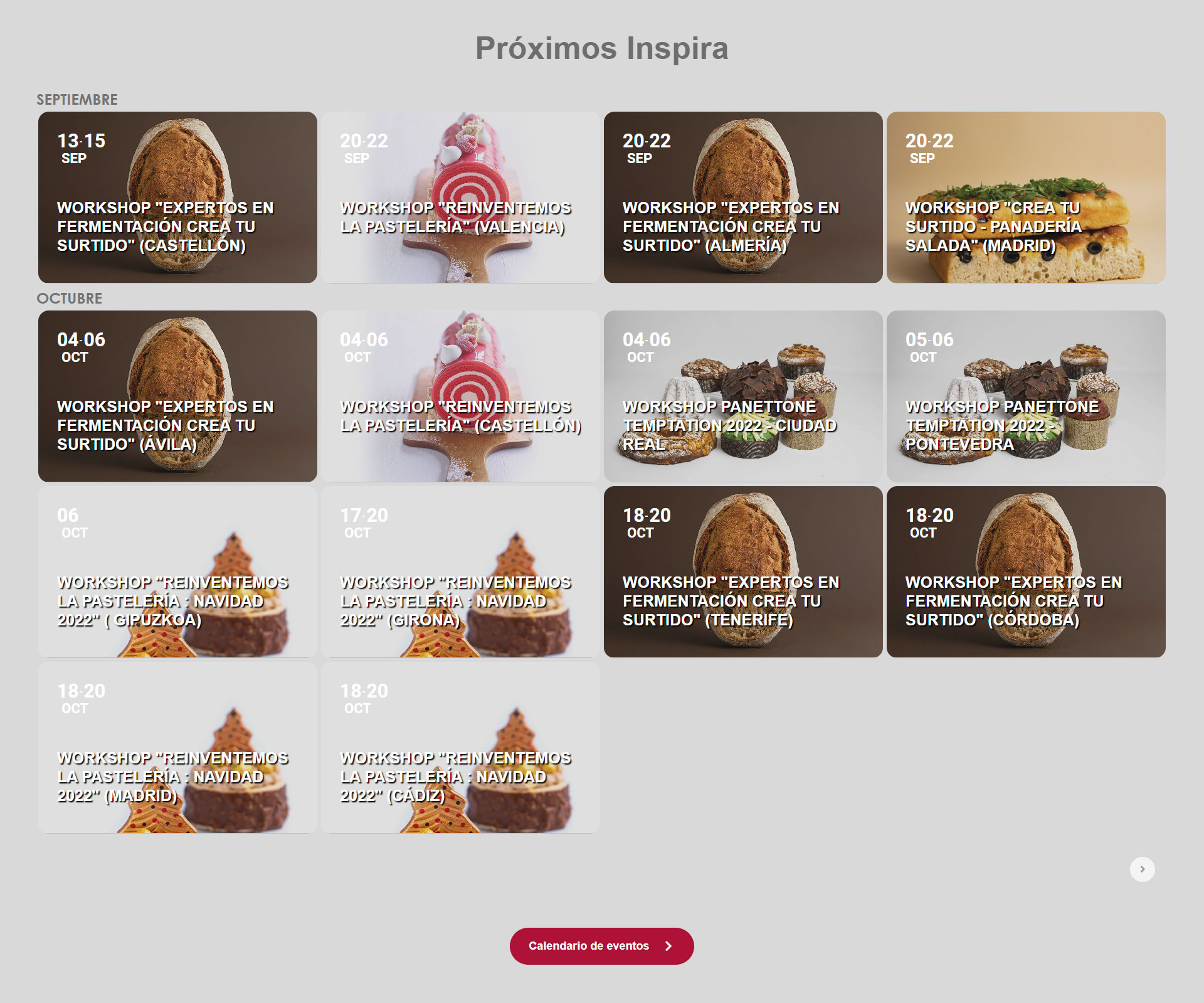
Hi.
It is not exactly what I was looking for because now it lists all the future events, in a row of 4. (attached image).
What I want is a slider with all future events, displayed by 4, please …
Thanks a lot
oriol
Reply to: tickets(290782)
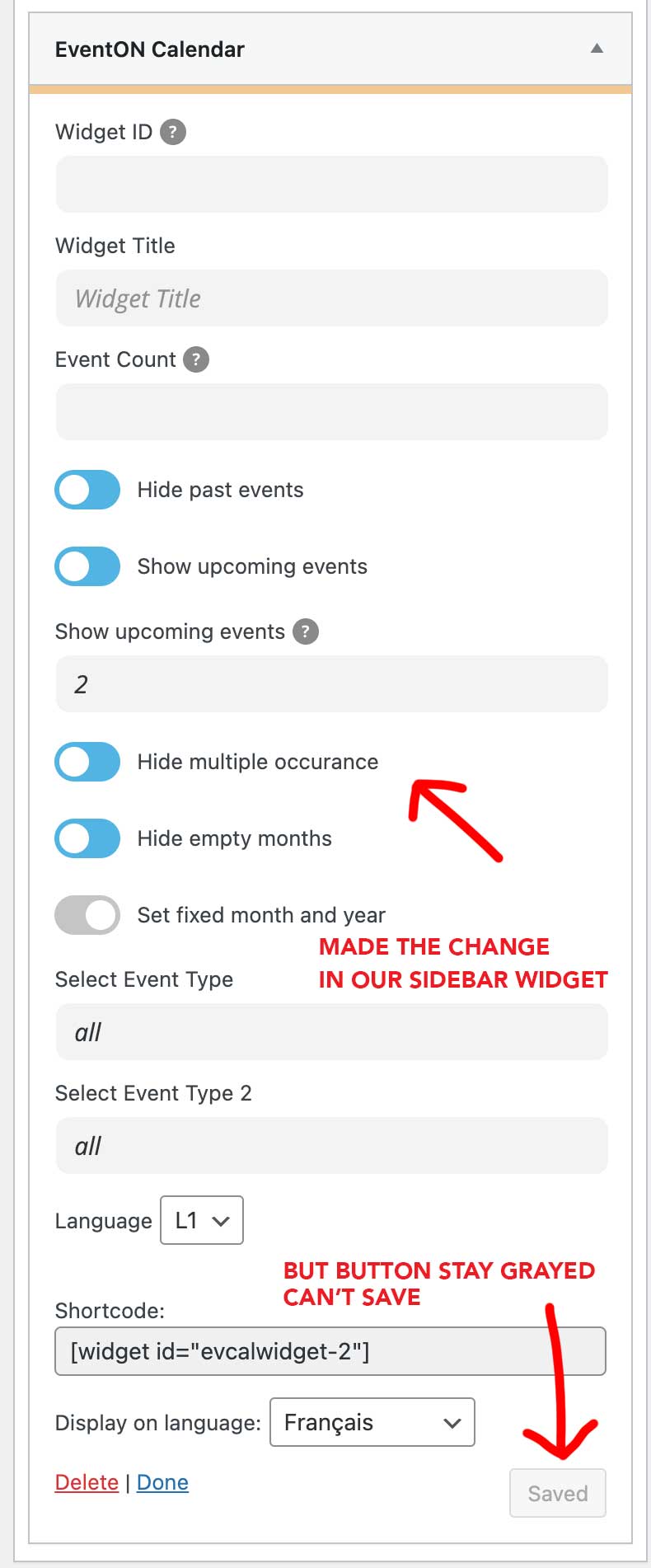
Thank you guys for your quick response !
I tried to make the change in our sidebar widget but the save button stays grayed
Can you give me your IP I will ask our network admin to whitelist it
Thanks again!
Reply to: tickets(290745)
Manual import works, but when i turn back to automatic daily then it doesnt. i added another test to 02.10.
Reply to: tickets(290745)
Hello
I added to 30.09 a test, but ics importer still fails to download.
You can see it here in the html calendar:
https://outlook.live.com/calendar/0/published/00000000-0000-0000-0000-000000000000/932b9014-4939-47ca-ab42-f26217d314f8/cid-EDF37A006B3634CB/calendar.html