Ashan,
The same on dev2:
https://dev2.myeventon.com/test-31/
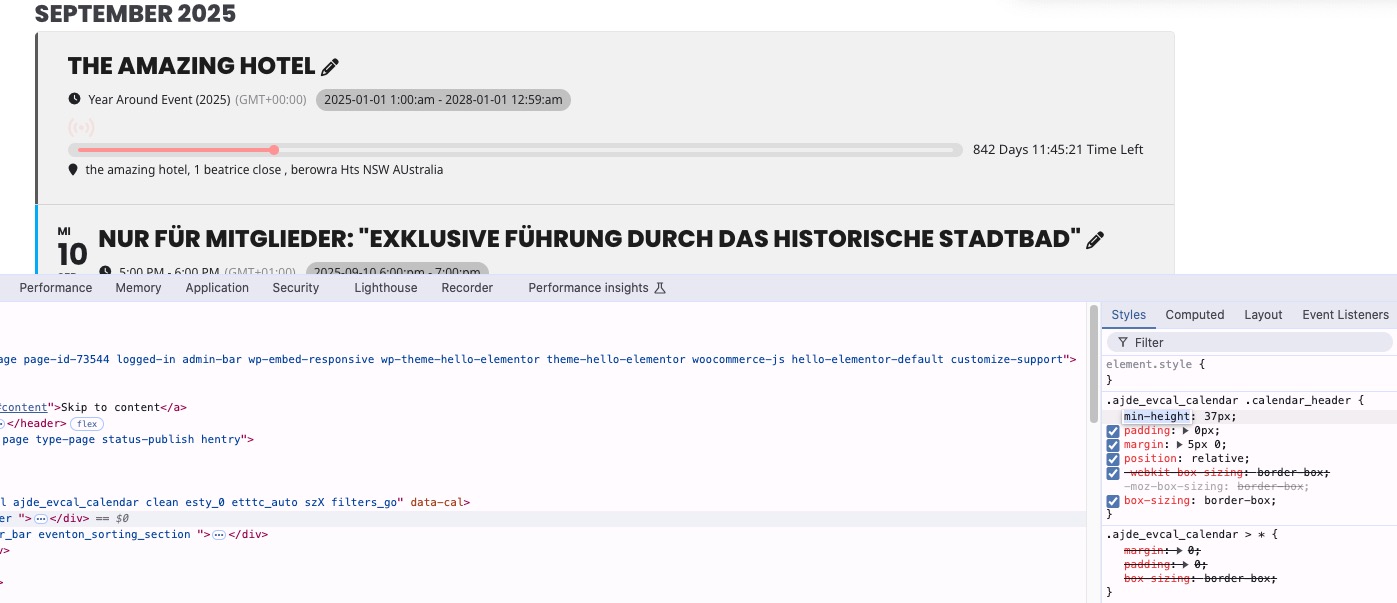
Replies for tickets on suppota
Ashan,
The same on dev2:
https://dev2.myeventon.com/test-31/
Thank you for your messages, I am going to assign this ticket to Ashan and he will be able to take it from here and find you a solution. Please allow some time for him to get back to you, we greatly appreciate your patience and thank you for being a eventon customer! Also please disable any IP blocking on your site if there are any.
We are glad your issue is resolved, if you have any further questions or concerns please create a new ticket.
Hello,
Please open Shortcode Generator > Main Calendar and then find “Default Sort by”:
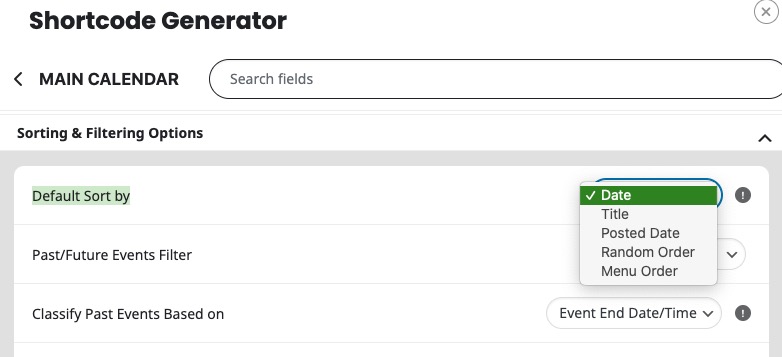
After you selected the sort you like, please copy sort_by=”” and add it to your FullCal shortcode.
Hello,
You can either limit the number of events with “Event Count Limit“:
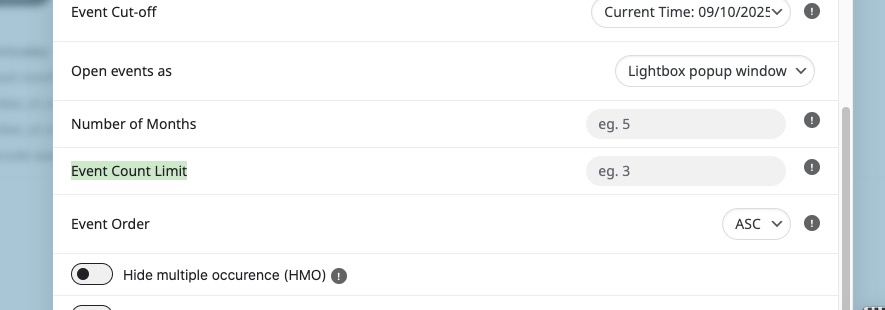
But I believe that you need to use Event Type (2) to show just events you want:
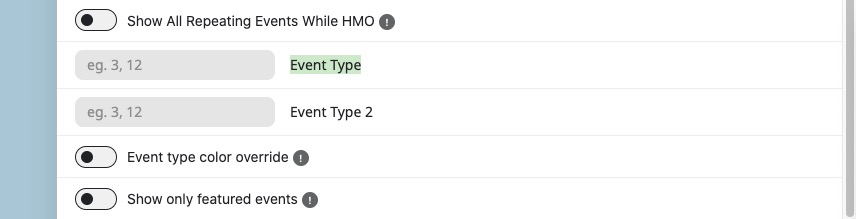
Also take a look at these guides:
https://docs.myeventon.com/documentations/confused-event-type-categories/
https://docs.myeventon.com/documentations/how-to-use-event-types-to-do-more/
Dear Support Team,
We’ve followed your instructions and have now disabled WP_DEBUG in the wp-config.php file.
We’ve also added the following lines:
error_reporting(0);
@ini_set(‘display_errors’, 0);
This way, the errors will no longer be displayed on the frontend, and the configuration is now secure.
Thank you very much for your guidance and help.
Best regards,
Ana
No problem. Let me know what you guys find out. Thanks!
The plugin version is 4.9.12
Thanks for your reply. This is the shortcode:
[add_eventon_list number_of_months=”1″ month_incre=”+0″ event_count=”4″ hide_mult_occur=”yes” hide_empty_months=”yes” show_year=”yes” filter_type=”select” filter_clear=”yes” exp_so=”no” event_past_future=”future” tiles=”no” ux_val=’3′ eventtop_style=’0′ hide_so=”yes”]
Let me know how to proceed. Thanks!
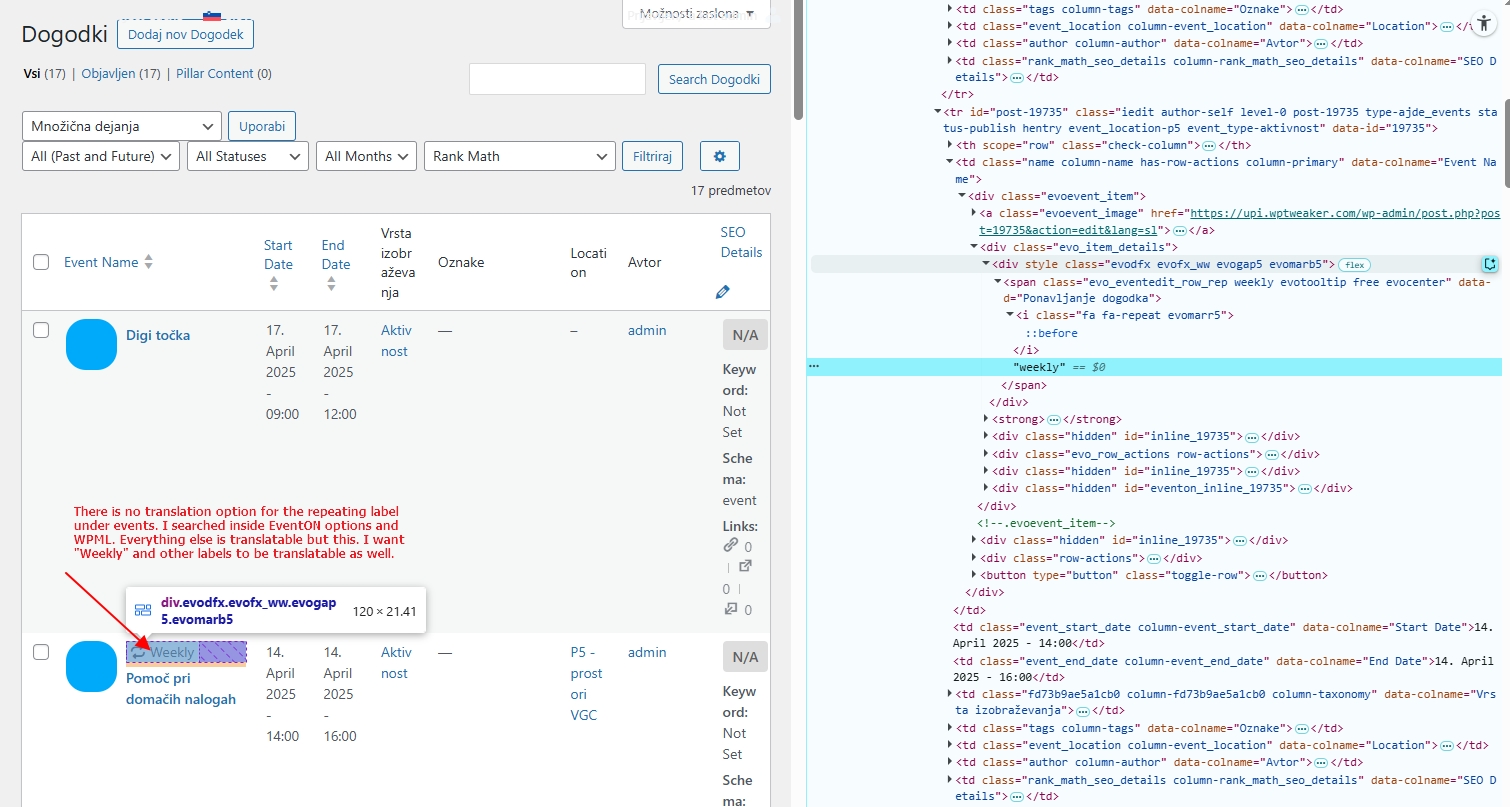
Here’s the image on non-translatable string/label, I gues it pertains to all the labels, not only “Weekly”