Hello,
Thx for last update. It works.
About the addon :
I don’t where to set ”hourly Forecast” to see it on frontend ?
In Appearance i set colors, but result is not so readable. Great if we could set different colors to icons and texts. I tried to do by css but not easy because css classes seems to be common to others parts of Eventon.
Ok, is it on you 2026 roadmap ?
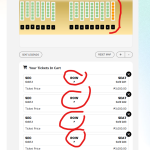 this is hwo it looks like. if this can’t be fixed again just like last time, maybe we can just hide the Row info to be safe and to avoid confusion to our customers.
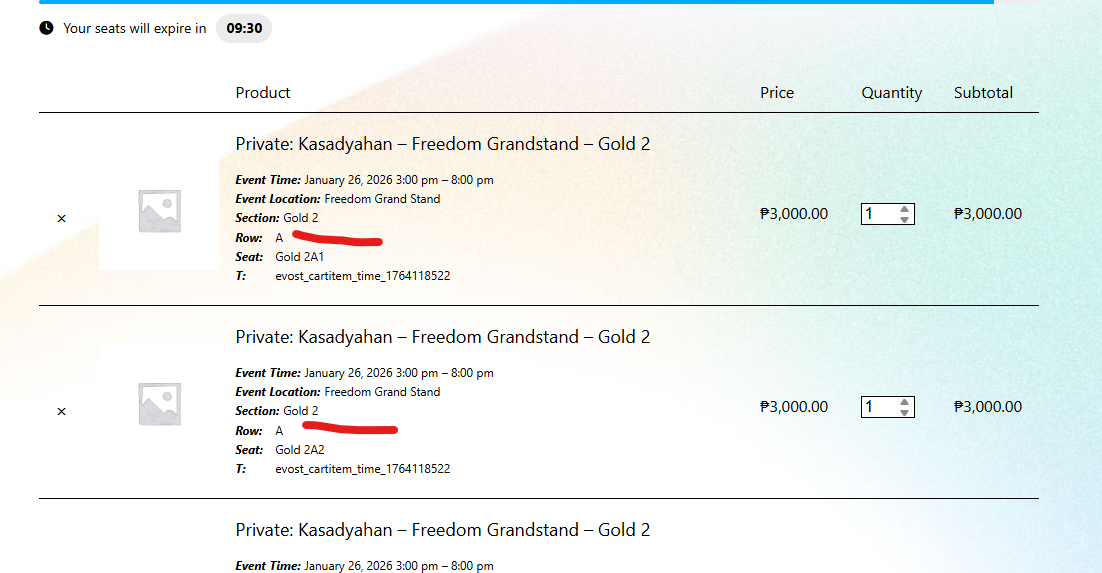
But when I checked on the cart page, the correct Row is showing up. Please let me know how to fix this
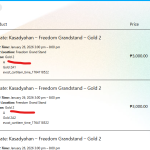
Ok, I update to the last version 5.0.2 and problem is not solved.
Thanks.
Apologies, this is the code I’m using
[add_eventon_list number_of_months=”3” event_count=’20’ show_limit=’yes’ exp_so=”yes” wishlist=”yes” filter_type=”select” filter_clear=”yes” style=”names” ux_val=”3” hide_past=”yes” hide_so=”yes” tiles=”yes” tile_bg=”1” tile_count=”3” tile_style=”2” tile_height=”240” ]
I want the load more to be at the end of 20 events and then load the next 20 events and so on to the end of the year.
Thanks
Helen
Hi,
[add_eventon_yv fixed_year=”2026” filter_type=”select” filter_clear=”yes” wishlist=”yes” exp_so=”yes” hide_past=”yes”]
Ok, thanks, now working.
More questions:
1. Can I translate: Weather Forecast (title)?
2. It’s possible to each location on Backofice (events->location), obtain by bulk to get the coordinates and save for the location? I have a lot of events.
Thanks
nunp
Hi, the shortcode solves the problem. Timezone was already the same.
I couldn’t connect using FTP access, so installed WP File Manager. Please check and let me know.
I believe that the guide isn’t correct. I’ve already contacted our development about the issue.
Meanwhile, could you try using the code from this folder for both single event page and archive page:
https://rachelb155.sg-host.com/wp-admin/admin.php?page=wp_file_manager#elf_l1_d3AtY29udGVudC9wbHVnaW5zL2V2ZW50T04vdGVtcGxhdGVz