This ticket is now private are you able to share wp-admin access to your site with plugin editor enabled? I can look in their code and see from the error what can be done to resolve it.
Archives: Replies
Replies for tickets on suppota
Reply to: tickets(288179)
Can you please share where I can see this error on your site? I tried editing events on your site and I was not able to see this error. Most likely I did not do what you did to get these errors. please fill me up on what I can do to get these errors.
Reply to: tickets(289982)
nepal, australia, usa africa I think that covers all
Reply to: tickets(290041)
at a guess go into myeventon>>>>settings>>>>event top
and see if the countdown is in the top section with the title or the bottom unused options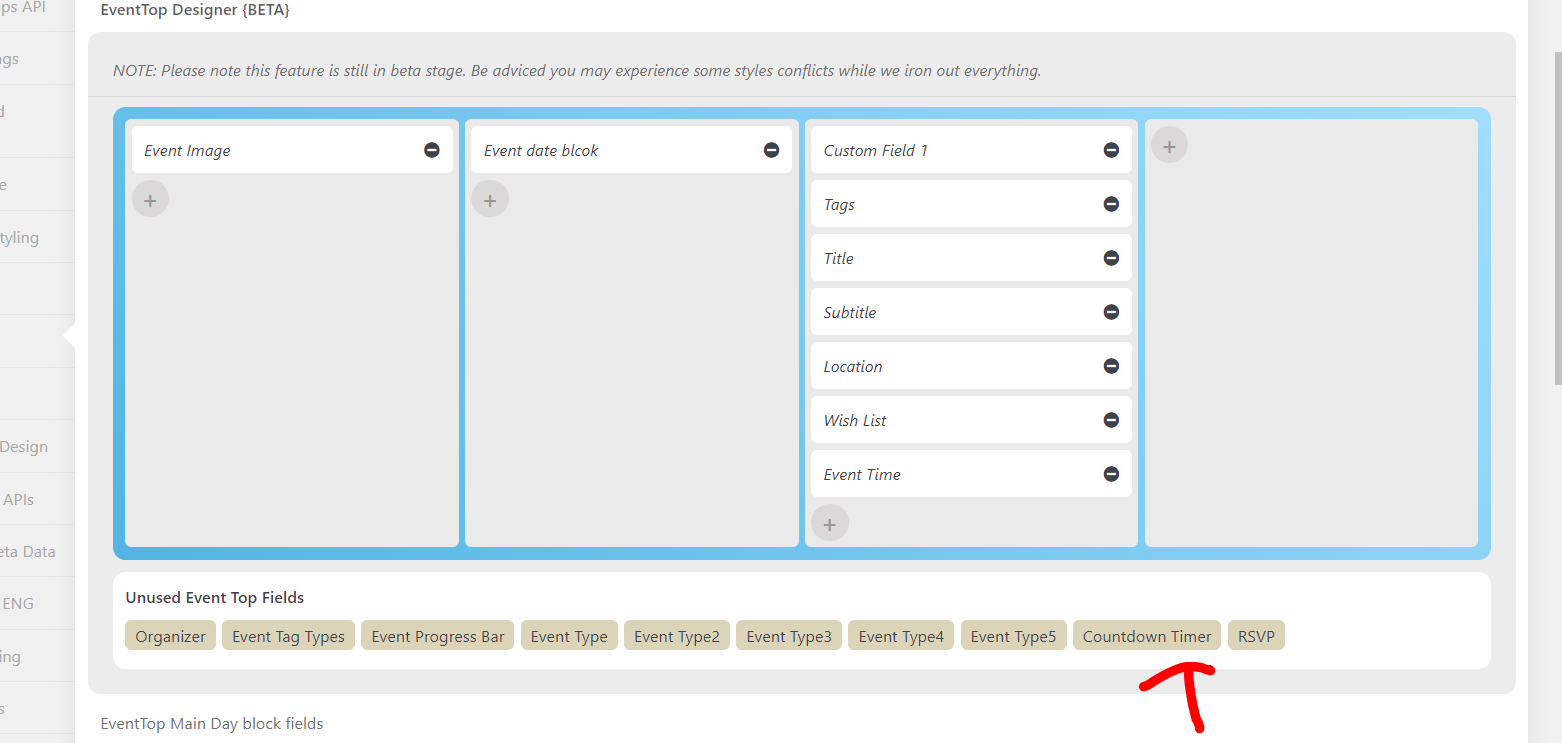
Reply to: tickets(290024)
Unfortunatly to show the next 3 events reardless of the month you’ll need an addon
https://www.myeventon.com/addons/event-lists-extended/
which is one of the features of that addon (it does other things but thats one of them)
Reply to: tickets(283368)
we would need wp-admin access- the previous username and passwords did not work for us
Reply to: tickets(290026)
Yes we knowabout that we will fix that in the next version- its not effecting your site
Reply to: tickets(290029)
hi please see video
option 1:
.eventon_events_list .eventon_list_event .evoet_cx .evcal_location, .evo_pop_body .evoet_cx .evcal_location, .eventon_events_list .eventon_list_event .evoet_cx .evcal_time, .evo_pop_body .evoet_cx .evcal_time {
margin-right: 100px;
}
will show full title but location drops underneath
option 2:
this one essentially gives you what you wanted in the ticket
.eventon_events_list .evo_pop_body .evoet_cx .evcal_location, .eventon_events_list .eventon_list_event .evoet_cx .evcal_time, .evo_pop_body .evoet_cx .evcal_time {
margin-right: 100px;
}
I have removed all the css I added so its up to you what you add
Reply to: tickets(290030)
lets back up a little bit
what are you trying to iframe and where are you iframing it to
Reply to: tickets(290005)
user agent stylesheet is actually the browser that is adding it- althought I have no idea why it effected some events and not others- the css I added should hold and overide the browser adding it as I added it to the theme it wont be lost when you update eventon next