Credentials shared…
Archives: Replies
Replies for tickets on suppota
Reply to: tickets(395576)
Hello,
You can either go to EventON > Time Settings > enable Hide past events for default calendar(s).
Or add event_past_future=”future” to the shortcode.
Reply to: tickets(395579)
Ashan,
Could you fix the issue?
Reply to: tickets(395579)
Hello,
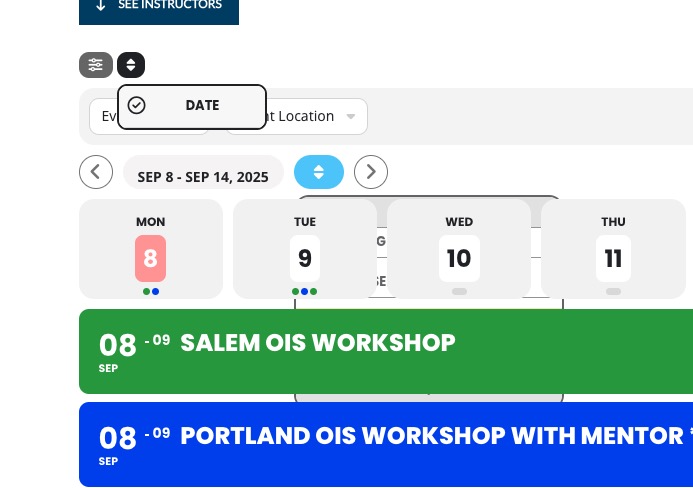
Please add this CSS code to EventON > Styles (If you don’t see any change, EventON > Scripts & Styling > turn off Write dynamic styles to header > save settings > turn on Write dynamic styles to header). You can also add this code to wp-admin > Appearance > Customize > Additional CSS.
.EVOWV_ranger { z-index: 999999; } .EVOWV_content .EVOWV_change { z-index: 999999; } .EVOWV_dates { z-index: 999999; } .EVOWV_dates .evohoop7:hover { opacity: 1; } .eventon_sorting_section.vis, .evo_filter_bar.vis { z-index: 9999999; }
Reply to: tickets(395577)
Hello,
We don’t have any access to your account on CodeCanyon. Please contact Envato/CodeCanyon about the issue.
Reply to: tickets(395578)
Closed as duplicate.
Reply to: tickets(395181)
We are sorry for the delay. Ashan will check this ASAP.
Reply to: tickets(395543)
Hello,
No issues on my side:
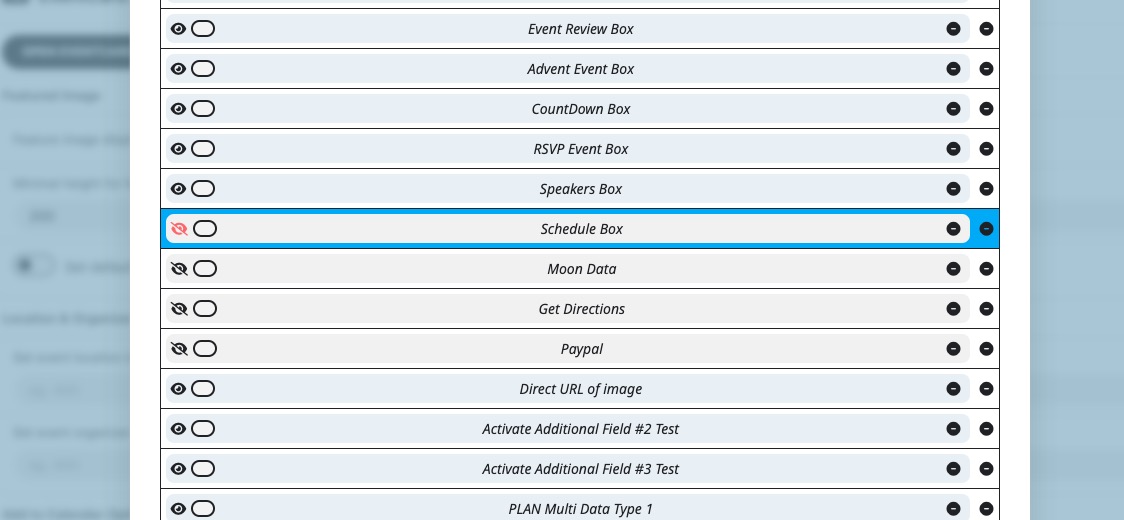
Please send us wp-admin access to your site from “Access Info” box on right side menu, to further assist your situation.
Could you also please try the instructions mentioned in this documentation?
Reply to: tickets(395518)
And do you think that CSV Import isn’t going to work for you? Can TheEvents Calendar export events in CSV format?
Reply to: tickets(395548)
Hello,
Please try enabling Load More functionality by adding all of these to the shortcode:
[add_eventon event_count=”5″ show_limit=”yes” show_limit_ajax=”yes”]