Hi again Artem,
Thank you for the screenshot, I will try that on a staging site.
Regards,
Niels Mellemgaard
Replies for tickets on suppota
Hi again Artem,
Thank you for the screenshot, I will try that on a staging site.
Regards,
Niels Mellemgaard
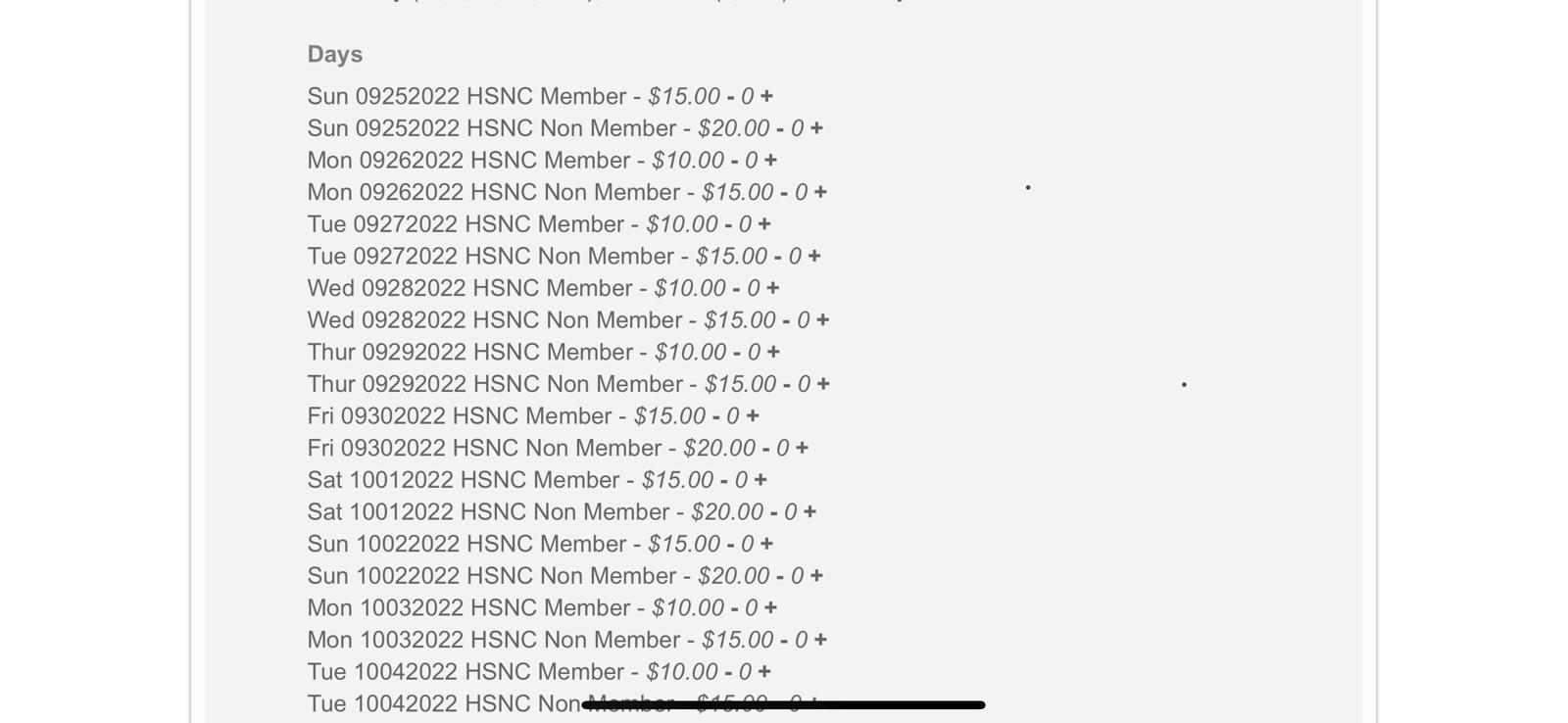
Here is the link to the event – https://hsnctemple.org/events/navaratri22/
When users come to this page using a Mobile Phone (iPhone or Android) they are not able to add tickets to the cart. This page works fine from the laptop. What can we do to resolve the issue. Please refer to the attached image of the page which appears on a mobile browser.
Can I hide all the time labels from one event type?
Hello,
1. Unfortunately, you must assign related events manually. Could you also create a new ticket and select Feature Requestas category so others can vote on your idea and get it moved into development faster.
2. You can sort them manually by drag-and-drop from Edit Event.
3. You can hide them with this code:
.evcal_eventcard .evcal_cell_rel_events a span { display: none !important; }
Ashan,
Please take a look at “Maybe on next update you could consider adding the HTML editor to the DESCRIPTION field of the Schedule block. Is it possible?“
Hello,
Thank you for your great suggestion, at the moment it is not supported. However please create a new ticket and select Feature Request as category so others can vote on your idea and get it moved into development faster.
I am also going to assign Ashan to this ticket. Maybe it’s much easier and can be done through a simple code modification.
Hello,
Your can use Muti Data types just for the front-end information to show users.
And for filtering use Event Organizer or Event Type:
https://docs.myeventon.com/documentations/confused-event-type-categories/
https://docs.myeventon.com/documentations/how-to-use-event-types-to-do-more/
This way you can output a filtered calendar as JSON with EventON API:
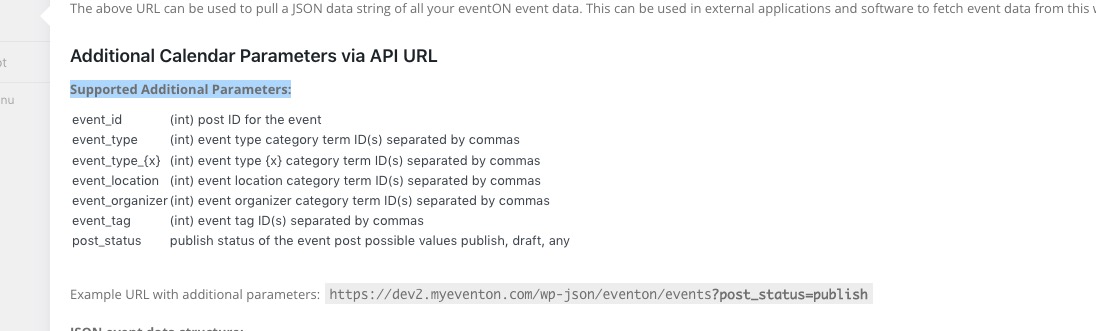
event_type (int) event type category term ID(s) separated by commas
event_type_{x} (int) event type {x} category term ID(s) separated by commas
event_location (int) event location category term ID(s) separated by commas
event_organizer (int) event organizer category term ID(s) separated by commas
Please take a look at: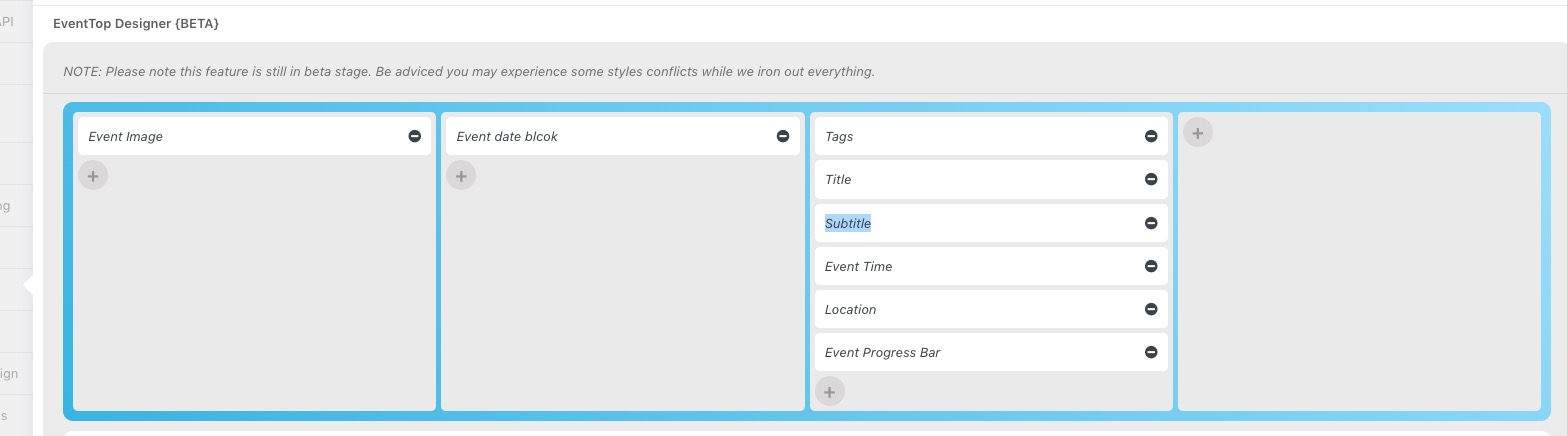
Hello,
EventON doesn’t have .post style:
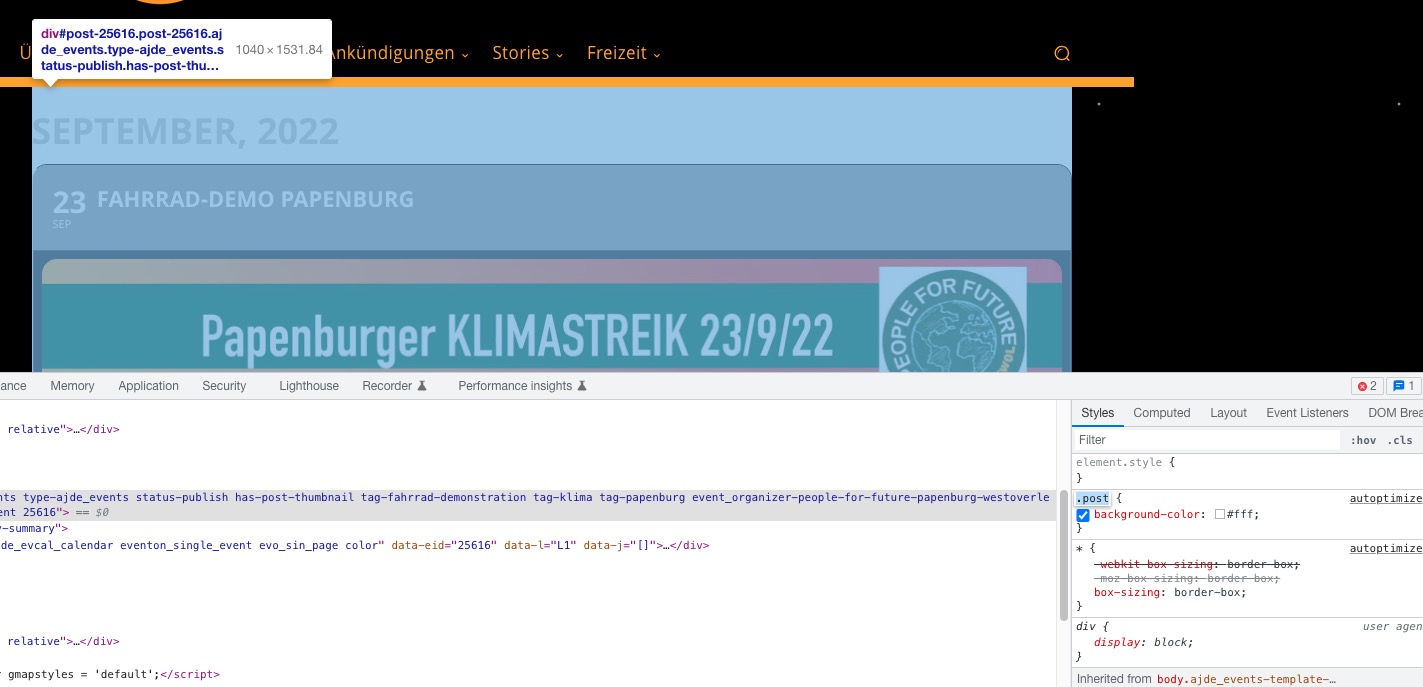
It seems that the issue is coming from the theme.
Please add this CSS code to EventON > Styles (If you don’t see any change, EventON > Scripts & Styling > turn off Write dynamic styles to header > save settings > turn on Write dynamic styles to header):
.post.ajde_events { background: none !important; }
Hello,
We are going to include this fix into the next version.